Magma Project – Hacker (Japan)
0 1 0
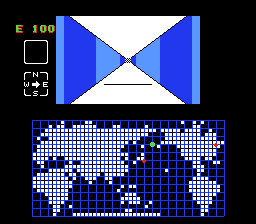
Magma Project – Hacker (Japan) is a classic FDS game that puts players in the role of a digital infiltrator, navigating a virtual environment filled with obstacles and puzzles. This game is great for those who enjoy solving puzzles, planning moves carefully, and experiencing vintage console gaming. As a product of the Famicom Disk System era, it offers straightforward, yet tricky gameplay that appeals to fans of old-school gaming and early computer-style challenges. Since it runs right in your browser, you get a genuine experience without needing downloads or installations.
Getting Into Magma Project – Hacker
The main gameplay of Magma Project – Hacker involves moving through a grid-like digital landscape. Players control a cursor or avatar, navigating levels where avoiding security programs or completing specific tasks is key. The game relies on recognizing patterns, timing your moves well, and planning ahead, as you need to anticipate enemy actions or solve puzzles within limited timeframes. Each level gets a bit more difficult, gradually testing your skills as you go.
Sessions are usually short, with each level presenting a contained puzzle or goal. The game has a simple system where completing one level unlocks the next. Unlike modern games with long stories or character customization, Magma Project – Hacker focuses on quick reflexes and puzzle-solving, making it a good choice for quick gaming breaks. The increasing difficulty encourages trying again and again, rewarding players who learn the patterns and mechanics.
Standout Features
This game from the FDS era features pixel art visuals reminiscent of early home console hacking and digital puzzles. The graphics are minimal but clear, making it easy to focus on gameplay. The grid-based levels are simple to read, and visual cues guide players on what to do next, which helps newcomers get started easily.
Progression is straightforward, with each level introducing new challenges building on what you’ve already seen. Replay value comes from trying to beat your best times or completing levels error-free. Since it’s built around puzzle mechanics, players often replay levels to refine their strategies or finish faster, which makes mastering these classic logic puzzles quite satisfying.
Strategy and Tips
Getting started is simple, but getting good takes patience and careful planning. Here are some tips to help you improve:
- Watch enemy and obstacle patterns before moving; rushing can cause mistakes.
- Plan your route to avoid unnecessary moves, saving time and reducing errors.
- Use trial and error to memorize level layouts, especially in later, tougher stages.
- Time your movements carefully instead of rushing through levels.
- Practice levels multiple times to recognize patterns faster and react better.
- Take breaks if you get stuck—looking at the problem with fresh eyes can help you find solutions.
Quick Questions
How do I start playing Magma Project – Hacker?
You just load the game on this page, and it runs instantly in your browser without any setup.
What’s a common mistake beginners make?
Trying to rush through levels without observing enemy or obstacle patterns often leads to errors and retries.
Can I play Magma Project – Hacker on mobile or touch devices?
Yes, since it works directly in your browser, it should run on mobile devices with touch screens, though precise controls may vary depending on your device.
Playing Magma Project – Hacker offers a simple, nostalgic puzzle challenge right in your browser. Its straightforward mechanics and tricky levels make it a satisfying choice for fans of retro FDS games and puzzle-solving alike.
Related games: you can also try Bio Miracle Bokutte Upa (Japan) (3DS Virtual Console) and Fairytale (Japan), or browse all other games in the FDS category.
How to Play Magma Project – Hacker (Japan)?
Navigate the grid, avoid security and solve puzzles by planning your moves carefully. Complete levels to unlock new challenges, aiming for quick, error-free solutions.
Game Controls
Arrow keys move the cursor; other keys handle actions as mapped in the emulator.
You may be interested in:
-
 FDS
♥ 2
Zelda no Densetsu – The Hyrule Fantasy (Japan) (Virtual Console)
FDS
♥ 2
Zelda no Densetsu – The Hyrule Fantasy (Japan) (Virtual Console) -
 FDS
♥ 2
Zelda no Densetsu – The Hyrule Fantasy (Japan) (Rev 1)
FDS
♥ 2
Zelda no Densetsu – The Hyrule Fantasy (Japan) (Rev 1) -
 FDS
♥ 1
Zelda no Densetsu – The Hyrule Fantasy (Japan) (GameCube)
FDS
♥ 1
Zelda no Densetsu – The Hyrule Fantasy (Japan) (GameCube) -
 FDS
♥ 1
Zelda no Densetsu – The Hyrule Fantasy (Japan) (Collector’s Edition)
FDS
♥ 1
Zelda no Densetsu – The Hyrule Fantasy (Japan) (Collector’s Edition) -
 FDS
♥ 2
Zelda no Densetsu – The Hyrule Fantasy (Japan) (Beta) (1985-12-28)
FDS
♥ 2
Zelda no Densetsu – The Hyrule Fantasy (Japan) (Beta) (1985-12-28) -
 FDS
♥ 2
Zelda no Densetsu – The Hyrule Fantasy (Japan)
FDS
♥ 2
Zelda no Densetsu – The Hyrule Fantasy (Japan) -
 FDS
♥ 1
Zatsugaku Olympic Quiz Part II (Japan) (Unl)
FDS
♥ 1
Zatsugaku Olympic Quiz Part II (Japan) (Unl) -
 FDS
♥ 1
Zatsugaku Olympic Quiz – Watanabe Wataru Hen (Japan) (Unl)
FDS
♥ 1
Zatsugaku Olympic Quiz – Watanabe Wataru Hen (Japan) (Unl)
Comments (0)
No comments yet. Be the first to comment!