Margot’s Word Brain (USA) (En,Fr,Es)
0 1 0
Margot’s Word Brain (USA) (En,Fr,Es) is a charming puzzle game that was originally made for the Nintendo DS and is now playable directly in your browser. If you enjoy word puzzles that test your vocabulary and pattern recognition, this game provides a simple yet engaging challenge. Its straightforward mechanics and easy design make it suitable for players of all ages looking for a relaxing mental workout.
Getting Into Margot’s Word Brain
The main gameplay involves forming words from a grid of letters. Each round starts with a grid filled with random letters, and your task is to connect adjacent tiles to create valid words. The game features multiple levels or puzzles, each requiring you to find a set number of words within a time limit or move count. It’s a good fit for anyone who enjoys quick thinking and expanding their vocabulary with a bit of pressure.
As you complete puzzles, you unlock new levels or themes, with difficulty gradually increasing. There’s a relaxed mode for casual play and timed challenges that test your speed. Playing in your browser means you get instant access—no downloads needed—and each session can last from a few minutes to longer if you’re aiming for high scores or perfect completions.
Standout Features
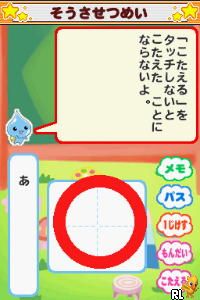
The game’s visual style is clean and simple, with easy-to-read text and clear grid layouts, reminiscent of Nintendo DS classics. It doesn’t have flashy animations but provides enough visual feedback to confirm correct word selections, keeping gameplay smooth and intuitive.
Progression involves unlocking new puzzles that become more complex and vocabulary-rich. Replay value comes from trying to beat your best times, discovering new words, and completing all levels with high scores. Since it emphasizes vocabulary and pattern recognition, it encourages repeated play to improve and expand your word library.
Strategy and Tips
Start with common, short words to build confidence and notice patterns for longer words. Connect letters logically to avoid missing chances. Keep track of how many words you still need to find, and don’t rush—accuracy often beats speed early on.
- Use the shuffle feature if available to rearrange the grid and see new possibilities.
- Look for common prefixes and suffixes to speed up your word list.
- Try to find longer words first, as they can help reveal clues for shorter ones.
- Practice regularly to boost your speed and vocabulary recognition.
- Use hints sparingly if they’re available, to keep the challenge going.
Quick Questions
How do I get started with Margot’s Word Brain?
Just load the game in your browser, and it will start with a puzzle on the main screen. Connect letters and find words to get going.
What’s a common mistake beginners make?
Many try to find overly complex words first instead of focusing on shorter, familiar ones that can help you spot patterns and open up more options quickly.
Can I play Margot’s Word Brain on mobile or touch screens?
Yes, it works directly in your browser on any device with a touch screen, so you can play on your smartphone or tablet without any extra setup.
Margot’s Word Brain offers a straightforward puzzle experience that sharpens vocabulary and pattern recognition. Its simple design and accessible gameplay make it a good choice for casual players and word puzzle fans alike, all playable for free in your browser whenever you want to give your brain a quick workout.
Related games: you can also try Emma at the Farm (Europe) (En,Fr,De,Es,It,Nl,Pt) and Best Friends – Hunde & Katzen (Germany) (En,De), or browse all other games in the Nintendo DS category.
How to Play Margot’s Word Brain (USA) (En,Fr,Es)?
Connect adjacent letters to form words within a grid, completing puzzles by finding a set number of words before time runs out or moves are used up.
Game Controls
Arrow keys to navigate; Enter to select or confirm words.
You may be interested in:
-
 Nintendo DS
♥ 1
Casper’s Scare School – Classroom Capers (USA)
Nintendo DS
♥ 1
Casper’s Scare School – Classroom Capers (USA) -
 Nintendo DS
♥ 1
Zunou Nouryoku Koujou Machine – Touch de Zunoo DS (Japan)
Nintendo DS
♥ 1
Zunou Nouryoku Koujou Machine – Touch de Zunoo DS (Japan) -
 Nintendo DS
♥ 1
Zunou ni Asekaku Game Series! Vol. 1 – Cool 104 Joker & Setline (Japan)
Nintendo DS
♥ 1
Zunou ni Asekaku Game Series! Vol. 1 – Cool 104 Joker & Setline (Japan) -
 Nintendo DS
♥ 9
Zuma’s Revenge (USA)
Nintendo DS
♥ 9
Zuma’s Revenge (USA) -
 Nintendo DS
♥ 1
Zubo (USA) (En,Fr,Es)
Nintendo DS
♥ 1
Zubo (USA) (En,Fr,Es) -
 Nintendo DS
♥ 1
Zubo (Europe) (En,Fr,De,Es,It,Nl,Sv)
Nintendo DS
♥ 1
Zubo (Europe) (En,Fr,De,Es,It,Nl,Sv) -
 Nintendo DS
♥ 1
Zorro – Quest for Justice (USA) (En,Fr,De,Es,It)
Nintendo DS
♥ 1
Zorro – Quest for Justice (USA) (En,Fr,De,Es,It) -
 Nintendo DS
♥ 1
Zorro – Quest for Justice (Europe) (En,Fr,De,Es,It)
Nintendo DS
♥ 1
Zorro – Quest for Justice (Europe) (En,Fr,De,Es,It)
Comments (0)
No comments yet. Be the first to comment!