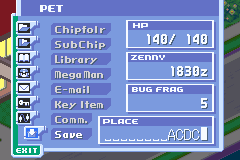
Mega Man Battle Network 3 White Version (Virtual Console)
0 3 0
Mega Man Battle Network 3 White Version (Virtual Console) is a classic Game Boy Advance game that brings its familiar mix of action, strategy, and role-playing into your browser for easy access. Fans of turn-based combat with grid-based movement tend to enjoy it because it’s simple to pick up and play without needing complicated setups or downloads.
What Is Mega Man Battle Network 3 White Version?
In Mega Man Battle Network 3 White Version, you take on the role of a NetBattler exploring a digital world filled with viruses, battles, and mysteries. The game combines real-time strategic combat with RPG elements, where you manage your NetNavi, gather Battle Chips, and upgrade your abilities. Battles happen on a grid, and quick thinking and smart chip use are key to winning.
Set in a future universe, the game focuses on exploration, solving puzzles, and fighting enemies. You build your deck of Battle Chips, customize your NetNavi, and face different foes across various zones. Its structure encourages replaying to find new chips, try different strategies, and discover secrets, all while keeping the game manageable in length for casual play.
What Keeps You Coming Back
A big reason players keep returning is the wide variety of Battle Chips and the strategic options they provide. Trying out different chip setups makes battles feel fresh and keeps things challenging. The game rewards exploration and experimenting with different builds, so each playthrough can feel unique.
It also offers multiple modes and side quests that add to its replay value. Whether you’re aiming to perfect your deck, unlock hidden content, or just enjoy fast-paced battles, there’s enough variety to keep things interesting. The gameplay is simple but layered enough to satisfy both casual and more dedicated players over time.
Handy Tips
If you’re new, these tips might help you get started smoothly:
- Build a balanced deck with Attack, Defense, and Utility chips.
- Save your stronger chips for boss fights to make them count.
- Explore every area thoroughly to find hidden chips and upgrade materials.
- Keep an eye on your NetNavi’s health and energy — managing resources is crucial.
- Experiment with different chip combos to find what works best against various enemies.
- Use save points often so you don’t lose progress during tough battles.
Player FAQ
Is Mega Man Battle Network 3 White Version friendly for newcomers?
Yes, it’s quite accessible, with straightforward mechanics and a gentle difficulty curve. It provides enough guidance so you can get started without feeling overwhelmed.
Can kids enjoy Mega Man Battle Network 3 White Version?
Definitely. Its turn-based combat and puzzle elements suit a wide age range, and it doesn’t require quick reflexes or internet access. It’s a safe option for younger players and a good intro to strategy RPGs.
Can I play Mega Man Battle Network 3 White Version offline or in my browser?
Yes, the game runs directly in your browser without needing downloads or an internet connection, making it easy to play anytime. Perfect for quick sessions or casual fun.
Playing Mega Man Battle Network 3 White Version here gives you a classic experience with familiar gameplay mechanics, all wrapped up in a compact package. It’s a solid pick for fans of the series and newcomers alike, offering strategic battles without any fuss.
Related games: you can also try All Grown Up – Express Yourself (E)(Independent) and 2 in 1 – Spyro 2 – Season of Flame & Crash Nitro Kart (E)(Rising Sun), or browse all other games in the Game Boy Advance category.
How to Play Mega Man Battle Network 3 White Version (Virtual Console)?
Move around the grid, select Battle Chips, and fight enemies using strategic chip combinations to deplete their health. Collect upgrades and explore to improve your NetNavi and complete objectives.
Game Controls
Arrow keys control movement; other keys handle actions and menu navigation.
You may be interested in:
-
 Game Boy Advance
♥ 2
Zooo (J)(Rising Sun)
Game Boy Advance
♥ 2
Zooo (J)(Rising Sun) -
 Game Boy Advance
♥ 4
Zooo (E)(Trashman)
Game Boy Advance
♥ 4
Zooo (E)(Trashman) -
 Game Boy Advance
♥ 2
ZooCube (U)(Mode7)
Game Boy Advance
♥ 2
ZooCube (U)(Mode7) -
 Game Boy Advance
♥ 1
ZooCube (E)(Blizzard)
Game Boy Advance
♥ 1
ZooCube (E)(Blizzard) -
 Game Boy Advance
♥ 1
Zone of the Enders – The Fist of Mars (U)(Mode7)
Game Boy Advance
♥ 1
Zone of the Enders – The Fist of Mars (U)(Mode7) -
 Game Boy Advance
♥ 1
Zone of the Enders – The Fist of Mars (E)(Cezar)
Game Boy Advance
♥ 1
Zone of the Enders – The Fist of Mars (E)(Cezar) -
 Game Boy Advance
♥ 1
Zoku Bokura no Taiyou – Taiyou Shounen Django (J)(Independent)
Game Boy Advance
♥ 1
Zoku Bokura no Taiyou – Taiyou Shounen Django (J)(Independent) -
 Game Boy Advance
♥ 7
Zoku Bokura no Taiyou – Taiyou Shounen Django (J)(Caravan)
Game Boy Advance
♥ 7
Zoku Bokura no Taiyou – Taiyou Shounen Django (J)(Caravan)
Comments (0)
No comments yet. Be the first to comment!