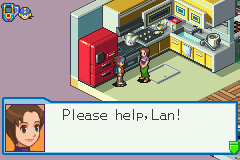
MegaMan Battle Network 4 Blue Moon (E)(Independent)
0 3 0
MegaMan Battle Network 4 Blue Moon (E)(Independent) is a classic Game Boy Advance game available to play directly in your browser on this site. Part of the long-running MegaMan Battle Network series, it combines turn-based strategy with real-time action, set within a digital universe filled with battles and puzzles. Its familiar yet refined gameplay offers a nostalgic look at the GBA era, appealing to fans of tactical RPGs and action-adventure titles alike.
Why MegaMan Battle Network 4 Blue Moon Is Worth Playing
This game stands out thanks to its strategic combat system, where players control a digital avatar called a NetNavi to fight viruses and other cyber threats. The visuals stay true to the GBA’s sprite-based style, with colorful pixel art that captures the playful and techy vibe of the series. The atmosphere balances lightheartedness with challenge, making each victory satisfying without feeling overly punishing. Its interface is straightforward but layered enough to reward players who enjoy planning their moves and managing resources.
What keeps players coming back is the mix of exploration and combat, along with a variety of customization options. You’ll find yourself experimenting with different battle chips and strategies to outsmart opponents. The series’ signature blend of real-time movement and turn-based decisions creates a pacing that keeps things interesting without becoming dull. New mechanics and story elements add depth, making it enjoyable for newcomers and longtime fans alike.
Tips to Get Ahead
To get the most out of MegaMan Battle Network 4 Blue Moon, here are some helpful tips:
- Focus on collecting and upgrading battle chips that match your preferred playstyle for better combat options.
- Keep an eye on your Navi’s health and energy, especially during longer battles or boss fights.
- Learn enemy weaknesses; exploiting them can turn tough fights in your favor.
- Explore every area thoroughly to find hidden items and useful upgrades that can improve your performance.
- Save often, especially before difficult battles, so you don’t lose progress if things go wrong.
- Try different chip combinations to find effective attack patterns and defensive strategies.
Things to Know Before You Start
Question?
How long does it usually take to finish MegaMan Battle Network 4 Blue Moon?
The length depends on your approach, but most players spend around 10-15 hours completing it, making it good for both casual play and longer sessions.
Question?
Is MegaMan Battle Network 4 Blue Moon good for beginners?
Yes, its interface is simple enough, but some battles can be tough, so new players might want to learn the mechanics gradually.
Question?
Does the browser version include all features of the original game?
Yes, it runs directly in your browser without needing extra downloads, providing a faithful version of the classic GBA experience.
Question?
Can I play MegaMan Battle Network 4 Blue Moon in short gaming sessions?
While some battles are quick, the strategic aspects mean longer playtimes can be more rewarding. It works well for both quick bursts and longer playthroughs.
Getting into MegaMan Battle Network 4 Blue Moon is simple thanks to its intuitive controls and engaging gameplay. Its mix of strategy, exploration, and light storytelling makes it worth trying out for fans of classic GBA titles. Jump in and see how well you can manage this digital battlefield.
Related games: you can also try Little League Baseball 2002 (U)(Trashman) and Hagane no Renkinjutsushi – Omoide no Soumeikyoku (J)(Caravan), or browse all other games in the Game Boy Advance category.
How to Play MegaMan Battle Network 4 Blue Moon (E)(Independent)?
Control your NetNavi to explore areas, collect battle chips, and fight viruses using turn-based combat. Strategically choose chips and move through levels to defeat enemies and progress in the story.
Game Controls
Arrow keys move your character; other keys handle menu navigation and actions.
You may be interested in:
-
 Game Boy Advance
♥ 2
Zooo (J)(Rising Sun)
Game Boy Advance
♥ 2
Zooo (J)(Rising Sun) -
 Game Boy Advance
♥ 4
Zooo (E)(Trashman)
Game Boy Advance
♥ 4
Zooo (E)(Trashman) -
 Game Boy Advance
♥ 2
ZooCube (U)(Mode7)
Game Boy Advance
♥ 2
ZooCube (U)(Mode7) -
 Game Boy Advance
♥ 1
ZooCube (E)(Blizzard)
Game Boy Advance
♥ 1
ZooCube (E)(Blizzard) -
 Game Boy Advance
♥ 1
Zone of the Enders – The Fist of Mars (U)(Mode7)
Game Boy Advance
♥ 1
Zone of the Enders – The Fist of Mars (U)(Mode7) -
 Game Boy Advance
♥ 1
Zone of the Enders – The Fist of Mars (E)(Cezar)
Game Boy Advance
♥ 1
Zone of the Enders – The Fist of Mars (E)(Cezar) -
 Game Boy Advance
♥ 1
Zoku Bokura no Taiyou – Taiyou Shounen Django (J)(Independent)
Game Boy Advance
♥ 1
Zoku Bokura no Taiyou – Taiyou Shounen Django (J)(Independent) -
 Game Boy Advance
♥ 7
Zoku Bokura no Taiyou – Taiyou Shounen Django (J)(Caravan)
Game Boy Advance
♥ 7
Zoku Bokura no Taiyou – Taiyou Shounen Django (J)(Caravan)
Comments (0)
No comments yet. Be the first to comment!