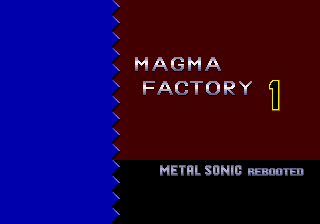
Metal Sonic Rebooted
0 40 3
Metal Sonic Rebooted is a classic Genesis game you can play right in your browser, offering a nostalgic look at the fast-paced action of the 16-bit era. Its pixel art visuals and chiptune soundtrack bring back memories of early ’90s arcade-style platformers, with a focus on speed, precision, and tough challenges. As a title rooted in the Genesis era, it captures that time’s spirit—tight controls, straightforward mechanics, and an arcade feel—accessible instantly without any downloads or installations.
Step Into the World of Metal Sonic Rebooted
From the moment you hit start, Metal Sonic Rebooted drops you into a world of metallic landscapes and neon-lit corridors. The graphics lean into the Genesis’s pixel art style, with bright colors and sharp sprite animations that convey urgency and danger. The sound design features energetic chiptunes that heighten the excitement of each level and the tension of tricky platforming sections. The atmosphere is all about relentless speed, where every jump and dash feels crucial against a backdrop of industrial and futuristic settings.
Playing in your browser means you get instant access to this retro environment, with controls that respond smoothly. The game keeps a simple aesthetic but emphasizes fluid motion and precise timing, making every moment feel like a race against the clock. The music and sound effects match the visuals, creating an engaging experience that’s both vintage and immediate—great for quick sessions or longer playthroughs.
How the Gameplay Hooks You
The main gameplay loop in Metal Sonic Rebooted centers on high-speed platforming, with players moving through levels filled with obstacles, enemies, and timed challenges. Its pace is quick, encouraging you to keep moving while making quick decisions to dodge hazards. Progress depends on completing levels efficiently, rewarding mastery of jumps, dashes, and enemy patterns.
The difficulty ramps up as levels get more complex, requiring fast reflexes and smart use of power-ups or shortcuts. The design encourages replay, as improving your times and mastering each stage feels satisfying. It’s perfect for short bursts of play but also offers enough depth to keep trying for better scores over longer sessions.
Pro Tips for Metal Sonic Rebooted
If you want to get the most out of the game, keep these tips in mind:
- Practice your jump timing to avoid falling or hitting enemies.
- Use dashes wisely to skip tricky parts or gain extra speed.
- Watch enemy patterns carefully to plan your moves and avoid damage.
- Try different routes in each level to find quicker paths and shortcuts.
- Keep practicing each level to sharpen your reflexes and beat your best times.
Frequently Asked Questions
Will new players find Metal Sonic Rebooted too difficult?
The game does ask for quick reactions and precise timing, so it can be challenging. Still, its simple mechanics mean new players can learn quickly with some practice.
Is it good for short play sessions?
Definitely. Its fast levels and clear progression make it ideal for quick play, and mastering it can bring longer-lasting satisfaction.
Does it get repetitive?
The gameplay is straightforward, but the increasing difficulty and different level layouts help keep things fresh. Many players enjoy trying to improve their times and master each stage.
Metal Sonic Rebooted offers a straightforward taste of Genesis-era platforming, combining speed, challenge, and nostalgia in a compact package. Its quick access and classic design make it perfect for both quick plays and aiming for high scores—all playable directly in your browser without any fuss.
Related games: you can also try Ghostbusters – Special Edition v1.2a (Pure) and Davis Cup World Tour (USA, Europe) (June 1993), or browse all other games in the Genesis category.
How to Play Metal Sonic Rebooted?
Run through levels quickly, avoiding obstacles and enemies by jumping and dashing. Complete each stage efficiently to improve your time and score.
Game Controls
Arrow keys control movement; jump and dash are mapped to specific keys.





Comments (0)
No comments yet. Be the first to comment!