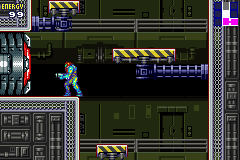
Metroid – Fusion (U)(GBANow)
0 152 3
Metroid – Fusion (U)(GBANow) is a classic Game Boy Advance game that stays fun even years after its original release. Now you can play it right in your browser, with no downloads or setup needed. Its simple design makes it easy for new players to jump in, but it still offers enough challenge to keep experienced gamers interested.
What Is Metroid – Fusion?
Metroid – Fusion combines platforming and action-adventure elements, focusing on exploration, puzzles, and combat. You take on the role of Samus Aran, exploring a mysterious alien world filled with dangers and hidden secrets. Your task is to uncover the story behind a biological threat and take down enemies while gaining new abilities that let you access areas you couldn’t reach before.
The gameplay mixes navigating tricky environments with battling enemies using different weapons and tools. The game encourages exploring every corner, backtracking with new upgrades, and piecing together the story through clues in the environment and items you find. It’s a classic example of the genre, emphasizing player skill and smart use of upgrades.
What Keeps You Coming Back
The layered design creates a feeling of discovery. As you gain new abilities, paths that were previously blocked open up, revealing more of the game world. The progression system motivates you to explore every nook and cranny, aiming to find all secrets and upgrades.
Replaying Metroid – Fusion offers chances to try different routes and strategies. The difficulty gradually increases, testing your skills in movement, combat, and solving puzzles. The well-designed environments and atmospheric soundtrack also add to the immersive feeling, making multiple playthroughs worthwhile to fully appreciate what it offers.
Handy Tips
Getting started is simple, but these tips might help make your experience smoother:
- Explore thoroughly; many upgrades are hidden in tricky spots, so revisit areas after getting new abilities.
- Keep an eye out for environmental hints that point to secret passages or hidden items.
- Manage your energy and ammunition carefully—some enemies are tough to beat with limited resources.
- Use your map to keep track of where you’ve been and what’s left to explore.
- If you get stuck, go back to earlier locations to find items or upgrades you might have missed.
Player FAQ
Is Metroid – Fusion easy enough for new players?
Yes, the controls and goals are simple enough for beginners, but the exploration and upgrades add depth for those who want more challenge.
Can younger players enjoy Metroid – Fusion?
While there’s some combat and tricky parts, it’s generally suitable for older children and teens comfortable with action-adventure games.
Do I need an internet connection to play Metroid – Fusion here?
No, once it loads, the game runs directly in your browser without needing an internet connection, so you can play anywhere.
Metroid – Fusion is a solid example of the action-adventure and platformer style from the Game Boy Advance. Its engaging gameplay and focus on exploration make it worth playing again, especially when it’s just a click away on this site.
Related games: you can also try Daredevil (U)(Mode7) and Creatures (E)(Independent), or browse all other games in the Game Boy Advance category.
How to Play Metroid – Fusion (U)(GBANow)?
Explore the alien world as Samus, find upgrades, solve puzzles, and defeat enemies to uncover the story and progress through new areas. Use abilities to access hidden paths and backtrack for secrets.
Game Controls
Arrow keys move; other keys handle actions like shooting, jumping, and using items.
You may be interested in:
-
 Game Boy Advance
♥ 2
Zooo (J)(Rising Sun)
Game Boy Advance
♥ 2
Zooo (J)(Rising Sun) -
 Game Boy Advance
♥ 4
Zooo (E)(Trashman)
Game Boy Advance
♥ 4
Zooo (E)(Trashman) -
 Game Boy Advance
♥ 2
ZooCube (U)(Mode7)
Game Boy Advance
♥ 2
ZooCube (U)(Mode7) -
 Game Boy Advance
♥ 1
ZooCube (E)(Blizzard)
Game Boy Advance
♥ 1
ZooCube (E)(Blizzard) -
 Game Boy Advance
♥ 1
Zone of the Enders – The Fist of Mars (U)(Mode7)
Game Boy Advance
♥ 1
Zone of the Enders – The Fist of Mars (U)(Mode7) -
 Game Boy Advance
♥ 1
Zone of the Enders – The Fist of Mars (E)(Cezar)
Game Boy Advance
♥ 1
Zone of the Enders – The Fist of Mars (E)(Cezar) -
 Game Boy Advance
♥ 1
Zoku Bokura no Taiyou – Taiyou Shounen Django (J)(Independent)
Game Boy Advance
♥ 1
Zoku Bokura no Taiyou – Taiyou Shounen Django (J)(Independent) -
 Game Boy Advance
♥ 7
Zoku Bokura no Taiyou – Taiyou Shounen Django (J)(Caravan)
Game Boy Advance
♥ 7
Zoku Bokura no Taiyou – Taiyou Shounen Django (J)(Caravan)
Comments (0)
No comments yet. Be the first to comment!