Minecraft touch
The game loads when you press the "Play" button.
The game loads when you press the "Play" button.
Minecraft touch offers a lively and adaptable 3D sandbox experience that appeals to players of all ages and skill levels. Whether you’re someone who loves designing elaborate castles or someone eager to face tough creatures in survival mode, this game provides a flexible playground that can be enjoyed alone or with friends. Its straightforward controls and rich features make it easy to pick up, but there’s enough depth to keep you interested for hours.
On this platform, players can explore endless worlds, craft items, and customize their experience through different modes and extensions. The game encourages creativity and community, making it a good choice for those who enjoy expressing themselves and sharing their work. Whether you’re playing on mobile or Windows 10, Minecraft touch offers a smooth experience that invites you to build, explore, and face challenges in a lively virtual universe.
At its heart, Minecraft touch features two main gameplay modes: Creative and Survival. In Creative mode, resources are unlimited, so you can focus entirely on building and designing without any threats. It’s perfect for experimenting, whether you’re making a cozy cottage or a large city. Players typically gather inspiration, choose materials from the menu, and bring their ideas to life with simple controls.
Switching to Survival mode offers a different experience. You start with limited resources and need to explore, mine underground, and craft tools to gather more supplies. The goal is to survive against hostile creatures while building shelter and improving your weapons and armor. You might begin by gathering resources, setting up a base, and then venturing out to find more supplies or defend against enemies. Playing with friends on multiplayer servers adds a social element, letting you team up or compete with others around the world.
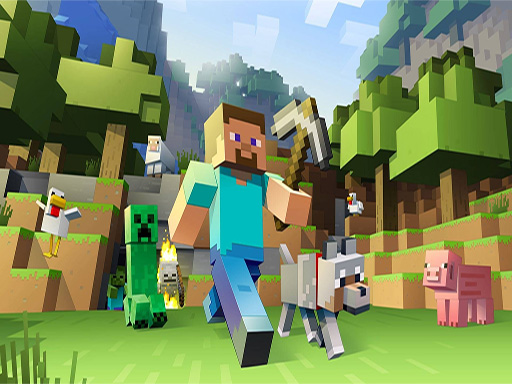
Minecraft touch stands out with its colorful, blocky look, combining simplicity with a charming, pixelated style that’s easy to recognize. The visuals are bright and customizable, thanks to skins, packs, and textures available through the store. This flexibility lets players personalize their worlds and make each one unique. The game’s progression—unlocking new items, building structures, or defeating bosses—keeps players motivated to keep creating and exploring.
Much of the replay value comes from the active community content. Players can browse new creations in the store, download skins, or join community events and mini-games on custom servers. Regular updates add fresh content, and the ability to tweak behaviors or create custom resource packs means it can suit different playstyles. Whether you’re building detailed castles or tackling survival challenges, Minecraft touch provides an experience that remains engaging long after you start playing.
Getting started with Minecraft touch is simple, but here are some tips to help you make the most of your time:
Can I play Minecraft touch offline?
Many features, like creative building and exploring your existing worlds, are available offline, though multiplayer options need an internet connection.
What if I get stuck or make a mistake in my build?
In Creative mode, you can easily undo or replace blocks, and you can always start over or modify your structures without penalties. Making mistakes is part of the process and often leads to better ideas.
Is Minecraft touch suitable for young children or beginners?
Yes. Its simple interface and friendly visuals make it accessible for newcomers and younger players, especially since modes like Creative remove combat and resource limits.
Minecraft touch makes creating and exploring worlds straightforward or complex, depending on what you want. Its flexible design and multiplayer options set it apart in the 3D sandbox genre, offering hours of fun for different types of players. Start building and see what amazing things you can create today!
Related games: you can also try Here Your Pizza and Apex Rush, or browse all other games in the 3D category.
Build, explore, and survive in a blocky world by gathering resources, crafting items, and creating structures. Switch between creative mode for unlimited building and survival mode to face enemies and manage limited supplies.
Use mouse to look and place blocks, keyboard to move and interact.