Mio Coach, Il – Arricchisco il Mio Vocabolario (Italy)
0 1 0
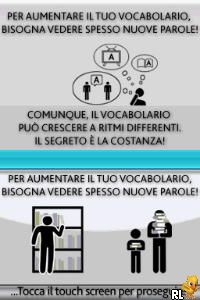
Mio Coach, Il – Arricchisco il Mio Vocabolario (Italy) is a classic Nintendo DS game that offers a straightforward approach to learning Italian. It’s wrapped in a simple, educational package that’s easy to pick up. The game is aimed at players who want to expand their vocabulary through mini-games and interactive exercises, all within the familiar Nintendo DS interface. Designed for shorter sessions, it’s a handy tool for those who want casual practice or need a quick way to review words on the go.
Why Mio Coach, Il – Arricchisco il Mio Vocabolario Is Worth Playing
This game’s strength is its focus on vocabulary building through accessible mini-games that keep players engaged without feeling overwhelming. The visuals are simple but clear, with bright graphics that support learning without distracting from the activities. The interface is intuitive, making it easy for newcomers or younger players to navigate the menus and exercises. The atmosphere is relaxed, encouraging steady progress over high-pressure challenges, which makes it suitable for anyone looking for gentle language practice.
What keeps players coming back is the structured approach—repeating vocabulary through different exercises helps commit words to memory, and the game’s format makes practice feel less like a chore. It doesn’t aim to turn you into a fluent speaker overnight, but it offers enough variety and repetition to help solidify basic words and phrases. While it may not have flashy visuals or complex mechanics, Mio Coach, Il – Arricchisco il Mio Vocabolario offers consistent, purposeful practice in a friendly, accessible way.
Tips to Get Ahead
To get the most out of your practice, try to do a little every day, even if only for a few minutes. Repetition helps with remembering, so revisit exercises regularly. Pay attention to pronunciation tips to improve your listening skills along with reading. Use the feedback to spot words that need extra work. Take your time with each exercise—rushing can make memorization harder. Mixing different mini-games keeps things interesting and helps you stay motivated.
- Repeat exercises to help reinforce what you’ve learned.
- Focus on pronunciation to boost listening and speaking skills.
- Set small daily goals to build your vocabulary gradually.
- Switch between different mini-games to keep practice fresh.
- Review words you find tricky so they stick in your memory.
Things to Know Before You Start
Is Mio Coach, Il – Arricchisco il Mio Vocabolario difficult for new players?
The game is beginner-friendly, focusing on basic vocabulary and simple exercises. You won’t find complicated grammar or high difficulty here.
How long does a typical session last?
A session usually takes about 5 to 10 minutes, making it easy to fit into a busy day or quick practice breaks. It’s better suited for short, regular practice rather than long gaming sessions.
Can Mio Coach, Il – Arricchisco il Mio Vocabolario be played offline?
Yes. Since it runs on the Nintendo DS and can be emulated in your browser, you don’t need an internet connection once it’s loaded. Perfect for practicing anywhere, even without Wi-Fi.
Try out Mio Coach, Il – Arricchisco il Mio Vocabolario and watch your Italian vocabulary grow with simple, effective exercises. Its straightforward style makes it easy to start, whether you’re new to language learning or just want a fun way to review words. The focus on repetition and steady progress helps you pick up new vocabulary without feeling overwhelmed. Give it a shot and make practice a regular part of your routine — your language skills will thank you.
Related games: you can also try Kimi no Yuusha (Japan) and Marvel Super Hero Squad (Europe) (Es,It), or browse all other games in the Nintendo DS category.
How to Play Mio Coach, Il – Arricchisco il Mio Vocabolario (Italy)?
Complete mini-games to learn and review Italian vocabulary. Use repetition and feedback to memorize words and improve pronunciation in short, casual sessions.
Game Controls
Arrow keys act as the D-pad; Enter is Start; on-screen mapped keys handle the action buttons.
You may be interested in:
-
 Nintendo DS
♥ 1
Casper’s Scare School – Classroom Capers (USA)
Nintendo DS
♥ 1
Casper’s Scare School – Classroom Capers (USA) -
 Nintendo DS
♥ 1
Zunou Nouryoku Koujou Machine – Touch de Zunoo DS (Japan)
Nintendo DS
♥ 1
Zunou Nouryoku Koujou Machine – Touch de Zunoo DS (Japan) -
 Nintendo DS
♥ 1
Zunou ni Asekaku Game Series! Vol. 1 – Cool 104 Joker & Setline (Japan)
Nintendo DS
♥ 1
Zunou ni Asekaku Game Series! Vol. 1 – Cool 104 Joker & Setline (Japan) -
 Nintendo DS
♥ 9
Zuma’s Revenge (USA)
Nintendo DS
♥ 9
Zuma’s Revenge (USA) -
 Nintendo DS
♥ 1
Zubo (USA) (En,Fr,Es)
Nintendo DS
♥ 1
Zubo (USA) (En,Fr,Es) -
 Nintendo DS
♥ 1
Zubo (Europe) (En,Fr,De,Es,It,Nl,Sv)
Nintendo DS
♥ 1
Zubo (Europe) (En,Fr,De,Es,It,Nl,Sv) -
 Nintendo DS
♥ 1
Zorro – Quest for Justice (USA) (En,Fr,De,Es,It)
Nintendo DS
♥ 1
Zorro – Quest for Justice (USA) (En,Fr,De,Es,It) -
 Nintendo DS
♥ 1
Zorro – Quest for Justice (Europe) (En,Fr,De,Es,It)
Nintendo DS
♥ 1
Zorro – Quest for Justice (Europe) (En,Fr,De,Es,It)
Comments (0)
No comments yet. Be the first to comment!