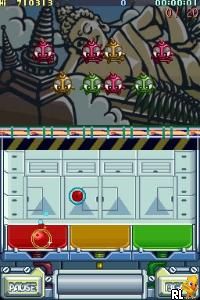
Monster Bomber (Europe) (En,Fr,De,Es,It)
0 1 0
Monster Bomber (Europe) (En,Fr,De,Es,It) is a classic Nintendo DS game that combines puzzle and strategy in a way that’s easy to pick up but tough to master. As a title from the Nintendo DS era, it features straightforward mechanics centered on placing and detonating bombs. Its portable roots give it a nostalgic feel, and the game runs directly in this site’s browser emulator, so you can start playing without downloading anything.
Monster Bomber: Gameplay Overview
The main idea is to position bombs within a limited grid to clear obstacles or eliminate targets. You need to think ahead, planning your moves carefully to cause maximum destruction while avoiding traps or dead ends. The gameplay is turn-based, so each move impacts what comes next, requiring some foresight and planning.
The controls are simple, but as you go through the levels, timing and spatial awareness become more important. Your goal is to clear each stage by detonating bombs in just the right order. The difficulty gradually rises, introducing new challenges and more complex layouts to keep things interesting without becoming too frustrating. The interface feels intuitive, making it accessible for casual players but offering enough depth for puzzle fans.
Modes, Levels and Progression
The game offers a series of levels with increasing complexity. As you progress, the grids get larger, arrangements become more intricate, and hazards appear, all requiring more careful planning. The progression is linear but varied enough to keep you engaged, with each new level building on what you’ve learned so far.
Besides the main campaign, there are optional modes like time-limited puzzles or levels with limited moves, adding extra challenge. These options let you try to improve your scores or beat specific constraints. Whether you want quick challenges or longer sessions, the variety keeps things fresh and interesting.
Winning Strategies
Patience and good planning are key. Think about where to place bombs so you don’t end up in a tricky spot. Use the environment—set traps or block escape routes for targets. Watch the pattern of obstacles before dropping bombs, and plan several moves ahead to cause chain reactions that clear the most obstacles with fewer moves.
- Focus on clearing obstacles blocking your next move to keep progress smooth.
- Place bombs strategically to trigger chain reactions and save moves.
- Be mindful of timers or move limits if they exist, pacing yourself accordingly.
- Use the edges and corners of the grid to contain targets and make better use of space.
- Revisit earlier levels with new strategies to improve your scores and unlock new content.
Common Questions About Monster Bomber
How does the difficulty change as you go through levels?
It gets tougher with larger grids and more complex obstacles, requiring more planning and foresight.
Are there different modes or types of levels?
Besides the main puzzles, there might be challenge modes like time limits or levels with specific goals to test different strategies.
How much replay value does the game have?
With its variety of levels and optional modes, you can try to improve your scores or find smarter solutions, making it fun to return to over and over.
Monster Bomber offers a straightforward puzzle experience rooted in classic gameplay. Its simple controls and increasing difficulty make it perfect whether you’re looking for a quick brain teaser or a longer strategic challenge. Playing in your browser means you can enjoy this timeless game anytime without hassle, focusing on the fun of smart bomb placement and puzzle solving.
Related games: you can also try 99 no Namida (Japan) and Interactive Storybook DS – Series 1 (USA), or browse all other games in the Nintendo DS category.
How to Play Monster Bomber (Europe) (En,Fr,De,Es,It)?
Place bombs on the grid to clear obstacles and defeat targets. Plan your moves carefully to trigger chain reactions and complete each level with minimal moves or within time limits.
Game Controls
Arrow keys control movement; spacebar or Enter to place bombs; other keys for menu actions.
You may be interested in:
-
 Nintendo DS
♥ 1
Casper’s Scare School – Classroom Capers (USA)
Nintendo DS
♥ 1
Casper’s Scare School – Classroom Capers (USA) -
 Nintendo DS
♥ 1
Zunou Nouryoku Koujou Machine – Touch de Zunoo DS (Japan)
Nintendo DS
♥ 1
Zunou Nouryoku Koujou Machine – Touch de Zunoo DS (Japan) -
 Nintendo DS
♥ 1
Zunou ni Asekaku Game Series! Vol. 1 – Cool 104 Joker & Setline (Japan)
Nintendo DS
♥ 1
Zunou ni Asekaku Game Series! Vol. 1 – Cool 104 Joker & Setline (Japan) -
 Nintendo DS
♥ 9
Zuma’s Revenge (USA)
Nintendo DS
♥ 9
Zuma’s Revenge (USA) -
 Nintendo DS
♥ 1
Zubo (USA) (En,Fr,Es)
Nintendo DS
♥ 1
Zubo (USA) (En,Fr,Es) -
 Nintendo DS
♥ 1
Zubo (Europe) (En,Fr,De,Es,It,Nl,Sv)
Nintendo DS
♥ 1
Zubo (Europe) (En,Fr,De,Es,It,Nl,Sv) -
 Nintendo DS
♥ 1
Zorro – Quest for Justice (USA) (En,Fr,De,Es,It)
Nintendo DS
♥ 1
Zorro – Quest for Justice (USA) (En,Fr,De,Es,It) -
 Nintendo DS
♥ 1
Zorro – Quest for Justice (Europe) (En,Fr,De,Es,It)
Nintendo DS
♥ 1
Zorro – Quest for Justice (Europe) (En,Fr,De,Es,It)
Comments (0)
No comments yet. Be the first to comment!