Monster Maker – Barcode Saga (Japan)
0 1 0
Monster Maker – Barcode Saga (Japan) feels like a small piece of the Game Boy era, mixing pixel art with a quirky idea: scan barcodes to create monsters. It’s a straightforward game that invites players to try different barcode inputs and see what creatures come out. Its simple visuals and nostalgic style make it a rare find for anyone interested in retro titles that play around with unconventional concepts.
Step Into the World of Monster Maker – Barcode Saga
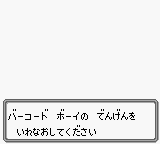
The game sports the classic black-and-white look typical of Game Boy games, but the main mechanic is scanning barcodes. The interface is basic but functional, with a small area for inputting barcode data and a menu to generate your monsters. The tone is light and playful, with pixelated creatures and cheerful sound effects that give it a charming feel. Since it’s in Japanese, some players might face a language barrier, but the core idea remains easy to grasp.
The sound design isn’t complex—just simple beeps and blips that highlight successful scans or monster appearances. The game encourages experimentation—scan different barcodes and see what you get. Its simplicity and randomness are part of what makes it fun, turning each session into a little puzzle of chance and curiosity.
How the Gameplay Hooks You
The main idea is simple: scan a barcode—whether from a real product or by entering random numbers—and see what monster appears. You wonder if the scan will produce a common creature or something strange and unexpected. Collecting different monsters adds a sense of progress, each new scan contributing to your digital collection.
The gameplay is relaxing but easy to get hooked on. After each scan, you can try again, experimenting with different codes. Because the game is so simple, you can play for a few minutes or longer, with each scan offering a new surprise. It’s like opening a digital mystery box, with the thrill coming from the creatures you discover and how they might be combined or used within the game’s limited scope.
Pro Tips for Monster Maker – Barcode Saga
Try starting with common barcode patterns to get a feel for what produces interesting monsters.
- Keep track of barcode sequences that give you the funniest or rarest creatures so you can revisit them later.
- Experiment with different lengths and characters in barcodes—sometimes shorter or longer codes produce different results.
- If possible, scan barcodes from real products or printed codes for more variety.
- Collect a wide range of monsters to see how they react or if there are hidden patterns.
- Use the menu to review previous scans and compare results, helping you understand which inputs work best.
Frequently Asked Questions
Can I play Monster Maker – Barcode Saga offline or in my browser without downloading?
Yes, you can play it directly in your browser here, no downloads or external emulators needed.
Does the game feel repetitive after a while?
The core mechanic is scanning barcodes, so it might get predictable, but the randomness keeps each session interesting and full of surprises.
Is it good for quick gaming sessions?
Definitely. Each scan is quick, and the simple mechanics make it perfect for short, casual play that you can pause and pick up again easily.
The browser-based version of Monster Maker – Barcode Saga offers a quirky look at what you can do with barcode-based gameplay. If you enjoy experimenting with simple mechanics and collecting odd pixel monsters, this game offers a small but memorable glimpse into early handheld gaming, without any fuss.
Related games: you can also try Joshua & the Battle of Jericho (USA) (Unl) and Go! Go! Hitchhike (Japan), or browse all other games in the Game Boy category.
How to Play Monster Maker – Barcode Saga (Japan)?
Scan barcodes or enter numbers to generate and collect pixel monsters. Keep experimenting with different codes to see what creatures appear and build your collection.
Game Controls
Arrow keys for navigation; Enter to scan or confirm; other keys for menu options.








Comments (0)
No comments yet. Be the first to comment!