Monster Maker (Japan)
0 1 0
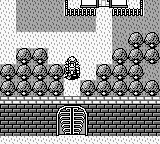
Monster Maker (Japan) is a classic Game Boy game that invites players into a creature-creating experience rooted in the handheld’s early gaming days. It stands out by letting you assemble and customize monsters, blending simple mechanics with an easy-to-understand design that appeals to fans of retro simulation and puzzle games. Its pixel art and minimal interface capture the charm of that era, offering a nostalgic look at some of the Game Boy’s unique titles.
Monster Maker: Gameplay Overview
The main idea behind Monster Maker is selecting and combining different body parts to make new monsters. You get options for heads, bodies, arms, and legs, each with its own style and characteristics. The process involves choosing combinations that follow certain rules, like matching themes or balancing size and shape. Controls are straightforward—mainly navigating menus to put together your monsters—so the focus is on creativity within simple limits.
After creating a monster, you can view it in a dedicated display, where its look is finalized. There’s no combat or progression typical of adventure or RPG games. Instead, it’s about experimenting—seeing how different parts come together and what kind of visual or thematic results you get. The game encourages trial-and-error, with immediate visual feedback, making it accessible for players of all ages. Its mechanics are simple enough for quick play sessions but offer enough variety to inspire many different designs.
Modes, Levels and Progression
This game offers a limited number of modes but plenty of monster parts to explore. The main activity is creating monsters from the available parts, without traditional levels or stages. Instead, the challenge comes from mixing and matching parts to meet aesthetic or thematic goals, which you can set yourself or that might be suggested by in-game hints.
There aren’t any levels or difficulty settings. Its replay value depends on how much you enjoy experimenting with different combinations. Because the parts are finite, you’ll find yourself revisiting the game multiple times to discover new and bizarre designs. Even without structured progression, the open-ended approach keeps things interesting for repeat play.
Winning Strategies
Pay attention to how your monsters look—think about themes and visual consistency. Try mixing different styles to create something fun or unexpected. Use the preview feature often so you can see how parts work together instantly. If possible, save your favorite designs to come back to or modify later. Keep an eye on size and shape to make sure everything fits well. Setting specific goals, like using only certain colors or styles, can also add a fun challenge.
- Choose a theme—like cute or fierce—to guide your part choices.
- Combine different styles to see what unusual or humorous results you can get.
- Preview often to get a quick idea of how your choices look.
- Save your favorite monsters to revisit or tweak later.
- Match parts carefully to ensure they look good together.
- Challenge yourself with specific design constraints to keep things interesting.
Common Questions About Monster Maker
Does the game have difficulty levels or stages?
No, it’s all about creativity. The only limits are the parts available and your imagination.
Are there modes outside of creating monsters?
Not really. The main activity is assembling monsters from parts. There aren’t other gameplay modes or mechanics.
How much replay value does Monster Maker offer?
The game encourages multiple sessions if you like experimenting with different combinations. Since there are only so many parts, it’s about seeing how many unique designs you can come up with. It doesn’t have unlockables or structured progression, but it’s easy to keep revisiting for new creations.
At its core, Monster Maker offers a simple but fun way to be creative with pixel art on the Game Boy. Though limited in scope, its focus on visual experimentation makes it a nice addition for fans of classic handheld games, especially those interested in monster design or nostalgic puzzles.
Related games: you can also try King of the Zoo (Europe) and InfoGenius Systems – Berlitz Spanish Language Translator (USA, Europe), or browse all other games in the Game Boy category.
How to Play Monster Maker (Japan)?
Choose and combine different body parts to create unique monsters. Use the menu to select parts, preview your design, and experiment freely without specific goals.
Game Controls
Arrow keys navigate menus; Enter selects and confirms choices.








Comments (0)
No comments yet. Be the first to comment!