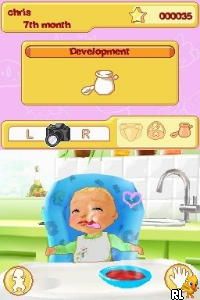
My Baby – Girl (USA) (En,Fr,Es)
0 14 0
My Baby – Girl (USA) (En,Fr,Es) is a classic Nintendo DS game where players get to care for a virtual baby girl. It’s perfect for those who enjoy nurturing simulations, combining simple mechanics with a cute interface that keeps the game interesting over multiple sessions. Its straightforward gameplay makes it accessible to younger players and newcomers to simulation games, offering a relaxing digital activity without complicated controls or complex strategies.
Getting Into My Baby – Girl
In My Baby – Girl, the main gameplay focuses on attending to a virtual baby’s needs, like feeding, dressing, and playing. Players start a session by choosing tasks for the baby, responding to her cues, and managing her routine during the day. The game uses a basic point-and-click style, where you tap on icons or options to perform different actions, mimicking real caregiving in a simplified way.
Sessions are short but can be played repeatedly, encouraging players to keep the baby happy and healthy. There are no tricky levels or challenges—just a continuous cycle of caring tasks that reward patience and attentiveness. You might find yourself coming back to see how well you can keep the virtual baby comfortable and happy, trying different routines or responses to improve her well-being.
Standout Features
This Nintendo DS classic features clear, colorful visuals that create a warm, friendly feeling. Its interface is easy to use, with touch controls that feel natural on the DS and now work smoothly in your browser, making it simple to start caregiving fun. Progress in the game is straightforward: as you do activities, the baby’s mood and health improve, encouraging you to keep playing to maintain her happiness.
Replay value comes from the variety of caregiving options and the gentle challenge of balancing different needs. Since the game is designed for quick, casual play sessions, it works well for short breaks or longer, relaxing periods. While there are no traditional levels, mastering routines and trying different ways to care for the baby keeps the game interesting and motivates you to come back and experiment again.
Strategy and Tips
Getting started is simple, but paying attention to the baby’s cues helps you do well. Here are some tips:
- Check the baby’s mood indicators before doing tasks to prioritize her needs.
- Try different sequences of activities to see what keeps her happiest for longer.
- If available, use the pause feature to plan your next move without rushing.
- Address small signs of discomfort or hunger early to prevent bigger problems.
- Repeat routines often to learn which actions lead to the best results for her well-being.
- If you want quick play sessions, keep them short, but feel free to extend them for a deeper care experience.
Quick Questions
How do I start caring for the baby in My Baby – Girl?
Just tap on the icons on screen to choose activities like feeding, bathing, or playing, and follow the baby’s cues for what she needs next.
What’s a common mistake beginners make?
Many new players forget to watch the baby’s mood indicators, which can lead to ignoring her needs and lowering her happiness.
Can I play this game on mobile or touch devices?
Yes, it runs in your browser with touch controls, making it easy to play on smartphones and tablets without extra software.
My Baby – Girl offers a calming, nurturing experience that fits well into casual gaming. Its simple mechanics and charming style make it easy to pick up and enjoy again and again. If you like caring simulations that focus on gentle, everyday tasks, this Nintendo DS classic still feels nice to play in your browser.
Related games: you can also try Asterix at the Olympic Games (Europe) (En,Fr,De,Es,It,Nl) and Derby Stallion DS (Japan), or browse all other games in the Nintendo DS category.
How to Play My Baby – Girl (USA) (En,Fr,Es)?
Care for the virtual baby by feeding, dressing, and playing, responding to her cues to keep her happy and healthy in short, simple sessions.
Game Controls
Use the keyboard to select and perform caregiving actions; arrow keys for navigation, Enter to confirm.
You may be interested in:
-
 Nintendo DS
♥ 1
Casper’s Scare School – Classroom Capers (USA)
Nintendo DS
♥ 1
Casper’s Scare School – Classroom Capers (USA) -
 Nintendo DS
♥ 1
Zunou Nouryoku Koujou Machine – Touch de Zunoo DS (Japan)
Nintendo DS
♥ 1
Zunou Nouryoku Koujou Machine – Touch de Zunoo DS (Japan) -
 Nintendo DS
♥ 1
Zunou ni Asekaku Game Series! Vol. 1 – Cool 104 Joker & Setline (Japan)
Nintendo DS
♥ 1
Zunou ni Asekaku Game Series! Vol. 1 – Cool 104 Joker & Setline (Japan) -
 Nintendo DS
♥ 9
Zuma’s Revenge (USA)
Nintendo DS
♥ 9
Zuma’s Revenge (USA) -
 Nintendo DS
♥ 1
Zubo (USA) (En,Fr,Es)
Nintendo DS
♥ 1
Zubo (USA) (En,Fr,Es) -
 Nintendo DS
♥ 1
Zubo (Europe) (En,Fr,De,Es,It,Nl,Sv)
Nintendo DS
♥ 1
Zubo (Europe) (En,Fr,De,Es,It,Nl,Sv) -
 Nintendo DS
♥ 1
Zorro – Quest for Justice (USA) (En,Fr,De,Es,It)
Nintendo DS
♥ 1
Zorro – Quest for Justice (USA) (En,Fr,De,Es,It) -
 Nintendo DS
♥ 1
Zorro – Quest for Justice (Europe) (En,Fr,De,Es,It)
Nintendo DS
♥ 1
Zorro – Quest for Justice (Europe) (En,Fr,De,Es,It)
Comments (0)
No comments yet. Be the first to comment!