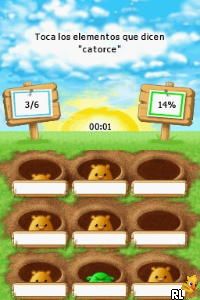
My English Coach para Hispanoparlantes – Ingles a Tu Alcance! (USA) (Es)
0 1 0
My English Coach para Hispanoparlantes – Ingles a Tu Alcance! (USA) (Es) is a straightforward Nintendo DS game that helps you learn English using a familiar handheld device. It combines simple exercises with an easy-to-navigate interface, making it a good option for Spanish speakers looking to improve their language skills. As a piece of Nintendo DS history, it’s designed to be accessible, friendly, and effective for learners of different ages. Playing it in your browser allows you to experience a nostalgic part of gaming history tailored for Spanish speakers who want to bridge the language gap.
Step Into the World of My English Coach para Hispanoparlantes – Ingles a Tu Alcance!
The game has a clean, colorful look typical of Nintendo DS educational titles. Its menus are clear, icons bright, and text prompts easy to read, all suited for touch-screen play. The sound is simple but functional, with spoken instructions and feedback that support pronunciation and understanding. The atmosphere is inviting without feeling overwhelming, creating a relaxed space where learners can practice English at their own rhythm. The balance of visuals and sound aims to keep players interested while making learning feel natural and familiar.
How the Gameplay Hooks You
This classic uses a simple, repetitive structure. Players complete small exercises like matching vocabulary, filling in the blanks, and practicing pronunciation, grouped into lessons. As you finish each lesson, new challenges appear, gradually making things more difficult. The pace is steady, helping you see progress without feeling pressured. The game promotes repetition, which helps reinforce what you learn. Its design makes it easy to jump in for quick sessions, making it perfect for daily practice even if you’re busy.
Pro Tips for My English Coach para Hispanoparlantes – Ingles a Tu Alcance!
Start with the basic lessons to build confidence before moving on to more advanced topics. Use the spoken feedback to improve your pronunciation—repeat words aloud to remember them better. Review past lessons regularly to keep vocabulary fresh. Don’t rush through exercises; focus on accuracy rather than speed. If you get stuck, go back to earlier lessons to strengthen your understanding. Consistency really helps, so short daily sessions work better than long, infrequent ones.
- Listen carefully to pronunciation prompts and repeat aloud to get the sounds right.
- Use the review sections often to reinforce what you’ve learned before moving forward.
- Try to practice in a quiet environment to stay focused.
- Set small goals for each session to stay motivated and see progress.
- Mix the game exercises with real-world practice, like speaking with friends or listening to English media.
Frequently Asked Questions
Can I play My English Coach para Hispanoparlantes – Ingles a Tu Alcance! in short sessions?
Yes, the game is built for quick practice, so you can finish a lesson or two in a short amount of time without losing focus.
Does the game become repetitive after a while?
While some exercises repeat to reinforce learning, unlocking new lessons and increasing difficulty keeps things interesting and challenging.
Is this game suitable for older learners or only kids?
It’s designed for all ages, especially Spanish speakers beginning their English journey, and it adjusts well to different paces of learning.
This classic Nintendo DS title offers a simple, practical way for Spanish speakers to improve their English skills right in their browser. Playing My English Coach para Hispanoparlantes – Ingles a Tu Alcance! focuses on steady progress, making it a straightforward tool for language learning without downloads or installs.
Related games: you can also try 10 voor Taal (Netherlands) and Gremlins – Gizmo (USA) (En,Fr,Es,Pt), or browse all other games in the Nintendo DS category.
How to Play My English Coach para Hispanoparlantes – Ingles a Tu Alcance! (USA) (Es)?
Complete simple exercises like matching words and pronunciation to learn English. Repeat lessons regularly to improve your vocabulary and speaking skills.
Game Controls
Arrow keys for navigation; Enter to select; on-screen actions mapped to keyboard keys.
You may be interested in:
-
 Nintendo DS
♥ 1
Casper’s Scare School – Classroom Capers (USA)
Nintendo DS
♥ 1
Casper’s Scare School – Classroom Capers (USA) -
 Nintendo DS
♥ 1
Zunou Nouryoku Koujou Machine – Touch de Zunoo DS (Japan)
Nintendo DS
♥ 1
Zunou Nouryoku Koujou Machine – Touch de Zunoo DS (Japan) -
 Nintendo DS
♥ 1
Zunou ni Asekaku Game Series! Vol. 1 – Cool 104 Joker & Setline (Japan)
Nintendo DS
♥ 1
Zunou ni Asekaku Game Series! Vol. 1 – Cool 104 Joker & Setline (Japan) -
 Nintendo DS
♥ 9
Zuma’s Revenge (USA)
Nintendo DS
♥ 9
Zuma’s Revenge (USA) -
 Nintendo DS
♥ 1
Zubo (USA) (En,Fr,Es)
Nintendo DS
♥ 1
Zubo (USA) (En,Fr,Es) -
 Nintendo DS
♥ 1
Zubo (Europe) (En,Fr,De,Es,It,Nl,Sv)
Nintendo DS
♥ 1
Zubo (Europe) (En,Fr,De,Es,It,Nl,Sv) -
 Nintendo DS
♥ 1
Zorro – Quest for Justice (USA) (En,Fr,De,Es,It)
Nintendo DS
♥ 1
Zorro – Quest for Justice (USA) (En,Fr,De,Es,It) -
 Nintendo DS
♥ 1
Zorro – Quest for Justice (Europe) (En,Fr,De,Es,It)
Nintendo DS
♥ 1
Zorro – Quest for Justice (Europe) (En,Fr,De,Es,It)
Comments (0)
No comments yet. Be the first to comment!