My Make-Up (Europe) (En,Fr,De,Es,It,Sv,No,Da,Fi)
0 1 0
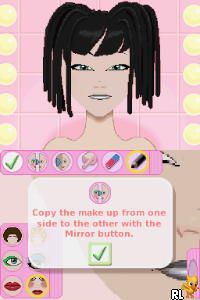
My Make-Up (Europe) (En,Fr,De,Es,It,Sv,No,Da,Fi) is a charming little Nintendo DS classic that invites players into a lively world of beauty and self-expression. With its bright visuals and cheerful vibe, it captures the fun of trying out different makeup styles without any pressure. Designed for a wide audience—from casual players to those interested in style—this game runs right in your browser on this site, so you can give it a try without needing any downloads. Its simple mechanics and lively aesthetic make it a good quick distraction or a lighthearted session for fans of casual simulation games.
Step Into the World of My Make-Up
The game’s visuals are colorful, playful, and cartoonish, highlighting a fun take on fashion and beauty. The interface is straightforward and easy to navigate, with a palette of bold colors and exaggerated features that keep the mood light. The soundtrack matches this upbeat tone with bubbly tunes that make the experience feel lively and carefree. As you browse through menus, picking different makeup styles and accessories, the game creates a vibrant, toy-like environment that feels welcoming and non-intimidating. It focuses on creativity over realism, making each session feel like a mini fashion show or a quick makeover challenge.
How the Gameplay Hooks You
My Make-Up’s gameplay centers around simple, repetitive tasks: selecting makeup styles, applying colors, and customizing looks. The pacing stays steady, with clear goals that keep you interested without feeling overwhelming. Progress comes from unlocking new makeup options and accessories as you finish different looks, encouraging experimentation. The game is designed for quick sessions—perfect for short breaks—while offering enough variety to keep things fresh across multiple plays. Each time you play, you see your character’s transformation in a colorful, animated scene that rewards your choices.
Pro Tips for My Make-Up
Getting the most out of this game is pretty straightforward, but here are some tips to make your experience better:
- Try different color combinations to find unique looks—don’t stick to just one palette.
- Use the preview feature often to see how your choices come together before confirming.
- Explore all accessories and styles unlocked through progress to expand your options.
- Keep your sessions brief; the game is meant for quick, satisfying makeovers.
- Watch for themed challenges or categories to quickly find matching styles.
Frequently Asked Questions
Question?
Can I play My Make-Up in short sessions without losing progress?
Yes, the game’s design supports quick playthroughs, so you can jump in and out easily without any penalties.
Question?
Does the game become repetitive after a while?
While the core gameplay is simple, unlocking new styles and accessories offers enough variety for casual repeated play.
Question?
Is My Make-Up suitable for all ages and does it work well on mobile devices?
This classic from the Nintendo DS era is best suited for younger audiences interested in fashion and creativity, and it plays smoothly in your browser, making it easy to use on various devices for quick, offline-friendly sessions.
My Make-Up offers a cheerful, approachable way to enjoy style and self-expression. Its straightforward gameplay and colorful look make it a nice quick dose of creativity right in your browser. Whether you’re new to this kind of game or just feeling nostalgic, it’s a lighthearted way to experiment with your virtual looks whenever you want.
Related games: you can also try Kung Fu Panda (Japan) and Christmas Carol, A (Europe) (Fr,De,It), or browse all other games in the Nintendo DS category.
How to Play My Make-Up (Europe) (En,Fr,De,Es,It,Sv,No,Da,Fi)?
Choose makeup styles and colors to create fun looks for your character. Unlock new options by completing different makeovers and experiment with combinations for a colorful, quick transformation.
Game Controls
Arrow keys move through menus; Enter selects; mouse can be used for clicking options.
You may be interested in:
-
 Nintendo DS
♥ 1
Casper’s Scare School – Classroom Capers (USA)
Nintendo DS
♥ 1
Casper’s Scare School – Classroom Capers (USA) -
 Nintendo DS
♥ 1
Zunou Nouryoku Koujou Machine – Touch de Zunoo DS (Japan)
Nintendo DS
♥ 1
Zunou Nouryoku Koujou Machine – Touch de Zunoo DS (Japan) -
 Nintendo DS
♥ 1
Zunou ni Asekaku Game Series! Vol. 1 – Cool 104 Joker & Setline (Japan)
Nintendo DS
♥ 1
Zunou ni Asekaku Game Series! Vol. 1 – Cool 104 Joker & Setline (Japan) -
 Nintendo DS
♥ 9
Zuma’s Revenge (USA)
Nintendo DS
♥ 9
Zuma’s Revenge (USA) -
 Nintendo DS
♥ 1
Zubo (USA) (En,Fr,Es)
Nintendo DS
♥ 1
Zubo (USA) (En,Fr,Es) -
 Nintendo DS
♥ 1
Zubo (Europe) (En,Fr,De,Es,It,Nl,Sv)
Nintendo DS
♥ 1
Zubo (Europe) (En,Fr,De,Es,It,Nl,Sv) -
 Nintendo DS
♥ 1
Zorro – Quest for Justice (USA) (En,Fr,De,Es,It)
Nintendo DS
♥ 1
Zorro – Quest for Justice (USA) (En,Fr,De,Es,It) -
 Nintendo DS
♥ 1
Zorro – Quest for Justice (Europe) (En,Fr,De,Es,It)
Nintendo DS
♥ 1
Zorro – Quest for Justice (Europe) (En,Fr,De,Es,It)
Comments (0)
No comments yet. Be the first to comment!