My Word Coach – Improve Your Vocabulary (USA)
0 1 2
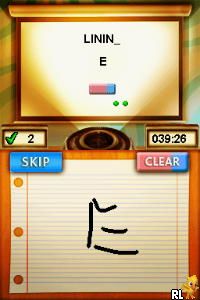
My Word Coach – Improve Your Vocabulary (USA) is a classic Nintendo DS game that makes it easy to boost your language skills with fun mini-games. It’s a practical choice for casual learners or anyone who wants to get better at words without feeling pressured. Since it was made for the Nintendo DS, it uses the touchscreen for puzzles and brain-training exercises, and now you can play it directly in your browser without needing to download anything.
Why My Word Coach – Improve Your Vocabulary Is Worth Playing
The game’s appeal comes from its simple visuals and clean layout, which keep the focus on learning instead of flashy effects. It offers a variety of mini-games that test different parts of vocabulary, like matching synonyms or spelling words correctly, so each session feels a bit different. The controls are easy to use—you tap, drag, or select answers—which fits well with the Nintendo DS’s dual screens. The overall vibe isn’t flashy but practical, with a gentle tone that encourages players to keep practicing without feeling overwhelmed.
What makes it stand out from more complex language apps is how short the sessions are. Usually, you’ll spend about 10-15 minutes, making it easy to fit into your daily routine. The game rewards regular effort by unlocking new levels and challenges, subtly motivating you to improve your vocabulary over time. Its gradual increase in difficulty and variety helps keep things interesting without being intimidating. If you want a simple way to learn words without pressure, this classic game offers a good starting point with enough variety to stay engaged.
Tips to Get Ahead
If you want to get the most out of My Word Coach – Improve Your Vocabulary, here are some helpful tips:
- Focus on accuracy before rushing through questions to make sure your answers stick.
- Repeat the mini-games that challenge your weaker areas to build confidence.
- Pay attention to the feedback after each round; it can point out common mistakes to avoid.
- Complete challenges daily to see steady progress.
- Keep a personal vocabulary journal outside the game for words you find tricky or new, reinforcing what you learn.
- Play in a quiet environment to better remember new words and ideas.
Things to Know Before You Start
Question?
Is My Word Coach – Improve Your Vocabulary suitable for all ages?
Answer. The simple gameplay and focus on basic words make it good for most age groups, including older children and adults. It’s designed to be accessible and doesn’t have any content that would be inappropriate for younger players.
Question?
How long does a typical session last, and is it good for casual players?
Answer. Sessions usually take about 10-15 minutes, so it’s easy to fit practice into a busy schedule. It’s a convenient way to improve your vocabulary in small, manageable chunks without needing long gaming sessions.
Question?
Can I expect a high difficulty level in My Word Coach – Improve Your Vocabulary?
Answer. The game gradually makes things more challenging as you go, but it stays accessible for most users. It focuses on reinforcing what you learn rather than tricky puzzles, making it suitable for beginners or anyone reviewing basic words.
Jumping into My Word Coach – Improve Your Vocabulary gives you a simple way to practice and improve your vocabulary using familiar Nintendo DS mechanics. Its straightforward design and steady progression make it useful for casual learners or anyone wanting to sharpen their language skills without fuss. Playing it in your browser means you can practice whenever you have a few free minutes, turning language improvement into an easy, regular habit.
Related games: you can also try Hi! Hamtaro – Ham-Ham Challenge (Europe) (En,Fr,De,Es,It) and Lunar – Dragon Song (USA), or browse all other games in the Nintendo DS category.
How to Play My Word Coach – Improve Your Vocabulary (USA)?
Choose the correct words or synonyms by tapping or clicking answers to improve your vocabulary in short mini-games. Complete daily challenges to unlock new levels and track your progress.
Game Controls
Arrow keys navigate; Enter selects; mouse clicks handle answers.
You may be interested in:
-
 Nintendo DS
♥ 1
Casper’s Scare School – Classroom Capers (USA)
Nintendo DS
♥ 1
Casper’s Scare School – Classroom Capers (USA) -
 Nintendo DS
♥ 1
Zunou Nouryoku Koujou Machine – Touch de Zunoo DS (Japan)
Nintendo DS
♥ 1
Zunou Nouryoku Koujou Machine – Touch de Zunoo DS (Japan) -
 Nintendo DS
♥ 1
Zunou ni Asekaku Game Series! Vol. 1 – Cool 104 Joker & Setline (Japan)
Nintendo DS
♥ 1
Zunou ni Asekaku Game Series! Vol. 1 – Cool 104 Joker & Setline (Japan) -
 Nintendo DS
♥ 9
Zuma’s Revenge (USA)
Nintendo DS
♥ 9
Zuma’s Revenge (USA) -
 Nintendo DS
♥ 1
Zubo (USA) (En,Fr,Es)
Nintendo DS
♥ 1
Zubo (USA) (En,Fr,Es) -
 Nintendo DS
♥ 1
Zubo (Europe) (En,Fr,De,Es,It,Nl,Sv)
Nintendo DS
♥ 1
Zubo (Europe) (En,Fr,De,Es,It,Nl,Sv) -
 Nintendo DS
♥ 1
Zorro – Quest for Justice (USA) (En,Fr,De,Es,It)
Nintendo DS
♥ 1
Zorro – Quest for Justice (USA) (En,Fr,De,Es,It) -
 Nintendo DS
♥ 1
Zorro – Quest for Justice (Europe) (En,Fr,De,Es,It)
Nintendo DS
♥ 1
Zorro – Quest for Justice (Europe) (En,Fr,De,Es,It)
Comments (0)
No comments yet. Be the first to comment!