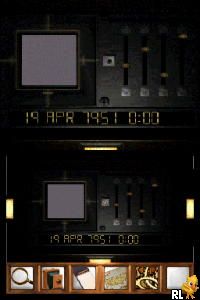
Myst (Europe) (En,Fr,De)
0 1 0
Myst (Europe) (En,Fr,De) is a classic Nintendo DS game that takes players into a mysterious, puzzle-driven environment. Originally made for a different gaming era, this version brings the thoughtful exploration of the original puzzle adventure straight to your browser, with no downloads needed. The game’s quiet charm comes from its minimal storytelling and detailed puzzles, which ask players to uncover secrets by examining and connecting clues within a richly crafted environment. It’s a slow-paced, brain-teasing experience that rewards patience and curiosity more than quick reflexes or action sequences.
Why Myst Is Worth Playing
One of Myst’s standout features is its atmospheric visuals, which, despite the Nintendo DS’s limitations, manage to evoke a sense of mystery and wonder. The environment is a static, puzzle-rich world that encourages careful observation and deduction. Its art style has a vintage, somewhat painterly feel, enhancing the sense of exploring a forgotten island or ancient city. The soundtrack and ambient sounds complement the visuals perfectly, creating a mood of quiet intrigue that can hold your attention for hours.
The main gameplay centers on exploration and puzzle-solving rather than combat or fast-paced action. That makes Myst appealing to players who enjoy thinking through problems at their own pace. The open-ended structure means there’s no single correct path or solution, encouraging experimentation and replayability. Its focus on environmental storytelling and logical puzzles keeps players coming back, eager to uncover secrets hidden behind each page or lever. For those who enjoy a slow, thoughtful experience, Myst offers a truly immersive journey into a world full of mysteries and unanswered questions.
Tips to Get Ahead
Getting started with Myst can feel a bit intimidating, but these tips might help you progress smoothly:
- Examine every object carefully — many puzzles need close inspection or combining items.
- Keep track of clues and symbols you notice; they often relate to puzzles elsewhere.
- Don’t rush — puzzles are meant to be solved with patience and careful observation.
- If you get stuck, revisit previous areas; sometimes the solution needs a fresh look at familiar surroundings.
- Pay attention to environmental details; small visual cues can be the key to solving puzzles.
- Take breaks if needed — a fresh perspective can reveal the answer more easily.
Things to Know Before You Start
Question?
How long does it usually take to finish Myst?
It can take several hours, depending on how quickly you solve puzzles and how thoroughly you explore. It’s not a quick game, but it’s designed for slow, deliberate thinking rather than rushing through.
Question?
Is Myst suitable for casual players or newcomers to puzzle adventures?
This game appeals to those who enjoy patience, exploration, and logical puzzles. It might feel slow for players wanting fast-paced action, but it’s accessible for anyone willing to take their time.
Question?
What about the difficulty level?
The puzzles are moderately challenging; they require logical thinking, careful observation, and attention to detail. While not overly harsh, some puzzles may need time and experimentation to solve.
Jump into Myst and explore an environment that rewards curiosity and patience. Its calm, reflective gameplay makes it a timeless puzzle adventure, and now you can enjoy it directly in your browser without any fuss. Whether revisiting an old favorite or discovering it for the first time, this classic from the Nintendo DS era remains a rewarding challenge for puzzle fans.
Related games: you can also try Mega Man ZX – Advent (Europe) (En,Ja,Fr,De,Es,It) and How to Pass Your Driving Test (Europe), or browse all other games in the Nintendo DS category.
How to Play Myst (Europe) (En,Fr,De)?
Explore the environment carefully, examine objects, and solve puzzles to uncover secrets and progress through the mysterious world. Take your time and pay attention to details for successful exploration.
Game Controls
Arrow keys or WASD move; Enter or Space interact; mouse may be used for selection and examination.
You may be interested in:
-
 Nintendo DS
♥ 1
Casper’s Scare School – Classroom Capers (USA)
Nintendo DS
♥ 1
Casper’s Scare School – Classroom Capers (USA) -
 Nintendo DS
♥ 1
Zunou Nouryoku Koujou Machine – Touch de Zunoo DS (Japan)
Nintendo DS
♥ 1
Zunou Nouryoku Koujou Machine – Touch de Zunoo DS (Japan) -
 Nintendo DS
♥ 1
Zunou ni Asekaku Game Series! Vol. 1 – Cool 104 Joker & Setline (Japan)
Nintendo DS
♥ 1
Zunou ni Asekaku Game Series! Vol. 1 – Cool 104 Joker & Setline (Japan) -
 Nintendo DS
♥ 9
Zuma’s Revenge (USA)
Nintendo DS
♥ 9
Zuma’s Revenge (USA) -
 Nintendo DS
♥ 1
Zubo (USA) (En,Fr,Es)
Nintendo DS
♥ 1
Zubo (USA) (En,Fr,Es) -
 Nintendo DS
♥ 1
Zubo (Europe) (En,Fr,De,Es,It,Nl,Sv)
Nintendo DS
♥ 1
Zubo (Europe) (En,Fr,De,Es,It,Nl,Sv) -
 Nintendo DS
♥ 1
Zorro – Quest for Justice (USA) (En,Fr,De,Es,It)
Nintendo DS
♥ 1
Zorro – Quest for Justice (USA) (En,Fr,De,Es,It) -
 Nintendo DS
♥ 1
Zorro – Quest for Justice (Europe) (En,Fr,De,Es,It)
Nintendo DS
♥ 1
Zorro – Quest for Justice (Europe) (En,Fr,De,Es,It)
Comments (0)
No comments yet. Be the first to comment!