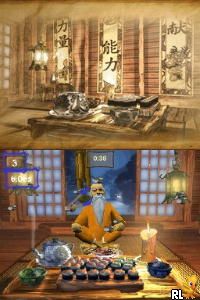
Ninja Reflex (USA) (En,Fr,De,Es,It)
0 1 0
Ninja Reflex (USA) (En,Fr,De,Es,It) is a classic Nintendo DS game that drops players into the fast-paced, reflex-driven world of ninja training. With its arcade-style gameplay and focus on quick reactions, it’s designed to test your hand-eye coordination and timing. Originally made for the handheld Nintendo DS, it features a series of mini-games that simulate ninja skills, all controlled with simple touch and tilt gestures. Playing this game in your browser brings back the nostalgia of handheld gaming’s straightforward challenge, making it a fun and easy option for quick sessions or casual play on a lazy afternoon.
Why Ninja Reflex Is Worth Playing
This game from the Nintendo DS era is memorable for its simple yet addictive gameplay. The visuals are minimal but clear, with bright, cartoon-like characters that give it a lighthearted vibe. The focus is on quick reflexes and timing, so each mini-game feels like a quick test of ninja agility. Challenges vary from dodging objects to quick attack sequences, keeping things interesting without feeling overwhelming. The cheerful and energetic atmosphere emphasizes fun over complexity, making it suitable for players of all ages.
What keeps players coming back is the balance between challenge and accessibility. The controls are straightforward—touch, swipe, tilt—yet hitting the right timing takes focus. The game moves quickly, encouraging you to sharpen your reflexes and offering immediate feedback on your performance. The short mini-games mean you can finish a session in just a few minutes or play longer as you try to beat your high score. For fans of arcade-style reflex games, Ninja Reflex offers a satisfying mix of simple mechanics and a playful ninja theme that’s easy to pick up and enjoy repeatedly.
Tips to Get Ahead
To boost your score and reaction time, keep these ideas in mind:
- Pay attention to the cues—many mini-games rely on visual or sound signals that you need to respond to quickly.
- Practice specific challenges to recognize patterns and build muscle memory.
- Stay relaxed; tense muscles can slow your reactions, so keep your hands steady and your mind focused.
- Perform tilt controls smoothly; jerky movements can throw off your timing in tilt-based challenges.
- Watch the countdown or timers—starting early can give you a slight reaction advantage.
- Take short breaks if you’re aiming for high scores, to prevent fatigue from slowing down your responses.
Things to Know Before You Start
Question?
Is Ninja Reflex suitable for players of all skill levels?
Answer.
Absolutely. The game features a variety of mini-games that can be enjoyed casually or challenged more intensely, making it accessible for newcomers but still engaging for seasoned players.
Question?
How long does a typical session of Ninja Reflex last?
Answer.
Each mini-game is quick, often only 30 seconds to a minute, so sessions usually involve several rounds that can be finished in just a few minutes—perfect for brief gaming bursts.
Question?
Can I play Ninja Reflex on this site if I want to test my ninja reflexes?
Answer.
Yes. The game is built for quick reactions and can be played directly in your browser, making it a great way to challenge and improve your ninja reflex skills without needing to download anything.
Start playing Ninja Reflex now and see how sharp your ninja reflexes are. Its straightforward mechanics and fun challenges make it a great quick-play game that rewards fast thinking and quick fingers, all accessible right in your browser for free.
Related games: you can also try Moshimo! Kinen Surunara… (Japan) and Fossil League – Dino Tournament Championship (Europe), or browse all other games in the Nintendo DS category.
How to Play Ninja Reflex (USA) (En,Fr,De,Es,It)?
Complete quick mini-games by reacting fast with touch, swipe, or tilt to test your ninja reflexes and improve your score in each challenge.
Game Controls
Use keyboard arrow keys for movement and action keys for gestures; tilt controls are simulated with specific keys.
You may be interested in:
-
 Nintendo DS
♥ 1
Casper’s Scare School – Classroom Capers (USA)
Nintendo DS
♥ 1
Casper’s Scare School – Classroom Capers (USA) -
 Nintendo DS
♥ 1
Zunou Nouryoku Koujou Machine – Touch de Zunoo DS (Japan)
Nintendo DS
♥ 1
Zunou Nouryoku Koujou Machine – Touch de Zunoo DS (Japan) -
 Nintendo DS
♥ 1
Zunou ni Asekaku Game Series! Vol. 1 – Cool 104 Joker & Setline (Japan)
Nintendo DS
♥ 1
Zunou ni Asekaku Game Series! Vol. 1 – Cool 104 Joker & Setline (Japan) -
 Nintendo DS
♥ 9
Zuma’s Revenge (USA)
Nintendo DS
♥ 9
Zuma’s Revenge (USA) -
 Nintendo DS
♥ 1
Zubo (USA) (En,Fr,Es)
Nintendo DS
♥ 1
Zubo (USA) (En,Fr,Es) -
 Nintendo DS
♥ 1
Zubo (Europe) (En,Fr,De,Es,It,Nl,Sv)
Nintendo DS
♥ 1
Zubo (Europe) (En,Fr,De,Es,It,Nl,Sv) -
 Nintendo DS
♥ 1
Zorro – Quest for Justice (USA) (En,Fr,De,Es,It)
Nintendo DS
♥ 1
Zorro – Quest for Justice (USA) (En,Fr,De,Es,It) -
 Nintendo DS
♥ 1
Zorro – Quest for Justice (Europe) (En,Fr,De,Es,It)
Nintendo DS
♥ 1
Zorro – Quest for Justice (Europe) (En,Fr,De,Es,It)
Comments (0)
No comments yet. Be the first to comment!