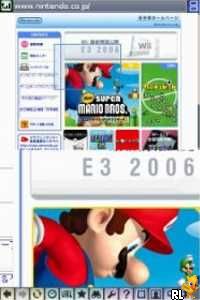
Nintendo DS Browser (USA, Europe) (En,Fr,De,Es,It)
0 7 1
Nintendo DS Browser (USA, Europe) (En,Fr,De,Es,It) is a small piece of handheld gaming history, combining the function of a web browser with the portability of a Nintendo DS. Originally, it was meant to let users surf the internet on their handheld device. Now, it’s available as a browser-based game on this site, giving a nostalgic look at tech from the early 2000s. It’s not a game in the usual sense, but it offers a unique experience for those interested in digital history or testing out Nintendo DS hardware virtually. This classic from the Nintendo DS era still has a certain charm, especially for fans of retro tech or those looking for a different kind of digital challenge.
Why Nintendo DS Browser Is Worth Playing
—
The main appeal of the Nintendo DS Browser is how closely it mimics the original device’s interface, providing a real sense of browsing on a handheld console. The visuals are simple, echoing the DS’s small, dual-screen setup, which influences how you navigate and interact with web pages. This isn’t about high-res graphics or fast gameplay; it’s about experiencing a piece of tech history in a straightforward, browser-based way. The atmosphere is quiet and practical, but that’s part of what makes it interesting—playing it feels like opening a digital window into a different era of internet access.
Many players come back for the novelty and nostalgia. It’s a familiar device turned into a browser game that runs directly in your browser without any setup. The experience can be surprisingly relaxing, especially if you enjoy tinkering with old tech or testing the limits of what a handheld device could do. It’s not about speed or efficiency; it’s about appreciating the quirks of the Nintendo DS’s internet capabilities, which adds a layer of charm for tech history buffs and curious newcomers alike.
Tips to Get Ahead
—
If you’re exploring the Nintendo DS Browser, keep these tips in mind to make things easier:
- Use the stylus or mouse for more accurate navigation across the small screens.
- Stick to simple, text-based websites for quicker loading and easier browsing.
- Zoom in if the text is too small to read comfortably.
- Try out different web pages to see how the emulator handles various layouts.
- Expect browsing to be slower than modern standards; patience helps.
- If you get stuck, refreshing the page resets the session, so you can try again easily.
Things to Know Before You Start
—
Question?
How easy is it to navigate the Nintendo DS Browser?
It’s pretty straightforward, focusing on simple browsing rather than complicated interactions, so most players can get the hang of it.
Question?
How long does a typical session last?
Sessions are usually short, since browsing on the original device was limited in speed and features—expect a few minutes per site.
Question?
Is the Nintendo DS Browser suitable for casual or dedicated users?
It’s mainly for casual players interested in retro tech or quick explorations, not for long browsing sessions or gaming.
Try out this browser-based experience to see what browsing was like on a Nintendo DS. It’s a small window into a past era, and now you can explore it directly in your browser without any setup. Whether you feel nostalgic or just want to see how early handheld internet worked, this offers a simple, honest look at a piece of gaming history that’s worth a few minutes of your time.
Related games: you can also try Mechanic Master (USA) (En,Fr,De,Es,It) and IKOU – Intelligenztrainer fuer Kids (Germany), or browse all other games in the Nintendo DS category.
How to Play Nintendo DS Browser (USA, Europe) (En,Fr,De,Es,It)?
Use your mouse or stylus to navigate web pages on the simulated Nintendo DS interface. Browse simple websites, zoom in or refresh to explore how the device accessed the internet in the early 2000s.
Game Controls
Arrow keys control navigation; Enter and other keys simulate touchscreen or button presses.
You may be interested in:
-
 Nintendo DS
♥ 1
Casper’s Scare School – Classroom Capers (USA)
Nintendo DS
♥ 1
Casper’s Scare School – Classroom Capers (USA) -
 Nintendo DS
♥ 1
Zunou Nouryoku Koujou Machine – Touch de Zunoo DS (Japan)
Nintendo DS
♥ 1
Zunou Nouryoku Koujou Machine – Touch de Zunoo DS (Japan) -
 Nintendo DS
♥ 1
Zunou ni Asekaku Game Series! Vol. 1 – Cool 104 Joker & Setline (Japan)
Nintendo DS
♥ 1
Zunou ni Asekaku Game Series! Vol. 1 – Cool 104 Joker & Setline (Japan) -
 Nintendo DS
♥ 9
Zuma’s Revenge (USA)
Nintendo DS
♥ 9
Zuma’s Revenge (USA) -
 Nintendo DS
♥ 1
Zubo (USA) (En,Fr,Es)
Nintendo DS
♥ 1
Zubo (USA) (En,Fr,Es) -
 Nintendo DS
♥ 1
Zubo (Europe) (En,Fr,De,Es,It,Nl,Sv)
Nintendo DS
♥ 1
Zubo (Europe) (En,Fr,De,Es,It,Nl,Sv) -
 Nintendo DS
♥ 1
Zorro – Quest for Justice (USA) (En,Fr,De,Es,It)
Nintendo DS
♥ 1
Zorro – Quest for Justice (USA) (En,Fr,De,Es,It) -
 Nintendo DS
♥ 1
Zorro – Quest for Justice (Europe) (En,Fr,De,Es,It)
Nintendo DS
♥ 1
Zorro – Quest for Justice (Europe) (En,Fr,De,Es,It)
Comments (0)
No comments yet. Be the first to comment!