Nintendo Presents – Crossword Collection (Europe)
0 1 0
Nintendo Presents – Crossword Collection (Europe) is a simple Nintendo DS game that gives fans of word puzzles a straightforward way to pass the time. If you like working through crosswords or testing your vocabulary, this title offers an easy and engaging experience without complicated mechanics or fast-paced action. It’s great for a relaxing activity that keeps your mind sharp.
Getting Into Nintendo Presents – Crossword Collection
The game revolves around the familiar idea of completing crossword puzzles. The main gameplay involves choosing words to fill a grid based on clues for each puzzle. You move through different levels, each one a bit more challenging than the last, aiming to finish the crossword by filling in all the empty spaces correctly. It offers different modes, including a standard crossword and possibly a timed challenge, so you can pick how you want to play—whether relaxed or a little more intense.
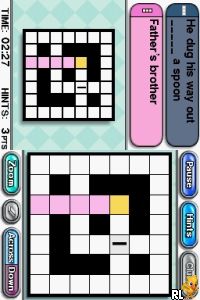
To get started, select a puzzle from the list. Read the clues and enter your answers using the Nintendo DS’s stylus or buttons. As you input words, the game gives immediate feedback—correct answers are accepted, and mistakes can be fixed before moving on. You finish each puzzle to unlock the next, with difficulty gradually increasing. Each session is quick, often just a few minutes, which makes it perfect for a short break or a longer play if you prefer.
Standout Features
The visuals are simple, but the clean interface makes it easy to focus on solving puzzles. The clear text and grid layout help keep things straightforward. With a variety of crossword puzzles available, you’ll find yourself returning to improve your scores or try different sets of clues.
The progression is smooth, with new puzzles unlocking as you finish others. This setup encourages continued play and offers a sense of achievement each time you complete a crossword. There are puzzles of varying difficulty, so whether you’re new to crosswords or more experienced, you’ll find options suited to your skill level. Its simplicity makes it accessible, but the range of puzzles and modes keeps it interesting over time.
Strategy and Tips
Start with easier puzzles to build confidence. Fill in the answers you’re sure about first, then use those to help with trickier clues. Pay attention to intersecting letters; they can help eliminate unlikely options. If you get stuck, try skipping hard clues and returning to them later with fresh eyes. Learning common abbreviations and word patterns can speed things up. Using hints sparingly can also be helpful when you’re really stuck on a tough puzzle.
- Read each clue carefully before entering answers.
- Fill in obvious words first to help unlock more clues.
- Use the undo feature to correct mistakes without penalty, especially in timed modes.
- Try different puzzles to improve your speed and expand your vocabulary.
- Watch how crossing words can give you clues for each other.
Quick Questions
How do I start playing the game?
Select a puzzle from the menu and fill in the answers using the stylus or buttons.
What’s a common mistake beginners make?
Many try to guess answers without carefully reading the clues, which can lead to mistakes that are hard to fix later.
Can I play this game comfortably on a mobile device or touchscreen?
Yes, since it’s designed for the Nintendo DS touchscreen, it works well on any device that supports the emulator with touch input.
Nintendo Presents – Crossword Collection offers a straightforward crossword experience that’s easy to pick up and enjoy. The gameplay is simple, and with enough puzzles to keep you coming back, it’s a good choice for puzzle fans wanting a calm, portable challenge you can solve right in your browser.
Related games: you can also try Contact (Japan) and Garfield – A Tail of Two Kitties (USA) (En,Fr,Es), or browse all other games in the Nintendo DS category.
How to Play Nintendo Presents – Crossword Collection (Europe)?
Select a crossword puzzle, read the clues, and enter words to fill the grid. Complete each puzzle to unlock new ones, gradually increasing difficulty and testing your vocabulary.
Game Controls
Arrow keys move the cursor; Enter confirms input; use keyboard to type answers.
You may be interested in:
-
 Nintendo DS
♥ 1
Casper’s Scare School – Classroom Capers (USA)
Nintendo DS
♥ 1
Casper’s Scare School – Classroom Capers (USA) -
 Nintendo DS
♥ 1
Zunou Nouryoku Koujou Machine – Touch de Zunoo DS (Japan)
Nintendo DS
♥ 1
Zunou Nouryoku Koujou Machine – Touch de Zunoo DS (Japan) -
 Nintendo DS
♥ 1
Zunou ni Asekaku Game Series! Vol. 1 – Cool 104 Joker & Setline (Japan)
Nintendo DS
♥ 1
Zunou ni Asekaku Game Series! Vol. 1 – Cool 104 Joker & Setline (Japan) -
 Nintendo DS
♥ 9
Zuma’s Revenge (USA)
Nintendo DS
♥ 9
Zuma’s Revenge (USA) -
 Nintendo DS
♥ 1
Zubo (USA) (En,Fr,Es)
Nintendo DS
♥ 1
Zubo (USA) (En,Fr,Es) -
 Nintendo DS
♥ 1
Zubo (Europe) (En,Fr,De,Es,It,Nl,Sv)
Nintendo DS
♥ 1
Zubo (Europe) (En,Fr,De,Es,It,Nl,Sv) -
 Nintendo DS
♥ 1
Zorro – Quest for Justice (USA) (En,Fr,De,Es,It)
Nintendo DS
♥ 1
Zorro – Quest for Justice (USA) (En,Fr,De,Es,It) -
 Nintendo DS
♥ 1
Zorro – Quest for Justice (Europe) (En,Fr,De,Es,It)
Nintendo DS
♥ 1
Zorro – Quest for Justice (Europe) (En,Fr,De,Es,It)
Comments (0)
No comments yet. Be the first to comment!