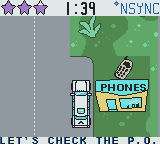
NSYNC – Get to the Show (USA)
0 2 0
NSYNC – Get to the Show (USA) is a charming piece from the Game Boy Color days that captures the vibe of 90s pop culture. It’s a bright, pixelated adventure that pulls players into a world where music, performance, and timing come together in a straightforward but engaging way. The pixel art and chiptune soundtrack evoke nostalgia for fans of handheld gaming, offering a peek into pop star fantasy in portable form. As a classic Game Boy Color title, it runs right in your browser on this site, making it easy to start playing without any hassle.
Step Into the World of NSYNC – Get to the Show
This game takes players onto a lively stage filled with flashing lights and excited crowds. The visuals lean on colorful pixel art, with animated sprites that bring the band members and their surroundings to life. The soundtrack features catchy chiptune tunes reminiscent of late-90s pop hits, adding to the lively, upbeat feel. The interface is simple but effective, with clear signals for performance and timing, pulling players into a fun concert environment. The sound effects match the visuals, creating a rhythm that makes you want to keep the beat going and stay involved.
How the Gameplay Hooks You
As a rhythm game, it challenges your timing and reflexes through quick, pattern-based tasks. Each stage shows a sequence of prompts you need to press at just the right moment to keep the performers energized and the show running smoothly. Progress feels steady, with successful runs unlocking new stages or slightly increasing the difficulty, making it accessible for beginners but still offering a challenge for more seasoned players. The gameplay revolves around hitting the right notes and maintaining momentum, with short bursts great for quick sessions or longer play. The pace is brisk but manageable, with difficulty gradually climbing without feeling overwhelming.
Pro Tips for NSYNC – Get to the Show
Get comfortable with timing early on to recognize rhythm cues. Watch for visual signals—flashing icons and color changes—to anticipate prompts. Keep your eyes on the screen and avoid distractions to improve reaction times. Practice each stage to memorize patterns and reduce mistakes. If the game speeds up, slow your responses a little if needed to stay accurate. Use the pause feature if available to reset your rhythm during longer sessions without losing progress.
- Pay attention to visual cues that signal upcoming prompts.
- Practice early stages to get a feel for rhythm patterns.
- Adjust your response speed during faster parts to stay accurate.
- Focus on consistent timing rather than rushing through prompts.
- Take short breaks between sessions to keep your reflexes sharp.
Frequently Asked Questions
Is NSYNC – Get to the Show a long game?
No, it’s designed for quick, casual play sessions. The stages are short, making it perfect for brief fun or practice time.
Does the game get repetitive?
Some repetition is common in rhythm games, but the increasing difficulty and new stages help keep things interesting. The pixel art and music also make sure the atmosphere stays lively.
Can I play NSYNC – Get to the Show offline or only in the browser?
This version runs directly in your browser, so there’s no need to download anything. Since it’s based on the Game Boy Color classic, it’s optimized for quick, on-the-go play right in your browser window.
This browser-based version of NSYNC – Get to the Show offers a fun, nostalgic trip into a pixelated pop concert. It’s simple but satisfying, great for fans of retro rhythm games or anyone looking for a quick musical boost.
Related games: you can also try Colin McRae Rally (Europe) and Hoyle Card Games (USA), or browse all other games in the Game Boy Color category.
How to Play NSYNC – Get to the Show (USA)?
Press the correct buttons in time with the visual cues to keep the performance going. Follow the flashing prompts and maintain rhythm to unlock new stages and increase your score.
Game Controls
Arrow keys act as the D-pad; Enter is Start; action buttons are mapped to other keys.
You may be interested in:
-
 Game Boy Color
♥ 43
Zook Hero Z
Game Boy Color
♥ 43
Zook Hero Z -
 Game Boy Color
♥ 1
Zok Zok Heroes (Japan)
Game Boy Color
♥ 1
Zok Zok Heroes (Japan) -
 Game Boy Color
♥ 1
Zoids – Shirogane no Juukishin Liger Zero (Japan)
Game Boy Color
♥ 1
Zoids – Shirogane no Juukishin Liger Zero (Japan) -
 Game Boy Color
♥ 1
Zoids – Jashin Fukkatsu! Genobreaker Hen (Japan)
Game Boy Color
♥ 1
Zoids – Jashin Fukkatsu! Genobreaker Hen (Japan) -
 Game Boy Color
♥ 2
Zoboomafoo – Playtime in Zobooland (USA)
Game Boy Color
♥ 2
Zoboomafoo – Playtime in Zobooland (USA) -
 Game Boy Color
♥ 1
Zidane Football Generation (Europe) (En,Fr,De,Es,It)
Game Boy Color
♥ 1
Zidane Football Generation (Europe) (En,Fr,De,Es,It) -
 Game Boy Color
♥ 1
Zen-Nihon Shounen Soccer Taikai – Mezase Nihon Ichi! (Japan)
Game Boy Color
♥ 1
Zen-Nihon Shounen Soccer Taikai – Mezase Nihon Ichi! (Japan) -
 Game Boy Color
♥ 1
Zebco Fishing! (USA)
Game Boy Color
♥ 1
Zebco Fishing! (USA)
Comments (0)
No comments yet. Be the first to comment!