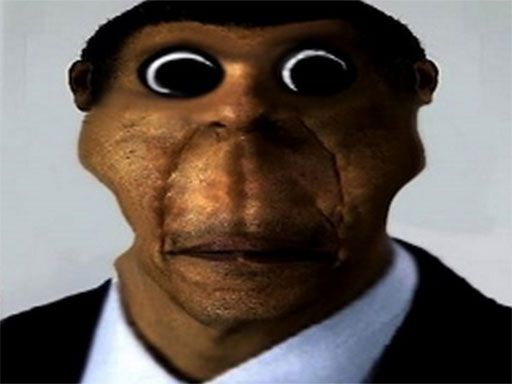
Obunga Nextbot Find Difference
The game loads when you press the "Play" button.
The game loads when you press the "Play" button.
Obunga Nextbot Find Difference is a puzzle game that asks players to spot small differences between images featuring horror characters like Obunga, Ahenobarbus, and Rainbow Friends. It’s a fun way to challenge your observation skills, especially if you enjoy brain teasers with a spooky vibe. Whether you’re looking for a quick distraction or just enjoy solving puzzles, this free browser game offers simple mechanics and eye-catching graphics that keep things interesting.
The game centers around a classic spot-the-difference concept. You get two images side by side, and your job is to find five differences. Controls are straightforward—just click on the areas you think are different. The game gives instant feedback, so you know when you’ve found a match. As you progress through different levels, the images can become more challenging, encouraging you to pay close attention to detail. It’s easy to pick up for short sessions or longer playtimes, fitting neatly into any schedule.
Playing this game is all about watching carefully and taking your time. You choose a pair of images, each featuring a creepy or mysterious character. Your goal is to find five differences, which might be small changes in color, missing objects, or altered expressions. Using your mouse is simple—click where you notice something different. The game confirms your choice right away, helping keep the flow smooth.
The gameplay is straightforward: scan, spot, and click. If you get stuck, hints are available to help you out. These can be a real help when you’re unsure about a tricky difference. Finding differences boosts your confidence and adds a little satisfaction. Sometimes, you can pick different themes or difficulty levels, making each session feel fresh. Whether you’re playing briefly or settling in for a longer puzzle session, the game adapts well to your style.
The visuals are pretty striking, with a spooky but clear art style. The images are detailed enough to hide differences, but not so complex that they become frustrating. The creepy character designs and atmospheric backgrounds add a layer of tension, making each discovery more rewarding. The color choices and spooky themes help draw you into the game, giving it a distinctive vibe that makes it more than just a simple puzzle.
There’s a good variety of images and themes, so each level feels a little different. Some might introduce altered characters or backgrounds to ramp up the difficulty. You can revisit previous levels to improve your accuracy or challenge yourself to find differences faster. The simple design makes it easy to start playing, but the layered challenges keep things interesting over time, especially as more images and themes are added.
To get better at the game, here are some tips:
Can I play Obunga Nextbot Find Difference on mobile devices?
Yes, it runs smoothly on both desktop and mobile browsers, so you can enjoy it on your phone or tablet without needing to download anything.
What if I get stuck on a level?
Using a hint can help you find a difference, or you might take a break and come back later with fresh eyes.
How long does a typical game last?
Most players finish a set of levels within a few minutes up to half an hour, making it suitable for quick play or longer puzzle sessions.
Is it okay for kids?
The horror characters are spooky, but the game is generally suitable for older children and teens who enjoy puzzles. Parents should decide if it’s appropriate for very young players, given the creepy visuals.
What are common beginner mistakes?
Many new players rush or focus too long on one area. Remember to scan the entire image and keep your eyes moving to spot differences more efficiently.
Does the game need an internet connection?
Yes, since it’s browser-based, you’ll need an active connection to play on this site.
Obunga Nextbot Find Difference offers a spooky twist on a classic puzzle, combining creepy visuals with simple gameplay. Its easy mechanics and engaging style make it a good choice for puzzle fans who want a quick challenge or a relaxing way to sharpen their observation skills. Try it out and see how quickly you can find the differences in this eerie, intriguing world.
Related games: you can also try Little Panda Candy Shop and Mahjong Street Cafe, or browse all other games in the Puzzle category.
Look at two images side by side and click on five differences between them. Use hints if needed and progress through levels with increasing difficulty.
Use your mouse to click on differences; no keyboard controls needed.