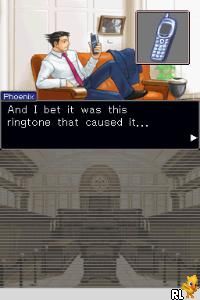
Phoenix Wright – Ace Attorney – Justice for All (USA)
0 24 0
Phoenix Wright – Ace Attorney – Justice for All (USA) is a Nintendo DS game that combines visual novel storytelling with courtroom drama. It’s easy to pick up, thanks to its clear interface and engaging dialogue-based gameplay, making it accessible for new players and veterans alike. Since it’s portable on the Nintendo DS, you can enjoy a compelling mystery anywhere, and now it runs smoothly in your browser without any downloads or setup.
What Is Phoenix Wright – Ace Attorney – Justice for All?
Part of the Phoenix Wright series, this game fits into the visual novel and adventure categories. You play as defense attorney Phoenix Wright, investigating cases, collecting evidence, and arguing in court to defend your clients. The gameplay mainly involves examining evidence, cross-examining witnesses, and solving puzzles through dialogue choices. It encourages sharp thinking and quick decisions, all within a story-rich setting that emphasizes character interactions and storytelling.
The game is divided into several cases, each with its own storyline, witnesses, and mysteries. Success depends on your ability to spot contradictions in testimonies and present the right evidence at the right moments. The pacing is lively, with investigation and courtroom scenes balancing each other, keeping you engaged throughout.
What Keeps You Coming Back
One reason players keep returning to Phoenix Wright – Ace Attorney – Justice for All is its clever writing and memorable characters. The dialogue is sharp, often humorous, with twists that keep you guessing. The courtroom segments are interactive, requiring thoughtful analysis of evidence and witness statements. Playing again allows you to find new details or try different dialogue options, increasing replay value.
The game features a series of cases that build on each other, creating a larger story. Piecing clues together and finally revealing the truth makes each case satisfying. Its mix of mystery, humor, and courtroom tension makes it worth revisiting, especially for those who enjoy story-driven gameplay with strategic elements.
Handy Tips
Pay close attention to witness testimonies—they often hide subtle contradictions. Take your time during cross-examinations to analyze each statement carefully. Think about how evidence relates to testimonies; sometimes a small detail can be the key. Save your game often so you can revisit decisions or try different approaches. If you get stuck, reviewing previous testimonies and evidence can help you find overlooked clues. Patience and careful analysis are your best tools here.
Player FAQ
Is Phoenix Wright – Ace Attorney – Justice for All easy for beginners?
Yes. The mechanics are simple enough for new players but also offer depth for those more experienced.
Can I play Phoenix Wright – Ace Attorney – Justice for All offline or on mobile devices?
This browser version runs directly on your device, so no internet connection or downloads are needed. It works well on both desktop and mobile browsers.
Is this game suitable for younger players?
Generally, yes. It has minimal violence and focuses on story and puzzles, though some cases involve mature themes.
Playing Phoenix Wright – Ace Attorney – Justice for All in your browser offers a simple way to enjoy this classic from the Nintendo DS. Its courtroom drama and clever puzzles are great for fans of mystery stories. Try out the cases and see if you can defend your clients and find the truth.
Related games: you can also try Monsters vs Aliens (Germany) and Lecons de Cuisine – Qu'Allons-Nous Manger Aujourd'hui (France), or browse all other games in the Nintendo DS category.
How to Play Phoenix Wright – Ace Attorney – Justice for All (USA)?
Examine evidence, cross-examine witnesses, and choose dialogue options to find contradictions and defend your client in court. Investigate cases by gathering clues and making strategic decisions to uncover the truth.
Game Controls
Arrow keys or WASD move; Enter or Space to select; mouse or keyboard for interactions.
You may be interested in:
-
 Nintendo DS
♥ 1
Casper’s Scare School – Classroom Capers (USA)
Nintendo DS
♥ 1
Casper’s Scare School – Classroom Capers (USA) -
 Nintendo DS
♥ 1
Zunou Nouryoku Koujou Machine – Touch de Zunoo DS (Japan)
Nintendo DS
♥ 1
Zunou Nouryoku Koujou Machine – Touch de Zunoo DS (Japan) -
 Nintendo DS
♥ 1
Zunou ni Asekaku Game Series! Vol. 1 – Cool 104 Joker & Setline (Japan)
Nintendo DS
♥ 1
Zunou ni Asekaku Game Series! Vol. 1 – Cool 104 Joker & Setline (Japan) -
 Nintendo DS
♥ 9
Zuma’s Revenge (USA)
Nintendo DS
♥ 9
Zuma’s Revenge (USA) -
 Nintendo DS
♥ 1
Zubo (USA) (En,Fr,Es)
Nintendo DS
♥ 1
Zubo (USA) (En,Fr,Es) -
 Nintendo DS
♥ 1
Zubo (Europe) (En,Fr,De,Es,It,Nl,Sv)
Nintendo DS
♥ 1
Zubo (Europe) (En,Fr,De,Es,It,Nl,Sv) -
 Nintendo DS
♥ 1
Zorro – Quest for Justice (USA) (En,Fr,De,Es,It)
Nintendo DS
♥ 1
Zorro – Quest for Justice (USA) (En,Fr,De,Es,It) -
 Nintendo DS
♥ 1
Zorro – Quest for Justice (Europe) (En,Fr,De,Es,It)
Nintendo DS
♥ 1
Zorro – Quest for Justice (Europe) (En,Fr,De,Es,It)
Comments (0)
No comments yet. Be the first to comment!