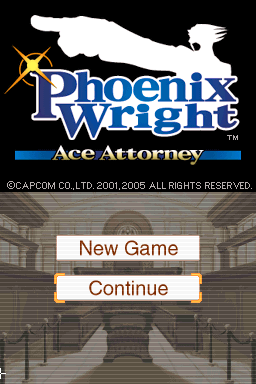
Phoenix Wright – Ace Attorney (USA)
0 162 6
Phoenix Wright – Ace Attorney (USA) is a well-loved Nintendo DS game that mixes visual novel storytelling with courtroom drama. Its simple mechanics and engaging plot make it easy for new players to start playing and enjoy. As a product of the Nintendo DS era, it offers a nostalgic yet fresh experience that still works well today, running right in your browser without any downloads or setup.
What Is Phoenix Wright – Ace Attorney?
This game is a visual novel adventure set in a courtroom, where you take on the role of defense attorney Phoenix Wright. The goal is to investigate cases, gather evidence, and present convincing arguments during trials. The gameplay involves reading dialogue, examining evidence, and cross-examining witnesses, all while balancing mystery and humor in the story.
The game combines story-driven gameplay with investigation sections that feel like puzzles. It’s designed to be approachable, with clear objectives and easy controls, making it a good choice for casual players and those new to visual novels. The difficulty of cases gradually increases, testing your deductive skills without feeling overwhelming from the start.
What Keeps You Coming Back
What makes Phoenix Wright – Ace Attorney stand out is its clever writing and memorable characters. Each case introduces new faces, unexpected twists, and witty dialogue that keep players interested. The structure encourages replaying cases to find hidden clues or try different strategies during cross-examinations.
The courtroom mechanics—like presenting evidence at just the right moment or catching witnesses in lies—add a fresh twist to storytelling and problem-solving. Its episodic format means you can pick up a case whenever you want, whether for a quick session or a longer playthrough. The charming art style and soundtrack also add to its appeal, drawing players back for more mysteries to solve.
Handy Tips
Starting out? Watch the evidence you have during cross-examinations. Present the right piece at the right time to catch witnesses off guard.
- Pay attention to dialogue and facial expressions—clues can hide in small details.
- If unsure what to present, review all evidence in your court record before making a choice.
- Go back to previous cases or conversations to find overlooked clues or better understand motives.
- Take your time during investigations—sometimes the tiniest detail can make all the difference.
- If the game allows, save often so you can try different arguments without losing progress.
Player FAQ
Is Phoenix Wright – Ace Attorney easy for newcomers?
Yes, the interface and story are straightforward enough for beginners, with helpful tutorials and clear goals that make it accessible for all ages.
Can younger players enjoy Phoenix Wright – Ace Attorney?
Definitely. Its cartoonish art style, humorous dialogue, and moderate difficulty make it suitable for players of many ages, though some courtroom cases require careful reading.
Do I need an internet connection to play Phoenix Wright – Ace Attorney?
Since it runs directly in your browser here, no internet connection is needed once it’s loaded. It’s built for offline play and works on any device with a browser.
Phoenix Wright – Ace Attorney remains a compelling adventure that combines story-rich gameplay with puzzle-solving set in a courtroom. Its mix of humor, mystery, and engaging mechanics makes it a good choice for casual players and fans of visual novels alike. Playing this classic in your browser keeps things simple and convenient, so you can focus on solving cases and enjoying the story.
Related games: you can also try Nintendogs – Dalmatian & Friends (Europe) (En,Fr,De,Es,It) and James Cameron's Avatar – The Game (Europe) (En,Fr,De,Es,It,Nl) (NDSi Enhanced), or browse all other games in the Nintendo DS category.
How to Play Phoenix Wright – Ace Attorney (USA)?
Investigate cases by examining evidence and questioning witnesses, then present your findings during court trials to find the truth and defend your client.
Game Controls
Arrow keys move, Enter or space to select, and other keys to navigate menus and present evidence.
You may be interested in:
-
 Nintendo DS
♥ 1
Casper’s Scare School – Classroom Capers (USA)
Nintendo DS
♥ 1
Casper’s Scare School – Classroom Capers (USA) -
 Nintendo DS
♥ 1
Zunou Nouryoku Koujou Machine – Touch de Zunoo DS (Japan)
Nintendo DS
♥ 1
Zunou Nouryoku Koujou Machine – Touch de Zunoo DS (Japan) -
 Nintendo DS
♥ 1
Zunou ni Asekaku Game Series! Vol. 1 – Cool 104 Joker & Setline (Japan)
Nintendo DS
♥ 1
Zunou ni Asekaku Game Series! Vol. 1 – Cool 104 Joker & Setline (Japan) -
 Nintendo DS
♥ 9
Zuma’s Revenge (USA)
Nintendo DS
♥ 9
Zuma’s Revenge (USA) -
 Nintendo DS
♥ 1
Zubo (USA) (En,Fr,Es)
Nintendo DS
♥ 1
Zubo (USA) (En,Fr,Es) -
 Nintendo DS
♥ 1
Zubo (Europe) (En,Fr,De,Es,It,Nl,Sv)
Nintendo DS
♥ 1
Zubo (Europe) (En,Fr,De,Es,It,Nl,Sv) -
 Nintendo DS
♥ 1
Zorro – Quest for Justice (USA) (En,Fr,De,Es,It)
Nintendo DS
♥ 1
Zorro – Quest for Justice (USA) (En,Fr,De,Es,It) -
 Nintendo DS
♥ 1
Zorro – Quest for Justice (Europe) (En,Fr,De,Es,It)
Nintendo DS
♥ 1
Zorro – Quest for Justice (Europe) (En,Fr,De,Es,It)
Comments (0)
No comments yet. Be the first to comment!