Pictionary – The Game of Video Quick Draw (USA)
0 1 0
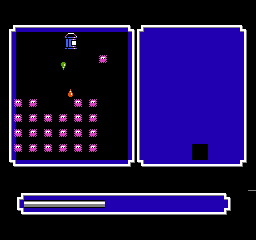
Pictionary – The Game of Video Quick Draw (USA) is a classic NES game you can play right in your browser, bringing quick-draw guessing to a new audience. Its simple gameplay and familiar idea make it easy for anyone to start, even if you’re new to video game versions of board games. The game stays true to the original Pictionary, turning it into a digital format that doesn’t require downloads or installations.
What Is Pictionary – The Game of Video Quick Draw?
This NES game is a digital take on the well-known party game Pictionary, where players draw images based on prompts while others try to guess what they are. The goal is to identify the drawings before time runs out, making it a fast-paced, expressive guessing game. Its straightforward mechanics mean anyone can join in, whether alone or with friends.
As a party-style game, Pictionary – The Game of Video Quick Draw encourages quick thinking and drawing skills. It offers a set of prompts for players to illustrate on a virtual drawing board, with a timer counting down. The focus is on quick, clear sketches that communicate the word or phrase efficiently. It’s perfect for casual play, bringing a social element from the original board game into a digital setting without any hassle.
What Keeps You Coming Back
The game’s appeal lies in its quick rounds and simple gameplay, making it easy to jump into a match anytime. Its straightforward design means you can have spontaneous sessions, whether you’re alone or with friends. The mix of prompts keeps each game feeling fresh, encouraging creative thinking with every drawing.
Replay value comes from the social side and the unpredictable nature of each round. Since everyone has their own drawing style and guessing approach, no two games are alike. The clean interface and short sessions make it ideal for quick breaks or longer game nights. And since it runs in your browser, it’s accessible on any device with internet, removing barriers to play.
Handy Tips
First time playing? Keep your drawings simple and clear so others can guess quickly. Practice sketching basic shapes and symbols that are easy to recognize. Don’t get caught up in details; clarity beats complexity every time.
- Watch the timer—speed helps in both guessing and drawing.
- Use common symbols or abbreviations to represent words faster.
- If you’re stuck, focus on the most recognizable part of the word or phrase.
- Team up with others to develop quick clues if playing with friends.
- Remember, the goal is fun and quick guesses, not perfect art—embrace the silliness!
Player FAQ
Is Pictionary – The Game of Video Quick Draw suitable for kids?
Yes, its simple drawing and guessing rules make it good for children, especially in casual settings. The prompts are straightforward, and there aren’t any complicated controls.
Can I play this game without an internet connection?
This version works right in your browser, so as long as you’re online during the session, you can enjoy it without downloading anything extra.
How long does a typical game last?
Rounds are short, usually just a few minutes. It’s designed for quick, engaging sessions, perfect for short breaks or casual fun.
Pictionary – The Game of Video Quick Draw offers familiar, light-hearted fun directly in your browser. Its simple gameplay makes it easy to pick up and enjoy, whether you’re testing your drawing skills or just guessing with friends. It’s a digital spin on a beloved classic, ready to entertain without any fuss or downloads.
Related games: you can also try Bad Street Brawler (USA) and Mission Impossible (USA), or browse all other games in the NES category.
How to Play Pictionary – The Game of Video Quick Draw (USA)?
Draw pictures based on prompts and guess others' drawings before time runs out. Quick rounds focus on clear sketches and fast thinking to identify words or phrases.
Game Controls
Arrow keys act as the D-pad; Enter is Start; on-screen mapped keys handle the action buttons
You may be interested in:
-
![Zombie Hunter (Japan) [En by KingMike v1.01]](https://www.playf2p.com/wp-content/uploads/zombie-hunter-japan-en-by-kingmike-v1-01-200x120.png) NES
♥ 2
Zombie Hunter (Japan) [En by KingMike v1.01]
NES
♥ 2
Zombie Hunter (Japan) [En by KingMike v1.01] -
 NES
♥ 1
Zombie Hunter (Japan)
NES
♥ 1
Zombie Hunter (Japan) -
 NES
♥ 1
Zoids Mokushiroku (Japan)
NES
♥ 1
Zoids Mokushiroku (Japan) -
 NES
♥ 2
Zoids 2 – Zenebas no Gyakushuu (Japan)
NES
♥ 2
Zoids 2 – Zenebas no Gyakushuu (Japan) -
 NES
♥ 1
Zoids – Chuuou Tairiku no Tatakai (Japan)
NES
♥ 1
Zoids – Chuuou Tairiku no Tatakai (Japan) -
 NES
♥ 11
Zippy Race (Japan)
NES
♥ 11
Zippy Race (Japan) -
 NES
♥ 1
Zhen Ben Xi You Ji (Asia) (Unl)
NES
♥ 1
Zhen Ben Xi You Ji (Asia) (Unl) -
 NES
♥ 1
Zenbei!! Pro Basket (Japan)
NES
♥ 1
Zenbei!! Pro Basket (Japan)
Comments (0)
No comments yet. Be the first to comment!