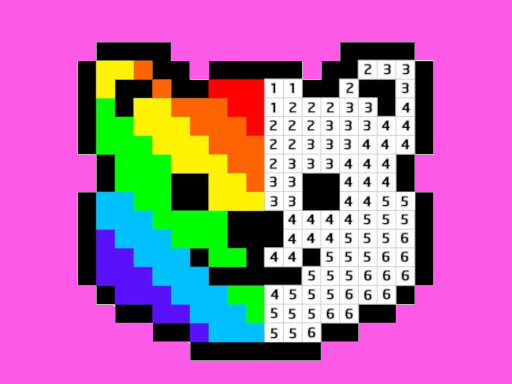
Pixel Art – Color by Numbers
The game loads when you press the "Play" button.
The game loads when you press the "Play" button.
Pixel Art – Color by Numbers offers a calming, creative escape where every tap and stroke turns simple dots into vibrant images. As you settle in with this relaxing pixel coloring game, a quiet sense of satisfaction washes over you, inviting you to lose track of time while your imagination blossoms through tiny, colorful pixels. The charm of pixel art, paired with the soothing rhythm of filling in numbered spaces, creates an atmosphere that’s both nostalgic and refreshingly modern. Whether you’re looking for a peaceful way to unwind or simply want to enjoy a creative activity, Pixel Art – Color by Numbers welcomes artists of all ages to explore its simple yet captivating design.
Hovering over a digital canvas filled with countless tiny squares, players see a spectrum of vibrant colors and inviting images that seem to pulse with life. The visuals in Pixel Art – Color by Numbers are charmingly minimalist but surprisingly detailed—each picture patiently waiting to be brought to life through pixel coloring. As you work through different images, from adorable animals to scenic landscapes, the game’s clean, crisp graphics foster a sense of clarity and calm. The soft background music and gentle sound effects complement the visual simplicity, creating a peaceful environment perfect for stress relief or quiet moments.
One of the game’s strengths is how accessible it is. No complex skills or prior experience are needed—just a willingness to tap and fill. The interface is intuitive, designed with both kids and adults in mind. The colors and numbers are clear and easy to follow, making it a delightful way to enjoy pixel art without any pressure. As you work through each picture, the pixel art – color by numbers approach guides your every move, turning what might seem like a simple activity into a satisfying artistic journey. The atmosphere encourages patience and focus, with each completed image feeling like a small victory that leaves you eager to start the next.
What makes Pixel Art – Color by Numbers so engaging is its gentle cycle of creation and completion. The game invites you to choose from a wide selection of pixel images, each with a designated color-coded pattern. Filling in the pixels builds a sense of progress, and the anticipation of revealing the full picture keeps you interested. The pace is relaxed, making it suitable for quick breaks or long, peaceful coloring sessions. The simple act of tapping and dragging to fill pixels allows you to focus on the calming process without any complicated controls or time constraints.
Progression flows smoothly as each finished image unlocks the next, providing a steady stream of satisfying moments. The variety of themes and difficulty levels ensures artists can find images suited for different moods or skill levels. Whether completing a cute animal portrait or a detailed scenic view, filling in the pixels offers a meditative rhythm that can help reduce stress. Pixel Art – Color by Numbers keeps players coming back with new images and challenges, making it a great pick for casual gaming that’s both fun and relaxing.
If you want to make the most of your pixel coloring experience, a few simple tips can improve your enjoyment and efficiency. Here are some helpful hints:
Can I play Pixel Art – Color by Numbers offline or on mobile devices?
Since this game runs directly on the site, it works well on most devices with a browser. It’s optimized for smooth play on both desktop and mobile, so you can enjoy it anytime without needing an internet connection once it loads.
What if I find some images too difficult or get stuck?
If you come across a complex picture that feels overwhelming, try zooming out for a broader view or switch to simpler images for a quick win. The gentle design means you can take your time and return to challenging images later without any penalty.
Is Pixel Art – Color by Numbers suitable for children and adults alike?
Absolutely. The straightforward mechanics and charming visuals make it accessible for all ages. Kids enjoy the colorful, easy-to-follow images, while adults might appreciate the relaxing, nostalgic vibe of pixel art. It’s a flexible activity for short sessions or longer creative escapes.
In the end, Pixel Art – Color by Numbers offers a quiet space to explore your artistic side, whether you’re experienced with pixel art or just starting out. Its peaceful atmosphere and simple gameplay make it a good choice for anyone looking to enjoy some leisurely coloring online. Enjoy transforming tiny pixels into vibrant works of art, one number at a time.
Related games: you can also try Disk Destroyer and SpectralSeek Kids, or browse all other games in the Hypercasual category.
Tap on numbered pixels to fill them with the matching color and complete the pixel art image. Continue until the picture is fully colored and enjoy the calming creative process.
Use mouse or tap to select and fill pixels.