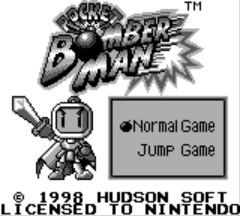
Pocket Bomberman (Europe)
0 3 0
Pocket Bomberman (Europe) is a classic Game Boy game that brings the iconic Bomberman action to your browser. Its simple gameplay makes it easy for newcomers to pick up and enjoy, while offering enough challenge to keep seasoned players interested. As a game from the Game Boy era, it captures the essence of portable arcade fun in a compact, nostalgic package.
What Is Pocket Bomberman?
Pocket Bomberman is a maze-based action game where players control Bomberman, navigating through levels filled with obstacles and enemies. The main goal is to place bombs carefully to clear paths, defeat foes, and reach the exit of each level. The gameplay focuses on timing and positioning, requiring players to think quickly while avoiding their own explosions and enemy attacks. Quick reflexes and good planning are key, making each session tense and rewarding.
This classic features a series of increasingly difficult levels, with the challenge growing as you progress. It’s a single or multi-screen maze experience, where mastering bomb placement and enemy patterns is crucial. The controls are simple but effective, allowing for fast-paced action that’s easy to pick up but hard to master. It’s great for short plays or longer sessions, thanks to its straightforward design and engaging gameplay loop.
What Keeps You Coming Back
The core mechanic of placing bombs in a maze creates a compelling challenge. Each level offers new layouts and enemy behaviors, encouraging players to develop quick strategies and improve their timing. Clearing a level without damage or figuring out tricky layouts can keep you trying just one more time. The arcade-style difficulty provides a satisfying sense of achievement with each success.
Additionally, Pocket Bomberman offers a variety of levels that grow more complex, rewarding players who sharpen their skills. Its simple yet addictive gameplay suits both casual players and those who want to perfect their runs. The game also encourages replay with its scoring system, motivating players to beat their previous best or aim for faster clears. That mix of challenge and simplicity helps it stay fun in the browser version.
Handy Tips
Getting started is straightforward, but mastering Pocket Bomberman takes practice. Here are some tips:
- Plan your bomb placements carefully to avoid trapping yourself.
- Observe enemy movement patterns to anticipate their actions and stay safe.
- Use walls and obstacles to your advantage when placing bombs for maximum effect.
- Don’t rush; patience helps in timing your bombs for safe clears.
- Practice levels to memorize layouts and enemy positions, making future runs quicker.
Player FAQ
Is Pocket Bomberman suitable for younger players?
Yes, it’s accessible to players of all ages, with simple controls and gameplay that can be learned quickly. It works well for younger players who enjoy maze and puzzle games.
Do I need an internet connection to play Pocket Bomberman?
No, this version runs directly in your browser, so you can play offline without any downloads or setups. It’s ready whenever you want to play.
How long does a typical game take?
Game sessions depend on skill, but most levels are quick, often just a few minutes. You can aim for high scores or try to beat your best time, making it perfect for short periods of play.
Enjoy a classic puzzle-action experience with Pocket Bomberman. Its simple gameplay and nostalgic charm make it a great choice for quick, engaging fun on the Game Boy platform—now available to play free in your browser as a classic emulator.
Related games: you can also try DragonHeart (USA, Europe) and Konami GB Collection Vol.3 (Japan), or browse all other games in the Game Boy category.
How to Play Pocket Bomberman (Europe)?
Navigate mazes, place bombs to destroy obstacles and enemies, and reach the exit without getting trapped or caught in explosions.
Game Controls
Arrow keys move Bomberman; space or action key places bombs; other keys handle game start and menu.








Comments (0)
No comments yet. Be the first to comment!