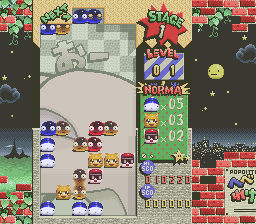
Popoitto Hebereke (Japan)
0 1 0
Popoitto Hebereke (Japan) is a classic SNES puzzle game that provides a simple yet engaging challenge. Designed for fans of the puzzle genre, it’s great for quick sessions and casual play. Its straightforward mechanics and vibrant visuals make it accessible for players of all ages, especially those who enjoy games from the SNES era.
Getting Into Popoitto Hebereke
The main gameplay involves matching tiles or objects within a grid. Players take turns or go solo to clear the board by creating matches of similar items, which then vanish to make space for new ones. Success depends on recognizing patterns, timing, and strategic placement to earn points or move through levels.
During play, you select or rotate items to align similar ones in rows or groups. Different modes might be available, such as single-player puzzles or competitive matches, depending on the version. The key is planning your moves carefully to avoid filling the board and to clear as many objects as possible before running out of space or time.
Since it’s a puzzle game, there’s no story or real-time combat. Instead, the challenge is to clear levels efficiently and adapt to more complex layouts. It moves at a steady pace, encouraging focus rather than frantic action, which makes it suitable for both quick bursts and longer, strategic sessions.
Standout Features
Visually, Popoitto Hebereke features bright, colorful graphics typical of the SNES, with charming character sprites and clear, easy-to-distinguish objects. Its simple design remains appealing, and the clean interface helps players concentrate on the gameplay. The sound design is modest but effective, giving satisfying feedback when matches are made or levels are completed.
Progression comes from solving more challenging puzzles that demand better planning and quicker pattern recognition. Replay value stays high because each session can feel different based on how you approach the grid and optimize your moves. The mechanics are straightforward enough to pick up quickly, making it easy to try again and improve your scores or beat personal bests.
Strategy and Tips
When starting out, aim to create longer chains of matches instead of quick single-line clears. Planning a few moves ahead can help prevent the board from filling up too fast.
- Focus on clearing the bottom of the grid to avoid getting trapped.
- Look for chances to set up multiple matches in one move, which can earn you more points and clear more objects at once.
- Watch the overall layout to steer clear of dead-end situations where no moves are left.
- Get comfortable recognizing patterns quickly; the sooner you see matches, the higher your score can go.
- Make smart use of any power-ups or special tiles available to maximize their benefits.
Quick Questions
How do I start if I’ve never played before?
Choose a puzzle mode and start matching tiles. The game is simple, and tutorials are minimal, so experimenting helps you pick things up fast.
What’s a common mistake for beginners?
Trying to clear only one object at a time instead of planning longer matches can lead to getting stuck early on.
Can I play Popoitto Hebereke on mobile or touch devices?
Since it runs in your browser emulating SNES, it works well on touch screens. Controls are optimized for mouse or keyboard, but it’s playable on mobile devices too.
Popoitto Hebereke offers a charming and accessible puzzle experience. Its simple mechanics and colorful visuals make it worth a try for puzzle fans seeking a quick, engaging challenge right in their browser.
Related games: you can also try Parlor! Mini 5 – Pachinko Jikki Simulation Game (Japan) and Daisenryaku Expert (Japan), or browse all other games in the SNES category.
How to Play Popoitto Hebereke (Japan)?
Match and clear similar objects on the grid by rotating or swapping them, aiming to create chains and prevent the board from filling up. Plan your moves to clear levels efficiently and earn high scores.
Game Controls
Arrow keys control movement; Enter or space selects and swaps items.








Comments (0)
No comments yet. Be the first to comment!