Premier Manager 2003-04 (E)(ZBB)
0 3 0
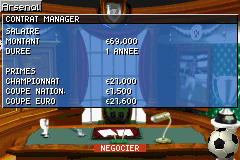
Premier Manager 2003-04 (E)(ZBB) is a familiar title from the Game Boy Advance days that puts you in charge of a football club. This simulation offers a straightforward yet engaging experience for those who enjoy sports management, combining strategic decisions with the excitement of guiding your team through a competitive season. Built for handheld hardware, it focuses on menus, stats, and planning rather than flashy visuals, making it a good choice for those who prefer managing over playing on the pitch. Running directly in your browser, this emulated version lets you enjoy a vintage sports management experience without any downloads.
Why Premier Manager 2003-04 Is Worth Playing
What makes Premier Manager 2003-04 stand out among other management games on the Game Boy Advance is its focus on gameplay depth and accessibility. The visuals are simple, relying on menus and text, but that keeps the emphasis on strategic choices rather than graphics. The feel of the game is calm and calculated—you’ll be tweaking lineups, managing budgets, and making tactical decisions that affect your team’s success. Even with its age, it captures some of the real pressure of football management through detailed stats and a straightforward interface that rewards patience and planning.
Playing this classic, you’ll see how it captures the core aspects of football management: balancing squad morale, tactics, transfer negotiations, and finances. The game favors players who enjoy long-term planning and strategic thinking, with each match feeling like a puzzle to solve. Its simplicity makes it accessible for newcomers, but the depth means dedicated fans can spend hours fine-tuning their clubs’ progress. The sound is minimal, but the menus and feedback provide enough clarity to keep you engaged without clutter.
Tips to Get Ahead
Getting started on the right foot can make a difference, especially when resources are limited or leagues are tough.
- Focus on transfers that improve your squad’s balance rather than just bringing in big names.
- Watch player morale; it can influence match results more than you might think.
- Adjust your tactics based on the opponent’s strengths and weaknesses to improve your chances.
- Manage your finances carefully—overspending on transfers can hurt your season’s stability.
- Use training options to develop key players and boost team cohesion over time.
- Check match reports regularly to spot tactical adjustments that could turn close games around.
Things to Know Before You Start
How difficult is Premier Manager 2003-04?
The game offers a moderate challenge; it’s accessible but asks for strategic thinking, especially when managing finances and morale. It works well for casual players and those wanting a more involved management experience.
How long does a session last?
Each season can take about 30-60 minutes, depending on how much you get into tactics and transfers. It’s suitable for quick sessions or longer management marathons.
Is Premier Manager 2003-04 good for newcomers?
Yes, its menu-driven setup and straightforward mechanics make it approachable for beginners, while still offering enough depth to keep veterans interested.
This classic from the Game Boy Advance still holds up as a solid management game for fans of the genre. Its simplicity paired with strategic options makes it worth exploring for anyone interested in managing a football club. See how well you can balance the demands of the game and lead your team to success with premier manager 2003-04.
Related games: you can also try Pokemon Moemon Quetzal (Spanish) and Backyard Skateboarding (U)(Trashman), or browse all other games in the Game Boy Advance category.
How to Play Premier Manager 2003-04 (E)(ZBB)?
Manage your football club by making strategic decisions on transfers, tactics, and finances to lead your team through a successful season. Focus on planning, adjusting tactics, and balancing resources to improve your chances of winning.
Game Controls
Arrow keys navigate menus; Enter selects options; other keys are used for actions like confirming or canceling.
You may be interested in:
-
 Game Boy Advance
♥ 2
Zooo (J)(Rising Sun)
Game Boy Advance
♥ 2
Zooo (J)(Rising Sun) -
 Game Boy Advance
♥ 4
Zooo (E)(Trashman)
Game Boy Advance
♥ 4
Zooo (E)(Trashman) -
 Game Boy Advance
♥ 2
ZooCube (U)(Mode7)
Game Boy Advance
♥ 2
ZooCube (U)(Mode7) -
 Game Boy Advance
♥ 1
ZooCube (E)(Blizzard)
Game Boy Advance
♥ 1
ZooCube (E)(Blizzard) -
 Game Boy Advance
♥ 1
Zone of the Enders – The Fist of Mars (U)(Mode7)
Game Boy Advance
♥ 1
Zone of the Enders – The Fist of Mars (U)(Mode7) -
 Game Boy Advance
♥ 1
Zone of the Enders – The Fist of Mars (E)(Cezar)
Game Boy Advance
♥ 1
Zone of the Enders – The Fist of Mars (E)(Cezar) -
 Game Boy Advance
♥ 1
Zoku Bokura no Taiyou – Taiyou Shounen Django (J)(Independent)
Game Boy Advance
♥ 1
Zoku Bokura no Taiyou – Taiyou Shounen Django (J)(Independent) -
 Game Boy Advance
♥ 7
Zoku Bokura no Taiyou – Taiyou Shounen Django (J)(Caravan)
Game Boy Advance
♥ 7
Zoku Bokura no Taiyou – Taiyou Shounen Django (J)(Caravan)
Comments (0)
No comments yet. Be the first to comment!