Princess Minerva (English)
0 1 0
Princess Minerva (English) is a classic SNES game played right in your browser, giving a nostalgic look back at the 16-bit era. It appeals to those who enjoy straightforward platforming with a charming retro style. If you’re into vintage SNES titles and want a game that focuses on exploration and simple challenges, Princess Minerva is a solid choice without any downloads or complicated setup.
Getting Into Princess Minerva
The main gameplay involves moving through side-scrolling levels filled with obstacles, enemies, and hidden spots. You control a princess who must jump, avoid hazards, and defeat enemies, often with basic attack mechanics. The game is easy to pick up, usually involving completing a few levels or sections, making it good for quick sessions or longer explorations. Progress is linear, but finding secrets and bonus paths encourages replaying.
This SNES classic keeps things simple: move forward, dodge dangers, and finish each stage. It doesn’t usually involve complex mechanics or RPG elements, which makes it perfect for players who prefer immediate action and clear goals. The difficulty is moderate—challenging enough for newcomers but still engaging enough for experienced players to enjoy some trial and error. Overall, it offers a straightforward, fun experience focused on timing and exploration without making things complicated.
Standout Features
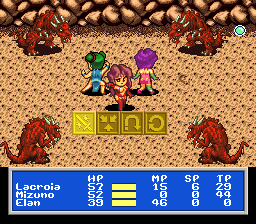
Visually, Princess Minerva captures the pixel-art charm typical of early 16-bit platformers. The character animations are smooth, and the environments are colorful and varied, from lush forests to castle interiors. While it’s not a game with cutting-edge graphics, the sprite work and backgrounds create a nostalgic, inviting atmosphere that fits the gameplay.
Progression involves finishing levels and discovering secrets, giving the game replay value. It doesn’t have branching paths or multiple endings, but the challenge is in mastering each level’s layout and finding hidden areas. Its simplicity makes it accessible for newcomers, while tight level design encourages players to improve their timing and memorize layouts. You might find yourself playing a second or third time to beat your best times or find all the secrets.
Strategy and Tips
If you’re just starting out, focus on learning enemy patterns and timing your jumps. Patience and careful observation help a lot in Princess Minerva.
- Explore each level thoroughly; secrets can hide in less obvious spots.
- Practice jumping and attack timing to handle enemies more effectively.
- Save your power-ups or special items for tougher sections or boss fights.
- If you get stuck, replay sections to memorize enemy positions and level layouts.
- Stay patient with tough parts; rushing can lead to unnecessary failures.
Quick Questions
How do I get started in Princess Minerva?
Just select the game from the menu and start playing. Controls are simple, so new players can jump right in.
What’s a common mistake beginners make?
Many try to rush through levels without paying attention to enemy patterns or searching for secrets, which often leads to frustration or losing progress.
Can I play Princess Minerva on mobile or touch devices?
Yes, since it runs directly in your browser, you can play it on any device with a web browser, like phones or tablets. Controls might be a bit trickier than using a keyboard or gamepad, though.
Princess Minerva offers a simple, charming platforming experience rooted in the SNES era. Its mechanics and visuals make it a good pick for those looking for a nostalgic yet accessible game. Whether you want to beat levels quickly or find every hidden corner, it rewards patience and curiosity.
Related games: you can also try Breath of Fire – Ryuu no Senshi (Japan) and Pachio-kun Special (Japan), or browse all other games in the SNES category.
How to Play Princess Minerva (English)?
Move through levels by jumping and avoiding obstacles, defeat enemies, and find secrets to complete each stage. Focus on timing and exploration for the best results.
Game Controls
Arrow keys act as the D-pad; Enter is Start; on-screen mapped keys handle the action buttons








Comments (0)
No comments yet. Be the first to comment!