Project Base 0.8.1
0 11 1
Project Base 0.8.1 is a classic SNES game you can play right in your browser, giving a taste of the console’s 16-bit days. It’s perfect for fans of simple, old-school action games with familiar visuals. Since it runs directly in your browser, there’s no need to download anything—just click play and start exploring a piece of SNES history.
Getting Into Project Base 0.8.1
The gameplay focuses on moving through levels, taking down enemies, and completing different tasks. You control a character in a side-scrolling world, using the keyboard or a gamepad. The game rewards quick reflexes and timing because enemies can pop up unexpectedly, so staying alert is key. As you go, you’ll move through different stages, with each one getting a bit more challenging than the last.
It’s mainly designed for solo play, with no multiplayer options. The game works well in short sessions or longer attempts to beat your high score or reach certain goals. Its simple mechanics mean you can jump right in, but learning enemy patterns and level layouts takes some practice.
Standout Features
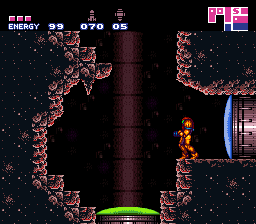
One thing that stands out is its pixel-perfect visuals, capturing the bright colors and detailed sprites of the SNES. The graphics feel nostalgic but stay sharp in the browser. The sound design complements the look, with chiptune music and sound effects that fit the era, making the experience more engaging.
Progress depends on completing levels and overcoming tougher challenges, which encourages you to try again. Different routes and strategies can help improve your runs. Its simplicity makes it easy to start playing, but tricky enemy placements and level design keep it interesting enough to try again and again.
Strategy and Tips
Getting familiar with enemy patterns and the layout of each level helps you last longer and score higher. Timing your attacks and movements carefully is essential to avoid taking damage. Practice helps, especially when you learn where enemies appear and how to handle tricky sections.
- Memorize enemy spawn points to avoid surprises during your run.
- Focus on quick, precise movements to dodge attacks instead of relying on brute force.
- Explore each level thoroughly—sometimes there are secrets or shortcuts that can save time.
- If you can customize controls, try different setups to find what feels best.
- Don’t rush through levels; patience and planning often lead to better scores.
Quick Questions
What’s a good way to start if I’ve never played before?
Use the default settings, focus on learning enemy behaviors, and take your time getting used to the controls and stage layouts.
What’s a common mistake for beginners?
Many players rush without paying attention to enemy patterns, which can lead to unnecessary damage. Patience and watching enemy movements help a lot.
Can I play Project Base 0.8.1 on mobile or touch devices?
Since it runs in a browser, you can play it on mobile devices, but controlling it with a touchscreen might be more challenging than using a keyboard or gamepad.
Playing this game through the browser offers a straightforward way to enjoy a classic SNES experience. Its simple gameplay, appealing visuals, and nostalgic sounds make it a good pick for fans of retro titles or anyone wanting a quick trip back in time. The design makes it easy to pick up but still offers enough challenge to keep trying for better scores.
Related games: you can also try Miracle Girls (Japan) and Bishoujo Senshi Sailormoon Super S – Fuwa Fuwa Panic (English), or browse all other games in the SNES category.
How to Play Project Base 0.8.1?
Move through levels, defeat enemies, and complete tasks to progress. Use quick reflexes and timing to avoid hazards and reach the end of each stage, aiming for high scores and better routes.
Game Controls
Arrow keys or WASD for movement; action buttons mapped to keyboard keys; start with default controls.








Comments (0)
No comments yet. Be the first to comment!