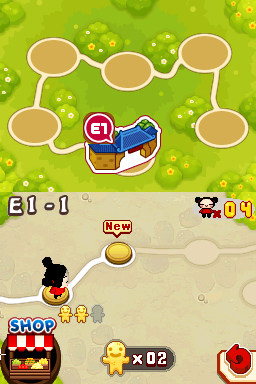
Pucca – Power Up (USA)
0 5 1
Pucca – Power Up (USA) is a fun Nintendo DS game that puts the quirky world of Pucca right in your browser. It’s a simple, light-hearted game that appeals to players who enjoy casual arcade-style action, especially those who remember the Nintendo DS era. If you like easy-to-learn games with a cartoonish charm, Pucca – Power Up is worth trying without the need to download anything.
Getting Into Pucca – Power Up
The game is all about quick-paced, arcade-style action where you control Pucca as she moves through levels filled with obstacles and enemies. The main idea is to react quickly, time your movements well, and position yourself carefully to avoid dangers and complete tasks. Each level is short, making it perfect for quick gaming sessions. As you progress, the difficulty ramps up a bit, with new challenges and tougher enemies.
You’ll go through a series of stages that test your reflexes and planning. You might find different modes like single-player challenges or quick play, but the focus stays on fast, action-packed gameplay. It’s designed for casual play, so it’s easy to jump in, get a sense of accomplishment, and try to beat your best scores or move further through the levels.
Standout Features
The game’s bright, cartoon-like art style captures Pucca’s playful vibe. The animations are smooth, and the characters are exaggerated in a charming way, making it visually appealing even on the small screen of a Nintendo DS. The design is simple and clear, helping you easily spot obstacles and targets so you can react quickly.
Progression is straightforward but satisfying. You unlock new levels and face more challenging obstacles, encouraging repeated attempts to improve your skills and scores. While there isn’t a complex story, the replay value comes from trying to beat high scores and mastering each level’s layout. It’s a compact, skill-based experience that rewards precision and quick reflexes, great for short bursts of play.
Strategy and Tips
At the start, focus on recognizing obstacle patterns instead of rushing through levels. Patience helps you avoid mistakes. Timing your moves carefully is crucial for lasting longer and getting higher scores.
- Watch enemy and obstacle patterns before acting.
- Use small, controlled movements rather than frantic presses.
- Prioritize staying alive over rushing to finish levels.
- Practice levels repeatedly to memorize tricky sections and sharpen your reactions.
- Take a moment to plan your next move if the game allows.
- Try to clear levels with high scores to unlock extra content or new challenges.
Quick Questions
How do I get started playing Pucca – Power Up?
Just load the game on this page, and it will start right in your browser—no downloads needed. Use the on-screen controls or keyboard to move Pucca and interact with obstacles.
What’s a common mistake beginners make?
Many new players rush through without paying attention to obstacle patterns, leading to unnecessary mistakes. Take your time to learn each section’s layout.
Can I play this on mobile or touch devices?
Yes, since it runs directly in your browser, you can play on mobile devices with touch controls, though a keyboard or mouse might make things easier.
Pucca – Power Up offers a charming, accessible experience for casual players and fans of arcade action. Its simple mechanics make it easy for newcomers to enjoy, but it still provides enough challenge to keep trying for higher scores. Playing it here in your browser makes it easy to enjoy a nostalgic Nintendo DS classic any time you want.
Related games: you can also try Kilari – Na-san, Mon Meilleur Ami (Europe) (Fr,Es,It) and Cross Treasures (Japan), or browse all other games in the Nintendo DS category.
How to Play Pucca – Power Up (USA)?
Control Pucca to dodge obstacles and enemies across levels, reacting quickly to survive longer and earn higher scores. Complete stages by avoiding dangers and mastering the timing of your moves.
Game Controls
Arrow keys act as the D-pad; Enter is Start; on-screen mapped keys handle the action buttons.
You may be interested in:
-
 Nintendo DS
♥ 1
Casper’s Scare School – Classroom Capers (USA)
Nintendo DS
♥ 1
Casper’s Scare School – Classroom Capers (USA) -
 Nintendo DS
♥ 1
Zunou Nouryoku Koujou Machine – Touch de Zunoo DS (Japan)
Nintendo DS
♥ 1
Zunou Nouryoku Koujou Machine – Touch de Zunoo DS (Japan) -
 Nintendo DS
♥ 1
Zunou ni Asekaku Game Series! Vol. 1 – Cool 104 Joker & Setline (Japan)
Nintendo DS
♥ 1
Zunou ni Asekaku Game Series! Vol. 1 – Cool 104 Joker & Setline (Japan) -
 Nintendo DS
♥ 9
Zuma’s Revenge (USA)
Nintendo DS
♥ 9
Zuma’s Revenge (USA) -
 Nintendo DS
♥ 1
Zubo (USA) (En,Fr,Es)
Nintendo DS
♥ 1
Zubo (USA) (En,Fr,Es) -
 Nintendo DS
♥ 1
Zubo (Europe) (En,Fr,De,Es,It,Nl,Sv)
Nintendo DS
♥ 1
Zubo (Europe) (En,Fr,De,Es,It,Nl,Sv) -
 Nintendo DS
♥ 1
Zorro – Quest for Justice (USA) (En,Fr,De,Es,It)
Nintendo DS
♥ 1
Zorro – Quest for Justice (USA) (En,Fr,De,Es,It) -
 Nintendo DS
♥ 1
Zorro – Quest for Justice (Europe) (En,Fr,De,Es,It)
Nintendo DS
♥ 1
Zorro – Quest for Justice (Europe) (En,Fr,De,Es,It)
Comments (0)
No comments yet. Be the first to comment!