Puzzler Collection (USA)
0 1 0
Puzzler Collection (USA) offers a look back at some of the classic puzzle games from the Nintendo DS era, all playable right in your browser without any downloads or installations. It brings together a good mix of brain-teasers that test your logic, pattern recognition, and quick thinking. Its simple design and easy gameplay make it a nice pick for puzzle fans who want something casual but still engaging. The vintage style and familiar mechanics give it a straightforward feel, whether you’re relaxing with a quick session or settling in for a longer challenge.
Step Into the World of Puzzler Collection
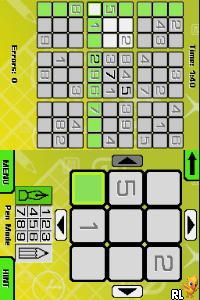
This classic from the Nintendo DS days features a clean, minimalist interface that keeps things clear and easy to use. The visuals are simple but effective, with pixelated graphics that remind you of the handheld’s early 2000s charm. The sound design is gentle, consisting of soft tones and simple melodies that help keep the mood light and focused on the puzzles. The layout is straightforward, with puzzles shown on a single screen so you can concentrate fully on solving each one without distractions. The familiar interface adds to the nostalgic feel, making each session feel like flipping through a well-loved puzzle book from years past.
How the Gameplay Hooks You
The gameplay in Puzzler Collection centers on solving a series of puzzles, each testing different aspects of logic and pattern recognition. Puzzles appear one at a time, with a steady pace that encourages quick thinking but also gives you moments to reflect. As you complete puzzles, new challenges unlock, gradually getting trickier. The structure works well for both quick play sessions and longer stretches, with a sense of progress building as you move through the puzzle sets. The variety of puzzles keeps things interesting, so it doesn’t get repetitive even after multiple tries.
Pro Tips for Puzzler Collection
To get the most out of this collection, it helps to have a simple strategy in mind. Here are some ideas:
- Watch for patterns and similarities between puzzles; recognizing common structures can help you solve them faster.
- Take your time with tougher puzzles— rushing can lead to mistakes and setbacks.
- Use a methodical process to eliminate unlikely options, especially in logic challenges.
- Keep track of clues you find, whether mentally or on paper, so you don’t repeat mistakes or miss hints.
- If you’re stuck, stepping back for a moment can clear your mind and help you see new solutions.
- Playing regularly, even for short periods, builds confidence and sharpens your puzzle-solving skills over time.
Frequently Asked Questions
Can I play Puzzler Collection in short sessions without losing progress?
Yes, the game supports quick, focused play, so you can take breaks without worrying about losing what you’ve done.
Does the difficulty level change or does it increase quickly?
Puzzles come with a range of difficulty levels, gradually getting trickier so you’re challenged without feeling overwhelmed at the start.
Will this game feel repetitive after a while?
With its varied puzzles and mechanics, it stays interesting for many sessions, even if the core idea stays consistent.
This collection offers a straightforward, nostalgic puzzle experience that fits both casual players and puzzle enthusiasts. Its accessibility and variety make it a good choice for quick mental exercises or longer problem-solving sessions. Playing Puzzler Collection directly in your browser keeps the focus on the puzzles, without any hassle of downloads or setups.
Related games: you can also try Crazy Frog Collectables – Art School (Europe) (En,Fr,De,Es,It) and Harvest Moon DS – Island of Happiness (USA), or browse all other games in the Nintendo DS category.
How to Play Puzzler Collection (USA)?
Solve puzzles by finding patterns and using logic to complete each challenge. Progress through increasingly difficult puzzles by thinking carefully and eliminating options.
Game Controls
Arrow keys or WASD move; Enter or space select; other keys for actions as shown on screen.
You may be interested in:
-
 Nintendo DS
♥ 1
Casper’s Scare School – Classroom Capers (USA)
Nintendo DS
♥ 1
Casper’s Scare School – Classroom Capers (USA) -
 Nintendo DS
♥ 1
Zunou Nouryoku Koujou Machine – Touch de Zunoo DS (Japan)
Nintendo DS
♥ 1
Zunou Nouryoku Koujou Machine – Touch de Zunoo DS (Japan) -
 Nintendo DS
♥ 1
Zunou ni Asekaku Game Series! Vol. 1 – Cool 104 Joker & Setline (Japan)
Nintendo DS
♥ 1
Zunou ni Asekaku Game Series! Vol. 1 – Cool 104 Joker & Setline (Japan) -
 Nintendo DS
♥ 9
Zuma’s Revenge (USA)
Nintendo DS
♥ 9
Zuma’s Revenge (USA) -
 Nintendo DS
♥ 1
Zubo (USA) (En,Fr,Es)
Nintendo DS
♥ 1
Zubo (USA) (En,Fr,Es) -
 Nintendo DS
♥ 1
Zubo (Europe) (En,Fr,De,Es,It,Nl,Sv)
Nintendo DS
♥ 1
Zubo (Europe) (En,Fr,De,Es,It,Nl,Sv) -
 Nintendo DS
♥ 1
Zorro – Quest for Justice (USA) (En,Fr,De,Es,It)
Nintendo DS
♥ 1
Zorro – Quest for Justice (USA) (En,Fr,De,Es,It) -
 Nintendo DS
♥ 1
Zorro – Quest for Justice (Europe) (En,Fr,De,Es,It)
Nintendo DS
♥ 1
Zorro – Quest for Justice (Europe) (En,Fr,De,Es,It)
Comments (0)
No comments yet. Be the first to comment!