Radar Mission (Japan)
0 1 0
Radar Mission (Japan) is a classic Game Boy game that blends strategy with radar-based gameplay. As a title from the Game Boy era, it provides a simple yet engaging experience that appeals to fans of tactical thinking and retro gaming. Its emphasis on radar navigation makes it a good pick for players who enjoy planning and precision in their handheld sessions.
Getting Into Radar Mission
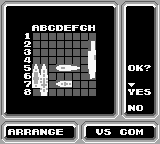
The main gameplay involves using radar screens to locate and target enemy ships or objects. The game features several missions or levels, where players analyze radar blips to decide where to fire or move in order to reach objectives. Success depends on careful observation and strategic choices, as each shot or move affects resources and progress.
Players often start by examining the radar display, interpreting signals, and then choosing the best action based on what they see. The controls are simple, and there’s no story to follow—just the puzzle of tracking and targeting objects accurately. As players improve, they unlock new levels or face more difficult scenarios that challenge their radar-reading skills. This setup encourages repeated attempts to get better at accuracy and completing missions efficiently.
Standout Features
The visuals in Radar Mission are minimal but clear, reflecting the limited graphics of the Game Boy. The radar screens and targeting indicators are easy to interpret, which is key since gameplay depends on quick understanding. Though simple, the graphics do their job well, offering a clean interface that keeps clutter to a minimum and keeps the focus on strategy.
The game’s progression comes from completing radar-based challenges, with each level increasing in difficulty. Players often aim to improve their accuracy, beat personal bests, and try different mission scenarios. Its straightforward design makes it easy to pick up for quick sessions, but mastering the mechanics can take some practice, especially as signals become more complex or tricky to read.
Strategy and Tips
Getting started with Radar Mission is easy, but developing a solid approach can really help. Take your time analyzing signals before firing, and don’t rush decisions. Staying calm and recognizing patterns helps improve your accuracy over time.
- Begin with simple signals to get a feel for how objects appear on the radar.
- Use feedback from the game to understand how signals relate to actual positions, and adjust your targeting accordingly.
- Look for patterns in the blips—some signals repeat or follow predictable paths.
- Manage your resources carefully; avoid unnecessary shots that might run out early.
- If you find yourself making mistakes, take a break—sometimes fresh eyes can make a big difference.
- If available, try different difficulty settings to build your skills gradually before tackling tougher levels.
Quick Questions
How do I get started if I’ve never played Radar Mission before?
Start by familiarizing yourself with the radar display and practicing simple targeting to understand how signals relate to objects on the screen.
What’s a common mistake beginners make?
Many new players rush their shots without carefully analyzing signals, which can lead to missed targets and wasted resources.
Can I play Radar Mission on a mobile device or with a touchscreen?
Yes, since it runs in your browser, you can easily play on mobile devices with touch controls, though the interface is based on the original Game Boy layout.
Radar Mission offers a focused experience rooted in strategic radar reading. Its simple gameplay and minimal design make it a good choice for quick breaks or for players looking for a challenge that relies on observation and planning.
Related games: you can also try Bonk's Revenge (USA) and Caesars Palace (Japan), or browse all other games in the Game Boy category.
How to Play Radar Mission (Japan)?
Use the radar to locate enemy ships and aim carefully before firing. Analyze signals, choose the best target, and complete each mission without wasting resources.
Game Controls
Arrow keys move the cursor; a specific key fires or confirms actions.








Comments (0)
No comments yet. Be the first to comment!