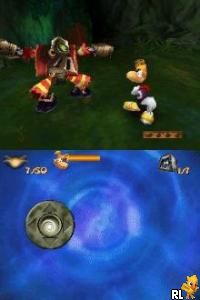
Rayman DS (USA) (En,Fr,Es)
0 7 1
Rayman DS (USA) (En,Fr,Es) is a classic Nintendo DS game that brings the whimsical platforming adventures of Rayman straight to your browser. Its simple controls and charming visuals make it easy to pick up and enjoy, whether you’re familiar with the series or just starting out with platformers. This digital version keeps the feel of the original handheld game, letting players jump right into the colorful world of Rayman without any fuss.
What Is Rayman DS?
Rayman DS is a side-scrolling platformer where you guide Rayman through levels filled with obstacles, enemies, and puzzles. The main goal is to get through each stage, gather items, and reach the end while avoiding hazards. Timing, jumping skills, and quick reactions are important, making each level a test of coordination and patience. The game keeps things simple enough to learn but challenging enough to keep you engaged.
Set in a lively, cartoon-like universe, Rayman DS offers a nostalgic feel reminiscent of early 2000s handheld games. Its levels are creatively designed with different enemies and hidden areas, encouraging exploration and experimentation. The game’s structure makes it fun to replay, whether to improve your scores or find secret spots. It strikes a good balance between accessible gameplay and satisfying challenges, suitable for players of all ages.
What Keeps You Coming Back
Part of what makes Rayman DS enjoyable is its level design. Many levels have multiple paths, secret areas, and collectibles that reward exploring every corner. This encourages replaying stages to beat your best times or find hidden goodies. The charming art style and catchy soundtrack add to the experience, making each session visually appealing and fun.
There are also different gameplay mechanics introduced throughout the game. New enemies and environmental hazards keep things interesting, and the controls are straightforward, helping you focus on improving your skills. As levels get more difficult, you’ll find yourself refining your timing and strategies. The game is short enough for quick sessions but has enough depth to keep you coming back for more.
Handy Tips
If you’re just starting out with Rayman DS, here are a few tips to help you along:
- Timing your jumps carefully can help you avoid falling or getting hit.
- Use the environment to your advantage; some obstacles can be bypassed or moved around.
- Collect as many items as you can—these can unlock hidden areas or boost your score.
- Pay attention to level hints—they can point you toward secret paths.
- Practice tricky sections to improve your reactions and finish levels faster.
Player FAQ
Is Rayman DS suitable for younger players?
Yes, the game has simple controls and a colorful, inviting world that’s easy for children to enjoy, although some levels might be tricky for beginners.
Does Rayman DS need an internet connection to play?
Nope. It runs fully offline on this browser-based emulator, so you can play whenever you like without needing to connect online.
Is it good for newcomers to platformers?
Definitely. Its straightforward mechanics and forgiving learning curve make it accessible for beginners, especially if you start with easier levels and practice gradually.
Rayman DS offers a charming, easy-to-get-into platforming experience that’s perfect for quick gaming sessions or longer adventures. Its nostalgic style and engaging gameplay make it enjoyable for players of all ages and skill levels. Play this classic right in your browser and have fun exploring the colorful universe of Rayman.
Related games: you can also try Despicable Me – The Game – Minion Mayhem (USA) (En,Fr,De,Es,It) and Backyard Baseball '09 (USA), or browse all other games in the Nintendo DS category.
How to Play Rayman DS (USA) (En,Fr,Es)?
Guide Rayman through side-scrolling levels, avoiding obstacles and enemies, collecting items, and reaching the end of each stage. Use quick reactions and timing to overcome challenges and discover secrets.
Game Controls
Arrow keys move Rayman; specific keys jump and interact, mapped to keyboard controls.
You may be interested in:
-
 Nintendo DS
♥ 1
Casper’s Scare School – Classroom Capers (USA)
Nintendo DS
♥ 1
Casper’s Scare School – Classroom Capers (USA) -
 Nintendo DS
♥ 1
Zunou Nouryoku Koujou Machine – Touch de Zunoo DS (Japan)
Nintendo DS
♥ 1
Zunou Nouryoku Koujou Machine – Touch de Zunoo DS (Japan) -
 Nintendo DS
♥ 1
Zunou ni Asekaku Game Series! Vol. 1 – Cool 104 Joker & Setline (Japan)
Nintendo DS
♥ 1
Zunou ni Asekaku Game Series! Vol. 1 – Cool 104 Joker & Setline (Japan) -
 Nintendo DS
♥ 9
Zuma’s Revenge (USA)
Nintendo DS
♥ 9
Zuma’s Revenge (USA) -
 Nintendo DS
♥ 1
Zubo (USA) (En,Fr,Es)
Nintendo DS
♥ 1
Zubo (USA) (En,Fr,Es) -
 Nintendo DS
♥ 1
Zubo (Europe) (En,Fr,De,Es,It,Nl,Sv)
Nintendo DS
♥ 1
Zubo (Europe) (En,Fr,De,Es,It,Nl,Sv) -
 Nintendo DS
♥ 1
Zorro – Quest for Justice (USA) (En,Fr,De,Es,It)
Nintendo DS
♥ 1
Zorro – Quest for Justice (USA) (En,Fr,De,Es,It) -
 Nintendo DS
♥ 1
Zorro – Quest for Justice (Europe) (En,Fr,De,Es,It)
Nintendo DS
♥ 1
Zorro – Quest for Justice (Europe) (En,Fr,De,Es,It)
Comments (0)
No comments yet. Be the first to comment!