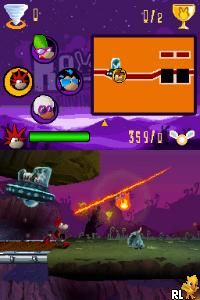
Rayman – Raving Rabbids (USA) (En,Fr,Es)
0 7 0
Rayman – Raving Rabbids (USA) (En,Fr,Es) is a lively Nintendo DS game that mixes humor, mini-games, and silly challenges. As a classic from the Nintendo DS era, it appeals to players who like light-hearted, fast-paced gameplay with plenty of variety. If you enjoy goofy antics and mini-game collections, this game offers a fun distraction that runs right in your browser.
Getting Into Rayman – Raving Rabbids
The main gameplay involves completing a series of mini-games, all focused on humor and quick reactions. The game is set up as a collection of challenges, each with its own mechanics, so players need to adapt to different controls and goals. Sessions are usually short, making it easy to pick up and put down, perfect for quick gaming breaks or casual fun.
You’ll move through different mini-games, often with simple touch controls that suit the Nintendo DS’s dual screens. The game encourages trying out various challenges, with each session bringing new tasks. Progressing means unlocking more mini-games and earning points, which adds a sense of achievement and encourages replaying. The design is straightforward and appealing to players of all ages, with clear mechanics and funny visuals that keep things light and engaging.
Standout Features
The visuals are bright and cartoonish, emphasizing humor and chaos. Characters are exaggerated and goofy, enhancing the playful mood. The presentation is lively, with animated backgrounds and expressive characters that make each mini-game feel energetic and fun. This style remains appealing over time, inviting players to revisit their favorite challenges.
Advancing in the game involves unlocking more mini-games and beating high scores. This motivates players to improve their skills and try challenges again to beat previous records. The variety ensures no two sessions are quite the same, which keeps replaying interesting. Designed for quick, casual play, it’s a good pick for those who want a few laughs and some quick challenges without needing a long-term commitment.
Strategy and Tips
Getting started is easy, but paying attention to each mini-game’s mechanics can help you succeed faster. Focus on learning the controls early so you don’t get frustrated. Keep a steady pace and don’t rush; accuracy often beats speed.
- Watch on-screen prompts carefully to understand what each mini-game asks for.
- Practice tricky challenges a few times to sharpen your reactions and get better.
- Use quick retries to learn mechanics without losing momentum.
- Look for patterns in challenge types to anticipate moves in future mini-games.
- Don’t get discouraged by early mistakes—learning from them is part of the fun.
Quick Questions
How do I get started with the game on this platform?
Just load it in your browser—no downloads needed. It starts right away and guides you through the initial mini-games.
What’s a common mistake beginners make?
Many rush through mini-games without paying attention to the prompts, which can lead to errors. Take a moment to understand each challenge first.
Can I play Rayman – Raving Rabbids on a mobile device or touchscreen?
Yes, since it runs in your browser, you can play on mobile devices with touch screens, making it easy for casual gaming on the go.
Rayman – Raving Rabbids stays a fun collection of mini-games that works well in a browser. Its humor, quick gameplay, and colorful visuals make it a lighthearted choice for players looking for some silly, entertaining challenges with the familiar Rayman charm.
Related games: you can also try Puzzle Series – Jigsaw Puzzle – Koneko Mekuri Hen (Japan) and Pocket Monsters DP – Dialga (Korea), or browse all other games in the Nintendo DS category.
How to Play Rayman – Raving Rabbids (USA) (En,Fr,Es)?
Complete a series of mini-games by following on-screen prompts and mastering different controls to earn points and unlock new challenges. Focus on quick reactions and accuracy to beat high scores.
Game Controls
Arrow keys for navigation; spacebar or Enter to select and perform actions.
You may be interested in:
-
 Nintendo DS
♥ 1
Casper’s Scare School – Classroom Capers (USA)
Nintendo DS
♥ 1
Casper’s Scare School – Classroom Capers (USA) -
 Nintendo DS
♥ 1
Zunou Nouryoku Koujou Machine – Touch de Zunoo DS (Japan)
Nintendo DS
♥ 1
Zunou Nouryoku Koujou Machine – Touch de Zunoo DS (Japan) -
 Nintendo DS
♥ 1
Zunou ni Asekaku Game Series! Vol. 1 – Cool 104 Joker & Setline (Japan)
Nintendo DS
♥ 1
Zunou ni Asekaku Game Series! Vol. 1 – Cool 104 Joker & Setline (Japan) -
 Nintendo DS
♥ 9
Zuma’s Revenge (USA)
Nintendo DS
♥ 9
Zuma’s Revenge (USA) -
 Nintendo DS
♥ 1
Zubo (USA) (En,Fr,Es)
Nintendo DS
♥ 1
Zubo (USA) (En,Fr,Es) -
 Nintendo DS
♥ 1
Zubo (Europe) (En,Fr,De,Es,It,Nl,Sv)
Nintendo DS
♥ 1
Zubo (Europe) (En,Fr,De,Es,It,Nl,Sv) -
 Nintendo DS
♥ 1
Zorro – Quest for Justice (USA) (En,Fr,De,Es,It)
Nintendo DS
♥ 1
Zorro – Quest for Justice (USA) (En,Fr,De,Es,It) -
 Nintendo DS
♥ 1
Zorro – Quest for Justice (Europe) (En,Fr,De,Es,It)
Nintendo DS
♥ 1
Zorro – Quest for Justice (Europe) (En,Fr,De,Es,It)
Comments (0)
No comments yet. Be the first to comment!