Roll-chan World 4
0 2 0
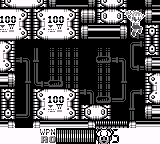
Roll-chan World 4 is a classic Game Boy game available in your browser, bringing back memories for those who grew up with handheld gaming. Its simple mechanics and straightforward gameplay make it easy for newcomers to pick up and enjoy without a steep learning curve. The game reflects the design style of early portable titles, with familiar pixel art and classic sound that evoke the Game Boy era perfectly.
What Is Roll-chan World 4?
Roll-chan World 4 is a platformer where players control a character moving through various levels filled with obstacles. The focus is on timing and precision—jumping, avoiding hazards, and getting to the end of each stage. Completing levels efficiently with limited lives encourages careful movement and pattern recognition. Its design is straightforward, making it accessible for players of all ages while providing enough challenge to stay interesting.
As a retro-style platformer, Roll-chan World 4 keeps gameplay tight and focused. Each level offers a compact challenge that introduces new elements gradually, keeping things fresh without overwhelming new players. Its pixel art and chiptune soundtrack evoke the feel of early Game Boy titles, creating a nostalgic atmosphere. The simplicity means it’s easy to jump in, but mastering it through repeated attempts adds to the enjoyment.
What Keeps You Coming Back
The core loop of finishing levels with limited attempts encourages replaying. Many players enjoy trying to beat their best times or complete levels without losing lives, aiming for higher scores or faster finishes. The game rewards mastery as you learn the best routes and timing for obstacles, making each try more efficient than the last.
Features like hidden shortcuts or small level variations add to the game’s longevity. While it doesn’t have complex mechanics or multiple modes, the challenge of mastering each level offers a satisfying sense of progress. Being browser-based, it’s easy to pick up and play whenever you want, whether for quick sessions or longer playthroughs. Its simplicity makes it accessible and convenient.
Handy Tips
If you’re starting out with Roll-chan World 4, a few tips might help you improve your times and stay alive longer:
- Watch enemy patterns carefully; timing your jumps to avoid hazards is crucial.
- Practice each level to memorize obstacle placements and find faster routes.
- Use small, controlled jumps to land better on platforms and avoid falls.
- Save lives early by not rushing—taking your time can prevent mistakes.
- Look at the background and level design for clues about upcoming challenges.
- Try different strategies for finishing levels faster—sometimes a different approach works better.
Player FAQ
Is Roll-chan World 4 easy for beginners?
Yes, its simple mechanics and short levels make it accessible for people new to platformers, especially since it’s based on a classic Game Boy game designed for quick play.
Can younger players enjoy Roll-chan World 4?
Definitely. Its straightforward gameplay, pixel art style, and limited complexity make it suitable for children and casual gamers.
Does Roll-chan World 4 need an internet connection to play?
No, since it runs directly in your browser as an emulation, you can play offline whenever you like, without needing an internet connection.
Playing Roll-chan World 4 in your browser gives instant access to a piece of Game Boy history. Its simple yet challenging gameplay makes it a nice choice for casual gaming and retro fans. Whether you’re aiming for perfect runs or just exploring levels, this classic is easy to pick up whenever you’re in the mood for a quick nostalgic break.
Related games: you can also try Looney Tunes – Bugs Bunny to Yukai na Nakama-tachi (Japan) and Prophecy – The Viking Child (USA), or browse all other games in the Game Boy category.
How to Play Roll-chan World 4?
Guide Roll-chan through levels by jumping over obstacles and avoiding hazards to reach the end. Practice timing and learn patterns to improve your speed and survival.
Game Controls
Arrow keys control movement; jump and action keys are mapped to keyboard buttons.








Comments (0)
No comments yet. Be the first to comment!