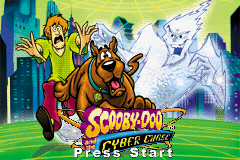
Scooby-Doo Gamepack (E)(Independent)
0 2 0
The Scooby-Doo Gamepack (E)(Independent) is a classic Game Boy Advance game that you can now enjoy right in your browser. It’s an easy-to-pick-up adventure that captures the fun of the original handheld experience without needing any downloads or installations. Whether you’re a longtime fan or just discovering the series, this emulated version provides a simple way to jump into Scooby-Doo’s mystery-filled world whenever you like.
What Is Scooby-Doo Gamepack?
This game falls into the platformer and puzzle genres, putting players in the shoes of Scooby-Doo and his friends as they solve mysteries and find clues. The gameplay is about exploring, collecting items, and solving straightforward puzzles, making it suitable for players of all ages. Its clear objectives keep the game engaging without complicating things, so it’s good for quick sessions or longer playthroughs.
The game is designed to bring back the nostalgic feel of the original Game Boy Advance version, with pixel art visuals and familiar character sprites. Its difficulty is moderate, encouraging players to think carefully without frustrating younger players. The structure allows for casual, pick-up-and-play moments that reward curiosity and observation, fitting well into a busy day or a relaxed gaming routine.
What Keeps You Coming Back
What makes the Scooby-Doo Gamepack appealing is its mix of puzzles and hidden secrets. The game encourages revisiting scenes to find missed clues and unlock new paths. Its simple controls make it easy to jump straight back in without needing a long refresher, perfect for quick retries or tackling side quests.
Another reason players keep returning is the charm of its nostalgic visuals and familiar characters. The game invites exploration of different areas multiple times, revealing new details and puzzles at each turn. This blend of light challenge and rewarding exploration makes each session feel fresh, offering a fun, low-pressure experience for casual players and fans alike.
Handy Tips
If you’re just starting out, keep these tips in mind to make your gameplay smoother:
- Explore each scene carefully; clues can be hidden in plain sight.
- Check every corner for items that might help with puzzles later on.
- Pay attention to character dialogues—they often contain hints for what to do next.
- If you get stuck, try revisiting earlier areas; sometimes backtracking is the key.
- Save your progress often if the game allows it—some puzzles are tricky to solve in one go.
- Complete side quests for extra clues and rewards that help with your main investigation.
Player FAQ
Is Scooby-Doo Gamepack easy for beginners?
Yes, the controls and goals are simple enough for new players, including younger audiences. Its straightforward gameplay makes it easy to jump in and enjoy solving mysteries without a complicated setup.
Can I play Scooby-Doo Gamepack offline or on mobile devices?
This version runs directly in your browser, so you can play it on any device with an internet connection—no downloads needed. For the best experience, a desktop or tablet works well since it’s emulated in the browser.
Is Scooby-Doo Gamepack suitable for children?
Definitely. Its gentle difficulty, familiar characters, and light puzzle-solving make it a good choice for kids and family play. Plus, once loaded, it doesn’t need internet, so it’s safe for offline fun with younger players.
Enjoying the Scooby-Doo Gamepack means revisiting a familiar mystery adventure, easy to pick up and enjoy whenever you want. Its simple gameplay and charming visuals make it a nice way to spend some time in Scooby-Doo’s world.
Related games: you can also try Angel Collection 2 – Pichimo ni Narou (J)(Caravan) and Mega Man Battle Network 5 Team Colonel (Virtual Console), or browse all other games in the Game Boy Advance category.
How to Play Scooby-Doo Gamepack (E)(Independent)?
Explore scenes, find clues, and solve puzzles to uncover mysteries with Scooby-Doo and friends. Collect items, talk to characters, and revisit areas to progress through the story.
Game Controls
Arrow keys move characters; other keys handle actions and interactions.
You may be interested in:
-
 Game Boy Advance
♥ 2
Zooo (J)(Rising Sun)
Game Boy Advance
♥ 2
Zooo (J)(Rising Sun) -
 Game Boy Advance
♥ 4
Zooo (E)(Trashman)
Game Boy Advance
♥ 4
Zooo (E)(Trashman) -
 Game Boy Advance
♥ 2
ZooCube (U)(Mode7)
Game Boy Advance
♥ 2
ZooCube (U)(Mode7) -
 Game Boy Advance
♥ 1
ZooCube (E)(Blizzard)
Game Boy Advance
♥ 1
ZooCube (E)(Blizzard) -
 Game Boy Advance
♥ 1
Zone of the Enders – The Fist of Mars (U)(Mode7)
Game Boy Advance
♥ 1
Zone of the Enders – The Fist of Mars (U)(Mode7) -
 Game Boy Advance
♥ 1
Zone of the Enders – The Fist of Mars (E)(Cezar)
Game Boy Advance
♥ 1
Zone of the Enders – The Fist of Mars (E)(Cezar) -
 Game Boy Advance
♥ 1
Zoku Bokura no Taiyou – Taiyou Shounen Django (J)(Independent)
Game Boy Advance
♥ 1
Zoku Bokura no Taiyou – Taiyou Shounen Django (J)(Independent) -
 Game Boy Advance
♥ 7
Zoku Bokura no Taiyou – Taiyou Shounen Django (J)(Caravan)
Game Boy Advance
♥ 7
Zoku Bokura no Taiyou – Taiyou Shounen Django (J)(Caravan)
Comments (0)
No comments yet. Be the first to comment!