Scrabble (E)(Lightforce)
0 1 0
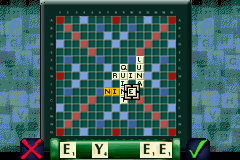
Scrabble (E)(Lightforce) is a familiar game that’s been around on the Game Boy Advance, and now you can enjoy it right in your browser. Whether you like testing your vocabulary, trying out strategies, or just passing the time with friends or the AI, this version keeps things simple and accessible. The rules are straightforward, and the gameplay offers enough challenge to keep it interesting for all ages.
Getting Into Scrabble
The main idea is to form words on a grid, earning points based on letter values and special board spaces. Players take turns placing tiles, aiming to score high while blocking their opponents. You can play solo against the computer or with someone nearby. Starting out, each player draws tiles from a bag and builds words by connecting to existing ones on the board.
The game continues until tiles run out or no more moves are possible. During each turn, players think carefully about where to place their tiles for maximum points. Good vocabulary and strategic planning help turn the game in your favor. The interface shows your tiles, the game board, and your score, making it easy to follow along. The pace encourages thoughtful, deliberate moves rather than rapid play.
Standout Features
This version has simple visuals that clearly show the board, tiles, and scores. The design is straightforward, with large text and controls that work well with touchscreens or keyboard input. It doesn’t rely on flashy animations, so the focus stays on gameplay and strategy.
Your progress depends on your vocabulary and decision-making. The game keeps track of wins and losses, giving you a reason to keep practicing. The unpredictability of opponents’ moves and the challenge of finding high-scoring words add to its replay value. Whether you’re playing casually or competitively, it offers enough variety to stay interesting over time.
Strategy and Tips
If you’re new to Scrabble, try to expand your vocabulary and look out for common high-value letter combinations. A few tips:
- Use double and triple letter or word score spaces when possible to rack up more points.
- Keep versatile tiles like S or blanks for key moments or to extend existing words.
- Pay attention to your opponent’s moves and think ahead about how to block their scoring chances.
- Use shorter words to open up space for bigger plays later on.
- Manage your remaining tiles carefully to avoid getting stuck with difficult letters.
Quick Questions
How do I start a game in this browser version?
Choose either single-player or multiplayer mode, and the game will set up a fresh board and tiles for you.
What’s a common mistake beginners make?
Many forget to consider bonus squares or miss chances to build off existing words, which can cost valuable points.
Can I play Scrabble on a mobile device or with touch controls?
Yes, the interface is designed to work smoothly on smartphones and tablets, so you can play easily through your browser.
Scrabble remains a fun puzzle that combines vocabulary with strategy. Playing it in your browser makes it easy to enjoy the challenge anytime without needing to download anything.
Related games: you can also try Crash Bandicoot Bakusou! Nitro Kart (J)(Caravan) and 2 in 1 – Sonic Advance & Sonic Pinball Party (U)(Trashman), or browse all other games in the Game Boy Advance category.
How to Play Scrabble (E)(Lightforce)?
Place letter tiles on the board to form words and earn points. Take turns with an opponent or AI, aiming for high scores while blocking their moves.
Game Controls
Arrow keys or mouse to select and place tiles; Enter or click to confirm moves.
You may be interested in:
-
 Game Boy Advance
♥ 2
Zooo (J)(Rising Sun)
Game Boy Advance
♥ 2
Zooo (J)(Rising Sun) -
 Game Boy Advance
♥ 4
Zooo (E)(Trashman)
Game Boy Advance
♥ 4
Zooo (E)(Trashman) -
 Game Boy Advance
♥ 2
ZooCube (U)(Mode7)
Game Boy Advance
♥ 2
ZooCube (U)(Mode7) -
 Game Boy Advance
♥ 1
ZooCube (E)(Blizzard)
Game Boy Advance
♥ 1
ZooCube (E)(Blizzard) -
 Game Boy Advance
♥ 1
Zone of the Enders – The Fist of Mars (U)(Mode7)
Game Boy Advance
♥ 1
Zone of the Enders – The Fist of Mars (U)(Mode7) -
 Game Boy Advance
♥ 1
Zone of the Enders – The Fist of Mars (E)(Cezar)
Game Boy Advance
♥ 1
Zone of the Enders – The Fist of Mars (E)(Cezar) -
 Game Boy Advance
♥ 1
Zoku Bokura no Taiyou – Taiyou Shounen Django (J)(Independent)
Game Boy Advance
♥ 1
Zoku Bokura no Taiyou – Taiyou Shounen Django (J)(Independent) -
 Game Boy Advance
♥ 7
Zoku Bokura no Taiyou – Taiyou Shounen Django (J)(Caravan)
Game Boy Advance
♥ 7
Zoku Bokura no Taiyou – Taiyou Shounen Django (J)(Caravan)
Comments (0)
No comments yet. Be the first to comment!