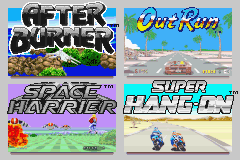
Sega Arcade Gallery (U)(TrashMan)
0 5 0
Sega Arcade Gallery (U)(TrashMan) is a collection of classic Game Boy Advance titles that brings together a variety of arcade-style games in a single portable package. It’s designed for fans of fast-paced action, sports, and racing games, giving a nostalgic look at Sega’s arcade history. If you like quick sessions with different types of gameplay, this game offers several experiences in an easy-to-use format that plays directly in your browser.
Getting Into Sega Arcade Gallery
The game is a collection of different arcade titles, each with its own mechanics based on action, sports, or racing. When you start, you can pick from the included games, each presenting its own challenge. The main idea is to complete objectives, beat high scores, or race against the clock, depending on the game. Since it’s a set of separate titles, there’s no overarching story—your focus shifts from one arcade game to another.
Most of the games are designed for quick sessions, often lasting just a few minutes. That makes it perfect for short bursts of fun, whether you’re waiting around or want to test your skills across different genres. The menus are simple, making it easy to pick a game, and the gameplay is straightforward, focusing on immediate fun without complicated mechanics or stories.
Standout Features
This collection features pixel-perfect visuals that remind you of classic arcade machines from the 90s, with bright colors and simple animations. Built on the Game Boy Advance hardware, the emulation captures the look and feel of the originals pretty well, making it visually appealing for fans of retro graphics. Progress depends on high scores and mastering each game, which encourages players to improve and beat their records, adding to replay value.
Each game offers different modes or challenges like time trials, score attacks, or head-to-head matches. This variety keeps things interesting and stops gameplay from feeling repetitive. The titles are simple enough to jump into instantly, so you can enjoy multiple sessions without losing interest.
Strategy and Tips
To get the most from this collection, try to master each game’s mechanics quickly. Playing short sessions can help you learn patterns and boost your scores faster.
- Start with the easiest game modes to get comfortable with controls and goals.
- Practice regularly to sharpen your reflexes and timing, especially in racing and action titles.
- Aim to beat your high scores—this keeps you motivated and helps you improve over time.
- If you’re unsure about controls or rules, use pause or menu options to review them—most titles are simple but may have small details to learn.
- Switch between games often to keep things fresh and find which ones you like most.
Quick Questions
How do I start a game in Sega Arcade Gallery?
Just pick a title from the main menu, and it loads instantly so you can start playing right away.
What’s a common mistake for beginners?
Trying to play on high difficulty settings without first getting used to controls and mechanics can lead to quick failure. Start with easier modes to build confidence.
Can I play Sega Arcade Gallery on a mobile device or touchscreen?
Since it runs directly in your browser, you can play it on mobile devices with touch controls, though using a mouse or keyboard might give better control for some games.
Playing Sega Arcade Gallery in your browser offers a simple way to enjoy these classic titles without any hassle. It keeps the spirit of the original games alive, making it a good choice for retro fans or anyone interested in Sega’s arcade history.
Related games: you can also try Pokemon R.O.W.E. v1.6.9.2 and Pokemon Fused Dimensions v2.2, or browse all other games in the Game Boy Advance category.
How to Play Sega Arcade Gallery (U)(TrashMan)?
Choose a game, complete objectives or beat high scores by playing quickly and mastering the mechanics. Switch between titles for fast, fun challenges that test your skills.
Game Controls
Arrow keys control movement; other keys handle actions and menu navigation.
You may be interested in:
-
 Game Boy Advance
♥ 2
Zooo (J)(Rising Sun)
Game Boy Advance
♥ 2
Zooo (J)(Rising Sun) -
 Game Boy Advance
♥ 4
Zooo (E)(Trashman)
Game Boy Advance
♥ 4
Zooo (E)(Trashman) -
 Game Boy Advance
♥ 2
ZooCube (U)(Mode7)
Game Boy Advance
♥ 2
ZooCube (U)(Mode7) -
 Game Boy Advance
♥ 1
ZooCube (E)(Blizzard)
Game Boy Advance
♥ 1
ZooCube (E)(Blizzard) -
 Game Boy Advance
♥ 1
Zone of the Enders – The Fist of Mars (U)(Mode7)
Game Boy Advance
♥ 1
Zone of the Enders – The Fist of Mars (U)(Mode7) -
 Game Boy Advance
♥ 1
Zone of the Enders – The Fist of Mars (E)(Cezar)
Game Boy Advance
♥ 1
Zone of the Enders – The Fist of Mars (E)(Cezar) -
 Game Boy Advance
♥ 1
Zoku Bokura no Taiyou – Taiyou Shounen Django (J)(Independent)
Game Boy Advance
♥ 1
Zoku Bokura no Taiyou – Taiyou Shounen Django (J)(Independent) -
 Game Boy Advance
♥ 7
Zoku Bokura no Taiyou – Taiyou Shounen Django (J)(Caravan)
Game Boy Advance
♥ 7
Zoku Bokura no Taiyou – Taiyou Shounen Django (J)(Caravan)
Comments (0)
No comments yet. Be the first to comment!