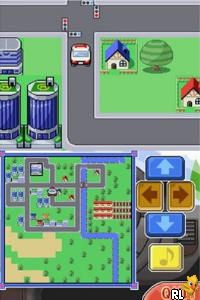
Smart Boy’s Gameroom (USA)
0 1 0
Smart Boy’s Gameroom (USA) brings a nostalgic touch of the Nintendo DS era, offering a simple, pixelated gaming experience that captures the charm of that handheld. The game creates an environment that’s easy to enjoy, especially if you’re familiar with the style of early Nintendo games. Running directly in your browser, it’s accessible without downloads or installations, so you can jump in whenever you feel like playing.
Step Into the World of Smart Boy’s Gameroom
The visuals lean into the pixel art style typical of early Nintendo DS titles, with bright, colorful sprites and a clean, grid-based layout. The sound design features cheerful tunes and basic sound effects, giving you the feel of playing a game from the mid-2000s. The mood is laid-back and fun, encouraging you to relax and enjoy a straightforward gaming session. The interface stays responsive and clear, keeping that nostalgic vibe of the original hardware.
Playing in your browser, the game runs smoothly, preserving the look and feel of the Nintendo DS experience. The controls work seamlessly, so you can focus on the gameplay rather than technical issues. The setting is simple—a digital gameroom filled with easy challenges and bright visuals. It’s designed for quick sessions or casual play, whether you’re at your desk or on the move with a mobile device.
How the Gameplay Hooks You
The main idea is to complete short challenges that test your quick thinking and timing. The pace is quick, encouraging you to try again until you get it right or move on. Because the game keeps things simple, it offers immediate satisfaction with little setup, making it easy to pick up whenever you want. You can play for a few minutes or longer, depending on what you prefer.
Progression is straightforward: each challenge presents a new puzzle that gets a little tougher but never too complicated. This keeps things interesting without causing frustration, especially during short gaming breaks. The design favors quick retries, making it perfect for quick sessions or casual afternoons while still keeping you engaged with enough variety to hold your interest over time.
Pro Tips for Smart Boy’s Gameroom
To get the most out of the game, pay attention to the timing and patterns of each challenge. Here are some tips:
- Watch for visual cues that help you time your moves.
- Take your time; patience can improve your accuracy and reaction speed.
- Try to remember common challenge patterns so you can anticipate what’s coming next.
- Take short breaks to reset your focus and perform better.
- Experiment with different approaches to puzzles to find what works best.
- Focus on the rhythm of the game—getting the timing right is key to progressing smoothly.
Frequently Asked Questions
Is Smart Boy’s Gameroom good for quick, casual play?
Absolutely. The game’s challenges are simple and quick, making it perfect for short gaming sessions that only take a few minutes.
Does it get boring after a while?
The challenges are straightforward but increase slightly in difficulty and variety, which helps keep things fresh and engaging.
Can I play this offline or only in the browser?
This version runs right in your browser, so there’s no need to download anything. It’s easy to access whenever you want to play casually.
Smart Boy’s Gameroom gives a genuine Nintendo DS feel that’s easy to enjoy right in your browser. Its simple gameplay and nostalgic look make it a good choice for quick gaming sessions when you want to revisit a handheld classic without much fuss.
Related games: you can also try Cosmetick Paradise (Japan) and Chuugaku Eitango Target 1800 DS (Japan), or browse all other games in the Nintendo DS category.
How to Play Smart Boy’s Gameroom (USA)?
Complete quick puzzles by timing your moves correctly. Repeat challenges to improve and advance through brighter, pixelated levels for casual fun.
Game Controls
Arrow keys move; space or Enter to select or confirm.
You may be interested in:
-
 Nintendo DS
♥ 1
Casper’s Scare School – Classroom Capers (USA)
Nintendo DS
♥ 1
Casper’s Scare School – Classroom Capers (USA) -
 Nintendo DS
♥ 1
Zunou Nouryoku Koujou Machine – Touch de Zunoo DS (Japan)
Nintendo DS
♥ 1
Zunou Nouryoku Koujou Machine – Touch de Zunoo DS (Japan) -
 Nintendo DS
♥ 1
Zunou ni Asekaku Game Series! Vol. 1 – Cool 104 Joker & Setline (Japan)
Nintendo DS
♥ 1
Zunou ni Asekaku Game Series! Vol. 1 – Cool 104 Joker & Setline (Japan) -
 Nintendo DS
♥ 9
Zuma’s Revenge (USA)
Nintendo DS
♥ 9
Zuma’s Revenge (USA) -
 Nintendo DS
♥ 1
Zubo (USA) (En,Fr,Es)
Nintendo DS
♥ 1
Zubo (USA) (En,Fr,Es) -
 Nintendo DS
♥ 1
Zubo (Europe) (En,Fr,De,Es,It,Nl,Sv)
Nintendo DS
♥ 1
Zubo (Europe) (En,Fr,De,Es,It,Nl,Sv) -
 Nintendo DS
♥ 1
Zorro – Quest for Justice (USA) (En,Fr,De,Es,It)
Nintendo DS
♥ 1
Zorro – Quest for Justice (USA) (En,Fr,De,Es,It) -
 Nintendo DS
♥ 1
Zorro – Quest for Justice (Europe) (En,Fr,De,Es,It)
Nintendo DS
♥ 1
Zorro – Quest for Justice (Europe) (En,Fr,De,Es,It)
Comments (0)
No comments yet. Be the first to comment!