Smart Girl’s Party Game (USA)
0 1 0
Smart Girl’s Party Game (USA) is a charming relic from the Nintendo DS era, offering a bit of lighthearted social fun that can be played right in your browser. Its simple mechanics bring a nostalgic feel, reminiscent of casual party games from handheld consoles. With a youthful, playful vibe, this game welcomes players into a cheerful environment where quick thinking and social interaction are the main ingredients for entertainment.
Step Into the World of Smart Girl’s Party Game
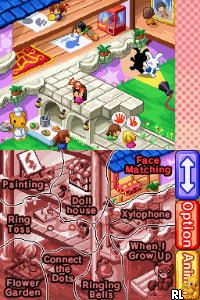
The visuals are bright and colorful, with cartoony characters and lively backgrounds that set an upbeat tone. The interface is clean and easy to navigate, with clear prompts guiding you through each activity. The sounds are cheerful, with upbeat tunes and fun sound effects that reinforce the game’s party atmosphere. It feels like a casual gathering, perfect for short sessions or quick bursts of fun.
Since it runs directly in your browser, the game keeps things simple and accessible, similar to a classic Nintendo DS experience. Controls are straightforward, with touch-screen emulation translating into click-based interactions. Its friendly, inviting vibe encourages players of all ages to join in without a steep learning curve. The playful design and cheerful audio create a mood well-suited for a quick social distraction or casual play.
How the Gameplay Hooks You
The game features a series of quick mini-games and activities designed to keep players engaged without feeling overwhelmed. Each round is short, often just a few minutes, making it easy to fit into a busy schedule or share with friends. The pace is lively, with immediate prompts that keep the momentum going, encouraging quick reactions and fast thinking.
Progress comes from completing mini-games and earning points, which unlock new activities or add variety. The structure promotes repeated play, as each session offers a different mix of challenges, helping to keep things fresh over time. Its simple mechanics and short rounds make it a good choice for casual players or anyone looking for a light social gaming experience in quick sessions.
Pro Tips for Smart Girl’s Party Game
To get the most out of the game, keep in mind how fast-paced it is and stay attentive.
- Prioritize speed—quick reactions often lead to higher scores.
- Pay close attention to prompts—timely responses are key to succeeding in each mini-game.
- Try different activities to see which ones you perform best at, boosting your overall score.
- Use the short breaks between rounds to plan ahead or gather your thoughts for the next challenge.
- If multiplayer is available, playing with friends can make the game more lively and unpredictable.
Frequently Asked Questions
Does Smart Girl’s Party Game get repetitive after a while?
Its variety of mini-games and quick rounds help keep things fresh, but some players might find the activity pool limited over long play sessions.
Can I play this game in short sessions, or does it need a lot of time?
The quick rounds and simple mechanics make it perfect for brief bursts, with each play session fitting into a few minutes of free time.
Is the atmosphere appropriate for all ages, and does it work well in a browser?
The cheerful visuals and straightforward gameplay suit a broad age range. Since it runs directly in your browser, there’s no need for downloads or installations, and it works well on most devices with internet access.
Playing the smart girl’s party game offers a light, social experience that’s easy to pick up and quick to enjoy. Its approachable design makes it a good choice for casual gaming moments, providing simple fun without taking up too much time or effort.
Related games: you can also try Grand Theft Auto – Chinatown Wars (Europe) (En,Fr,De,Es,It) and Kabu Trader Shun (Japan), or browse all other games in the Nintendo DS category.
How to Play Smart Girl’s Party Game (USA)?
Complete quick mini-games by reacting fast and following prompts to earn points and unlock new activities. Play short rounds to enjoy casual, social fun and improve your score each session.
Game Controls
Arrow keys act as the D-pad; Enter is Start; other keys handle action buttons.
You may be interested in:
-
 Nintendo DS
♥ 1
Casper’s Scare School – Classroom Capers (USA)
Nintendo DS
♥ 1
Casper’s Scare School – Classroom Capers (USA) -
 Nintendo DS
♥ 1
Zunou Nouryoku Koujou Machine – Touch de Zunoo DS (Japan)
Nintendo DS
♥ 1
Zunou Nouryoku Koujou Machine – Touch de Zunoo DS (Japan) -
 Nintendo DS
♥ 1
Zunou ni Asekaku Game Series! Vol. 1 – Cool 104 Joker & Setline (Japan)
Nintendo DS
♥ 1
Zunou ni Asekaku Game Series! Vol. 1 – Cool 104 Joker & Setline (Japan) -
 Nintendo DS
♥ 9
Zuma’s Revenge (USA)
Nintendo DS
♥ 9
Zuma’s Revenge (USA) -
 Nintendo DS
♥ 1
Zubo (USA) (En,Fr,Es)
Nintendo DS
♥ 1
Zubo (USA) (En,Fr,Es) -
 Nintendo DS
♥ 1
Zubo (Europe) (En,Fr,De,Es,It,Nl,Sv)
Nintendo DS
♥ 1
Zubo (Europe) (En,Fr,De,Es,It,Nl,Sv) -
 Nintendo DS
♥ 1
Zorro – Quest for Justice (USA) (En,Fr,De,Es,It)
Nintendo DS
♥ 1
Zorro – Quest for Justice (USA) (En,Fr,De,Es,It) -
 Nintendo DS
♥ 1
Zorro – Quest for Justice (Europe) (En,Fr,De,Es,It)
Nintendo DS
♥ 1
Zorro – Quest for Justice (Europe) (En,Fr,De,Es,It)
Comments (0)
No comments yet. Be the first to comment!