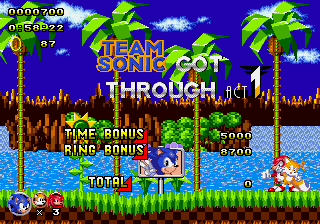
Sonic Classic Heroes (v0.07b5)
0 16 1
Sonic Classic Heroes (v0.07b5) is a browser-based emulator of a classic Genesis game that blends elements of Sonic the Hedgehog with traditional platforming. If you enjoy fast-paced gameplay, bright visuals, and retro graphics, this game provides a solid experience rooted in the Sega era. It’s perfect for players wanting to revisit Sonic’s roots or find quick, arcade-style fun directly in their browser without needing to download anything.
Getting Into Sonic Classic Heroes
The game involves moving through levels filled with obstacles, enemies, and speed boosts. The core gameplay revolves around running, jumping, and avoiding hazards while collecting rings and power-ups. You pick a level, run through it, and try to beat your best time or score. There aren’t complex mechanics or multiple characters to choose from, so players can concentrate on mastering the level layout and timing their jumps just right.
Each session tends to be brief, with levels designed to be completed in a few minutes, making it easy to play in short bursts. Since it’s a Genesis classic emulated in your browser, the controls are familiar and responsive, focusing on speed and accuracy. There’s no multiplayer or story mode—just pure platforming challenge that encourages players to improve their runs and beat their personal bests regularly.
Standout Features
The visuals capture the feel of the Genesis using pixel art that’s bright and appealing. The game’s color palette and sprite work remind you of the original Sonic titles, offering a nostalgic yet clean look. Level design emphasizes speed, with open areas and tight corridors that encourage keeping up momentum. The visual cues for rings and power-ups are clear, helping players spot key items quickly.
Progress depends on mastering each level’s layout and timing. While it doesn’t have branching paths or unlockables, the challenge is in beating your previous times or scores. Replay value comes from trying to improve your performance, discovering hidden routes, and sharpening your skills. Its simple design makes it easy to jump in and out, but the tight mechanics reward repeated attempts and mastery of the platforming.
Strategy and Tips
Getting comfortable with the controls and level layouts will make a big difference. Focus on maintaining your speed and avoiding stops, as Sonic games reward momentum. Here are some useful tips:
- Use the environment—slide or bounce off walls to stay fast.
- Practice your jumps to clear tricky sections smoothly.
- Watch your rings; collecting them can save you if you get hit.
- Learn the level routes to find shortcuts and faster paths.
- Replay levels to beat your best times or scores, aiming for fluid, consistent movement.
- If you get hit, stay calm and recover quickly to keep moving forward.
Quick Questions
How do I get started with Sonic Classic Heroes?
Just load the game in your browser and pick a level to jump right in. The controls are simple, and you’ll be running in no time.
What’s a common mistake beginners make?
Many try to slow down to navigate tricky spots, which can cause losing momentum. It’s better to stay speedy and time your jumps carefully.
Can I play Sonic Classic Heroes on mobile or touch devices?
Yes, since it runs in your browser, you can play on mobile devices with touch controls. For more precise movement, using a keyboard or a controller on a desktop works best.
Sonic Classic Heroes offers a quick, fun platforming experience inspired by Genesis classics. Its simple gameplay and lively visuals make it a good choice for fans of Sonic who want straightforward fun without complicated mechanics or lengthy sessions.
Related games: you can also try Sonic Chaos Quest Ultimate and Fighting Masters (USA), or browse all other games in the Genesis category.
How to Play Sonic Classic Heroes (v0.07b5)?
Run, jump, and avoid obstacles to collect rings and beat your best time in short, fast-paced levels inspired by classic Sonic games.
Game Controls
Arrow keys for movement; jump with a designated key; use other keys for actions as mapped.






Comments (0)
No comments yet. Be the first to comment!