Sonic Eternity (Demo)
0 10 0
INTRO
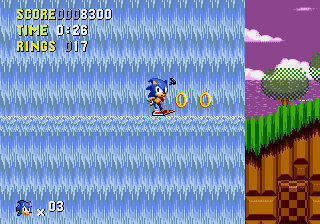
Sonic Eternity (Demo) is a browser-based take on a classic Genesis game, bringing the retro platformer experience straight to your screen without any fuss. Its simple gameplay and familiar controls make it easy for new players to jump right in. This version keeps the feel of the original console hit, letting players relive or discover the game on modern devices with ease.
As a Genesis classic, Sonic Eternity offers an authentic experience rooted in the early ’90s side-scrolling platformers. It’s great for quick sessions or longer playthroughs, providing accessible gameplay that doesn’t require downloads or setups—just load and play directly in your browser.
What Is Sonic Eternity?
Sonic Eternity is a platformer that focuses on speed, exploration, and timing. The main goal is to move through levels filled with obstacles, enemies, and hidden paths. The game encourages quick movement, collecting items, and finding shortcuts to finish levels faster. Its gameplay is straightforward but challenging enough to keep players engaged through retries and precise jumps.
The design follows classic side-scrolling mechanics, with a character running from left to right, jumping, dodging, and reacting quickly. Sonic Eternity captures the feel of early ’90s platformers, emphasizing simple controls and level layouts that reward mastery of movement and timing. It’s a nostalgic trip that offers a pure, no-frills jumping and racing experience for players of all ages.
What Keeps You Coming Back
One of Sonic Eternity’s strengths is its tight, responsive controls that make each attempt satisfying. The levels are built with multiple routes and secret areas, encouraging players to explore and find hidden rewards or better times. The difficulty is balanced to motivate retries without feeling unfair, making it suitable for both casual and dedicated players.
Replay value comes from the game’s simplicity combined with the chance to improve your performance over multiple runs. Each session offers an opportunity to beat your best times, find new shortcuts, or just enjoy the smooth gameplay flow. The quick restart feature and consistent challenge keep players coming back, fostering a sense of mastery and progress suitable for quick plays or longer explorations.
Handy Tips
If you want to get more out of Sonic Eternity, here are some quick pointers:
- Practice timing your jumps to handle tricky sections more easily.
- Check out side paths for hidden items or shortcuts that can save time later.
- Learn enemy placements and obstacle patterns by playing levels repeatedly.
- Use momentum to keep your speed up; stopping unnecessarily can slow you down.
- Try different routes to find the fastest or safest way through each level.
Player FAQ
Is Sonic Eternity easy for newcomers?
Yes, it’s accessible to new players thanks to its simple controls and clear objectives, making it a good entry point for those new to platformers.
Can kids enjoy Sonic Eternity?
Definitely. Its straightforward gameplay and non-violent style make it suitable for children, especially those learning timing and coordination skills.
Do I need an internet connection to play Sonic Eternity?
This version runs in your browser, so you need an internet connection to start it up. After that, you can play offline without any problems.
Playing Sonic Eternity gives you a quick way to enjoy a piece of Genesis platforming right in your browser. Its simple design and classic feel make it ideal for casual gaming or revisiting a beloved era of gaming. It’s easy to pick up, hard to put down, and offers a fun challenge whether you’re after a nostalgic run or something new to test your skills.
Related games: you can also try Generations Lost (USA, Europe) and Puzzle & Action – Ichidanto-R (Japan), or browse all other games in the Genesis category.
How to Play Sonic Eternity (Demo)?
Run through levels quickly, avoiding enemies and obstacles, while jumping and exploring for hidden paths and shortcuts to beat your best times.
Game Controls
Arrow keys control movement; jump and action buttons are mapped to keyboard keys.







Comments (0)
No comments yet. Be the first to comment!