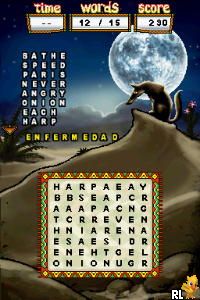
Spanish for Everyone! (USA)
0 1 0
Spanish for Everyone! (USA) is a classic Nintendo DS game designed to help players learn Spanish through engaging activities and practical exercises. Its straightforward approach makes language learning accessible and easy to pick up, whether you’re a beginner or brushing up on skills. With clear instructions and a simple interface, it’s suitable for all ages looking for a fun way to practice Spanish in their browser.
What Is Spanish for Everyone!?
This game falls into the educational genre, focusing on language learning through interactive lessons. It offers a variety of exercises that cover basic vocabulary, pronunciation, and simple sentence structures, aiming to build confidence in everyday communication. The core experience involves completing activities that reinforce what you’ve learned, making it ideal for quick practice sessions or longer study periods.
Spanish for Everyone! emphasizes practical language use, with lessons designed to simulate real-life scenarios. Its approach is user-friendly, combining visual cues with audio prompts to aid memorization. The game’s straightforward format makes it easy to follow, encouraging repeated play to improve retention and understanding. It’s a good option for those who want a simple, accessible way to start speaking Spanish.
What Keeps You Coming Back
The game includes a variety of activities that keep learning fresh and engaging. From matching exercises to pronunciation drills, each session offers a new way to reinforce vocabulary and grammar. Its gradual structure allows players to start with basic words and move toward more complex phrases, providing a sense of progress as skills develop.
Replayability comes from the focus on practical language use and the range of exercises. You can revisit lessons to improve accuracy or test yourself with quizzes. Since it’s a browser-based emulator of a Nintendo DS classic, it runs instantly without downloads or updates. This makes it easy to practice regularly, making it a useful tool for consistent language study.
Handy Tips
Getting the most out of Spanish for Everyone! is simple with these tips:
- Begin with the beginner lessons to build a solid foundation in vocabulary and pronunciation.
- Repeat exercises often to reinforce your memory and boost fluency.
- Use the audio prompts to practice pronunciation and listening skills.
- Mix different types of activities to keep your learning varied and interesting.
- Take short breaks between sessions to help retain information and avoid fatigue.
- Try using new words in real conversations to solidify your skills.
Player FAQ
Question?
Is Spanish for Everyone! suitable for absolute beginners?
Yes, the game is designed to be accessible for newcomers, offering simple lessons that gradually introduce new ideas. It’s a good starting point for anyone new to Spanish.
Question?
Can younger players use Spanish for Everyone!?
Definitely. The straightforward interface and clear instructions make it appropriate for children and young learners, making it useful in classrooms or homeschooling settings.
Question?
Does Spanish for Everyone! require an internet connection to play?
No, the game runs directly in your browser as an emulator, so you only need an internet connection to get started. Ongoing access doesn’t require being online.
The simple, practical approach to language learning makes Spanish for Everyone! a handy option for anyone interested in starting or reinforcing their Spanish skills. Its ease of use and variety of exercises help keep learning engaging, making it a good choice for all ages to practice Spanish in-browser for free!
Related games: you can also try Petz – My Kitten Family (Europe) (En,Fr,De,Es,It,Nl,Sv,No,Da) and Mezase! Shoujo Manga Ka!! Ciao Manga School (Japan), or browse all other games in the Nintendo DS category.
How to Play Spanish for Everyone! (USA)?
Complete activities to learn Spanish vocabulary, pronunciation, and sentences. Practice regularly by repeating exercises and using audio prompts to improve your skills and confidence.
Game Controls
Arrow keys for navigation; Enter to select; action buttons mapped to on-screen keys.
You may be interested in:
-
 Nintendo DS
♥ 1
Casper’s Scare School – Classroom Capers (USA)
Nintendo DS
♥ 1
Casper’s Scare School – Classroom Capers (USA) -
 Nintendo DS
♥ 1
Zunou Nouryoku Koujou Machine – Touch de Zunoo DS (Japan)
Nintendo DS
♥ 1
Zunou Nouryoku Koujou Machine – Touch de Zunoo DS (Japan) -
 Nintendo DS
♥ 1
Zunou ni Asekaku Game Series! Vol. 1 – Cool 104 Joker & Setline (Japan)
Nintendo DS
♥ 1
Zunou ni Asekaku Game Series! Vol. 1 – Cool 104 Joker & Setline (Japan) -
 Nintendo DS
♥ 9
Zuma’s Revenge (USA)
Nintendo DS
♥ 9
Zuma’s Revenge (USA) -
 Nintendo DS
♥ 1
Zubo (USA) (En,Fr,Es)
Nintendo DS
♥ 1
Zubo (USA) (En,Fr,Es) -
 Nintendo DS
♥ 1
Zubo (Europe) (En,Fr,De,Es,It,Nl,Sv)
Nintendo DS
♥ 1
Zubo (Europe) (En,Fr,De,Es,It,Nl,Sv) -
 Nintendo DS
♥ 1
Zorro – Quest for Justice (USA) (En,Fr,De,Es,It)
Nintendo DS
♥ 1
Zorro – Quest for Justice (USA) (En,Fr,De,Es,It) -
 Nintendo DS
♥ 1
Zorro – Quest for Justice (Europe) (En,Fr,De,Es,It)
Nintendo DS
♥ 1
Zorro – Quest for Justice (Europe) (En,Fr,De,Es,It)
Comments (0)
No comments yet. Be the first to comment!