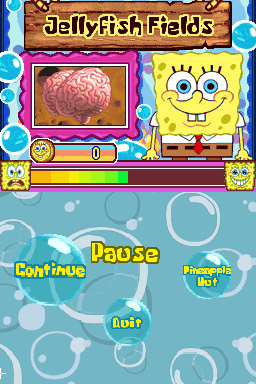
SpongeBob’s Truth or Square (USA)
0 24 3
SpongeBob’s Truth or Square (USA) is a Nintendo DS game based on the animated series, putting players in Bikini Bottom for an interactive adventure. It mixes light puzzle-solving, mini-games, and exploration, letting fans revisit key moments and face a variety of challenges through the dual-screen setup. Its colorful visuals and familiar characters make it appealing to younger players, while the gameplay offers enough depth for casual gamers to enjoy multiple times.
SpongeBob’s Truth or Square: Gameplay Overview
The game involves completing mini-games and puzzles that move the story forward and unlock new content. Players go through different levels, each with its own objectives, like gathering items, solving riddles, or quick reflex tasks. The dual screens help control the game smoothly and offer helpful clues, with the top screen showing action and the bottom acting as a map or inventory.
The focus is on timing, recognizing patterns, and using character skills wisely. While it doesn’t have complex mechanics or fighting, players need to pay attention to the environment and finish tasks within time limits. Exploring Bikini Bottom’s familiar locations is part of the fun, with some levels requiring backtracking or optional objectives to get everything. The variety of mini-games keeps things interesting and tests different skills.
Modes, Levels and Progression
The game is designed as a single-player experience, with a straightforward path through its levels, each tied to a story event or challenge. Early levels serve as tutorials, with later ones introducing harder puzzles and faster mini-games. As players progress, they unlock new areas and mini-games, encouraging replay to see everything.
The game features themed worlds, each with several levels that vary in length and difficulty. Completing levels often reveals bonus challenges or hidden items, which adds replay value for those aiming for 100%. While it’s accessible for most players, dedicated fans can spend extra time exploring optional tasks and mastering mini-games to get higher scores.
Winning Strategies
To do well, keep an eye on patterns and react quickly during timed challenges. Finishing levels efficiently helps unlock all the content and reduces the need for retries.
- Watch for environmental clues to figure out what each mini-game needs.
- Practice mini-games separately to sharpen your reaction and accuracy.
- Use the map to plan your route, especially when backtracking for collectibles.
- Try optional objectives to unlock bonus content and add to replay value.
- Manage your items carefully, especially in levels that involve collecting or inventory management.
Common Questions About SpongeBob’s Truth or Square
How does the difficulty change as you go?
It starts with simple tasks suitable for all ages and gradually gets more challenging with faster mini-games and trickier puzzles.
Are there other ways to replay levels?
Mostly a single-player game, but players can revisit levels to improve scores, find hidden items, or unlock extra content, making replaying worthwhile.
How long does it usually take to finish?
The main story can often be completed in a few hours, but exploring optional content and perfecting mini-games can extend the gameplay quite a bit.
Playing SpongeBob’s Truth or Square in your browser offers a faithful take on this classic Nintendo DS game, with accessible gameplay that rewards exploration and quick thinking. Its simple design makes it suitable for all ages, especially fans of the series looking for a lighthearted challenge that brings back some nostalgia.
Related games: you can also try Crazy Circus (Europe) (En,Fr,De,Es,It) and Mario Kart DS – CTGP Nitro 1.1.0, or browse all other games in the Nintendo DS category.
How to Play SpongeBob’s Truth or Square (USA)?
Complete mini-games and solve puzzles to advance through levels, explore Bikini Bottom, and unlock new content by reacting quickly and using clues. Focus on timing, pattern recognition, and efficient navigation.
Game Controls
Arrow keys for movement; Enter or space for actions; use keyboard to select options and interact.
You may be interested in:
-
 Nintendo DS
♥ 1
Casper’s Scare School – Classroom Capers (USA)
Nintendo DS
♥ 1
Casper’s Scare School – Classroom Capers (USA) -
 Nintendo DS
♥ 1
Zunou Nouryoku Koujou Machine – Touch de Zunoo DS (Japan)
Nintendo DS
♥ 1
Zunou Nouryoku Koujou Machine – Touch de Zunoo DS (Japan) -
 Nintendo DS
♥ 1
Zunou ni Asekaku Game Series! Vol. 1 – Cool 104 Joker & Setline (Japan)
Nintendo DS
♥ 1
Zunou ni Asekaku Game Series! Vol. 1 – Cool 104 Joker & Setline (Japan) -
 Nintendo DS
♥ 9
Zuma’s Revenge (USA)
Nintendo DS
♥ 9
Zuma’s Revenge (USA) -
 Nintendo DS
♥ 1
Zubo (USA) (En,Fr,Es)
Nintendo DS
♥ 1
Zubo (USA) (En,Fr,Es) -
 Nintendo DS
♥ 1
Zubo (Europe) (En,Fr,De,Es,It,Nl,Sv)
Nintendo DS
♥ 1
Zubo (Europe) (En,Fr,De,Es,It,Nl,Sv) -
 Nintendo DS
♥ 1
Zorro – Quest for Justice (USA) (En,Fr,De,Es,It)
Nintendo DS
♥ 1
Zorro – Quest for Justice (USA) (En,Fr,De,Es,It) -
 Nintendo DS
♥ 1
Zorro – Quest for Justice (Europe) (En,Fr,De,Es,It)
Nintendo DS
♥ 1
Zorro – Quest for Justice (Europe) (En,Fr,De,Es,It)
Comments (0)
No comments yet. Be the first to comment!