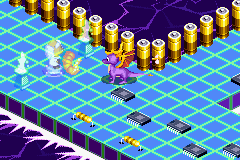
Spyro Adventures (E)(Patience)
0 1 0
Spyro Adventures (E)(Patience) is a classic Game Boy Advance game that provides a simple platforming experience suitable for players of all ages. It’s easy to pick up thanks to its straightforward controls and familiar gameplay style, making it great for quick sessions or longer playthroughs. Playing it in your browser means you can enjoy this nostalgic title without any downloads or fuss, right here on this site.
What Is Spyro Adventures?
Spyro Adventures belongs to the platformer genre, where players guide the well-known purple dragon through various levels filled with obstacles, enemies, and collectibles. The main goal is to explore, dodge hazards, and complete level-specific tasks, all while gathering items that unlock new areas or characters. The game calls for quick reflexes and precise jumps, typical of early 2000s portable platform games, offering an engaging and familiar adventure.
The gameplay encourages replaying levels to uncover secrets, beat previous times, or gather missing items. While it doesn’t have complex stories or RPG elements, its focus is on tight mechanics and a sense of progress through skill and exploration. It’s a straightforward experience, perfect for short gaming sessions or during commutes, thanks to its manageable length and intuitive controls.
What Keeps You Coming Back
One of the highlights of Spyro Adventures is its level design and challenge progression. Each stage features a different layout with fresh obstacles, prompting players to sharpen their skills and discover alternate routes. Hidden areas and collectibles reward thorough exploration and encourage replaying. The simple scoring system and time-based challenges motivate players to improve their performance with each attempt.
The game’s charm also lies in its familiar characters and environments, evoking nostalgia for fans of early portable gaming. The difficulty ramps up gradually, providing a satisfying sense of progress without feeling unfair. Since you can play directly in your browser, restarting levels or switching stages is quick and easy, making repeated tries hassle-free. This accessibility and variety keep players coming back, making it a fun, engaging experience over time.
Handy Tips
To get the most out of Spyro Adventures, keep these tips in mind:
- Collect all the items in each level to unlock hidden areas and extra content.
- Practice your jumping timing; many sections demand precise control to avoid hazards and enemies.
- Explore every corner; hidden pathways and shortcuts often lead to bonuses or faster completion times.
- Use retries to improve your score or time, as levels reset instantly in the browser version.
- Pay attention to level layouts; memorizing patterns helps you navigate tricky sections more smoothly.
Player FAQ
Is Spyro Adventures suitable for new players or kids?
Yes, it’s designed with simple controls and straightforward gameplay, making it easy for younger players or beginners to enjoy.
Can I play Spyro Adventures offline?
This version runs directly in your browser, so once loaded, you don’t need an internet connection. It’s perfect for quick, offline gaming whenever you want.
How long does it take to finish Spyro Adventures?
The length depends on how much you explore, but casual players can enjoy short sessions, while others might spend more time hunting for secrets and improving scores.
Spyro Adventures offers a charming, accessible platforming experience that’s easy to enjoy right in your browser. Its straightforward gameplay and replay value make it a good choice for fans of classic portable games or newcomers looking for a light, fun adventure.
Related games: you can also try Maya the Bee – The Great Adventure (E)(Venom) and Phantasy Star Collection (E)(Patience), or browse all other games in the Game Boy Advance category.
How to Play Spyro Adventures (E)(Patience)?
Guide Spyro through levels by jumping, dodging enemies, and collecting items to unlock new areas and secrets. Complete each stage efficiently to improve your score and discover hidden content.
Game Controls
Arrow keys control movement; space or designated keys handle jumps and actions.
You may be interested in:
-
 Game Boy Advance
♥ 2
Zooo (J)(Rising Sun)
Game Boy Advance
♥ 2
Zooo (J)(Rising Sun) -
 Game Boy Advance
♥ 4
Zooo (E)(Trashman)
Game Boy Advance
♥ 4
Zooo (E)(Trashman) -
 Game Boy Advance
♥ 2
ZooCube (U)(Mode7)
Game Boy Advance
♥ 2
ZooCube (U)(Mode7) -
 Game Boy Advance
♥ 1
ZooCube (E)(Blizzard)
Game Boy Advance
♥ 1
ZooCube (E)(Blizzard) -
 Game Boy Advance
♥ 1
Zone of the Enders – The Fist of Mars (U)(Mode7)
Game Boy Advance
♥ 1
Zone of the Enders – The Fist of Mars (U)(Mode7) -
 Game Boy Advance
♥ 1
Zone of the Enders – The Fist of Mars (E)(Cezar)
Game Boy Advance
♥ 1
Zone of the Enders – The Fist of Mars (E)(Cezar) -
 Game Boy Advance
♥ 1
Zoku Bokura no Taiyou – Taiyou Shounen Django (J)(Independent)
Game Boy Advance
♥ 1
Zoku Bokura no Taiyou – Taiyou Shounen Django (J)(Independent) -
 Game Boy Advance
♥ 7
Zoku Bokura no Taiyou – Taiyou Shounen Django (J)(Caravan)
Game Boy Advance
♥ 7
Zoku Bokura no Taiyou – Taiyou Shounen Django (J)(Caravan)
Comments (0)
No comments yet. Be the first to comment!