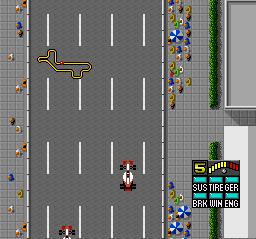
Super F1 Circus (Japan)
0 1 1
Super F1 Circus (Japan) is a classic SNES racing game that puts you behind the wheel of Formula 1 cars in a detailed simulation environment. Its controls are straightforward, and the gameplay is accessible, so newcomers can jump in and enjoy it without prior racing experience. This SNES game runs right in your browser, offering a nostalgic trip to the era of 16-bit racing without downloads or installations.
What Is Super F1 Circus?
Super F1 Circus falls into the driving and racing genres, focusing on a realistic simulation rather than arcade-style chaos. The game challenges you to race across various circuits, aiming for the best lap times and race results. Handling physics and car setup are part of the experience, requiring you to manage speed, braking, and cornering with care. It’s a game that rewards strategic driving and understanding racing lines, making each race feel like a small motorsport event.
Although racing is the main focus, the game emphasizes real-world driving mechanics. You’ll need to navigate tight turns, manage tire wear, and optimize your vehicle’s performance. The goal is to beat your opponents across multiple races, developing skills to handle different tracks and weather conditions. Super F1 Circus offers a well-rounded challenge for fans of realistic racing, going beyond quick thrills to focus on mastering F1 driving skills.
What Keeps You Coming Back
A big part of what makes Super F1 Circus engaging is its variety of circuits and conditions, which keep the gameplay fresh. Each track features unique turns and straights, demanding different strategies. The realistic physics also mean that controlling your car well is satisfying, encouraging you to keep playing to improve your lap times.
Replay value comes from refining your driving, experimenting with car setups, and trying to beat your best times. The interface and controls are simple enough to get started quickly, but the physics and track layouts offer enough depth to stay interesting over multiple sessions. Whether you’re chasing quick wins or trying to perfect your lap, the game offers enough challenge and variety to keep things fun over the long haul.
Handy Tips
Getting the most out of Super F1 Circus means understanding racing physics and the layout of each track. Here are some tips to help you improve:
- Keep your steering and braking smooth to stay in control through corners.
- If possible, tweak your car’s setup to better suit different circuits or weather conditions.
- Practice your braking points so you don’t skid or lose speed before turns.
- Familiarize yourself with each track’s tricky sections to plan your approach.
- Use practice laps to memorize layouts and find the best racing lines.
- Watch tire wear and fuel levels if those mechanics are included, managing them carefully during races.
Player FAQ
Is Super F1 Circus accessible for beginners?
Yes, its simple controls make it easy for newcomers to get started, while still offering enough depth to keep experienced players interested.
Can children enjoy Super F1 Circus?
Most ages can enjoy it thanks to its straightforward gameplay. Some concepts like physics and car setup might need a bit of explanation for younger players, though.
Do I need an internet connection to play?
No, the game runs directly in your browser, so you can play anytime without an internet connection.
Super F1 Circus provides a solid simulation racing experience with enough depth to keep players coming back. Its realistic physics, variety of tracks, and accessible gameplay make it a good choice for racing fans of all skill levels. And since it runs right in your browser, it’s a fun, nostalgic drive whenever the mood strikes.
Related games: you can also try Day of the Muncher and Sengoku no Hasha – Tenkafubu e no Michi (Japan), or browse all other games in the SNES category.
How to Play Super F1 Circus (Japan)?
Select your F1 car, race on various circuits, and aim for the best lap times by managing speed, braking, and cornering. Improve your skills through repeated races and car setup adjustments.
Game Controls
Arrow keys control steering and acceleration; other keys handle braking, gear shifting, and menu navigation.








Comments (0)
No comments yet. Be the first to comment!