Super Scrabble (USA)
0 1 0
Super Scrabble (USA) is a classic Game Boy game that brings the popular word game to your browser in a faithful emulation. Perfect for puzzle lovers and fans of wordplay, this game offers a straightforward yet engaging experience rooted in the timeless challenge of creating high-scoring words on a game board. Whether you’re a seasoned Scrabble player or new to the game, Super Scrabble provides a familiar and accessible way to enjoy the genre without needing physical tiles or a board.
Getting Into Super Scrabble
Super Scrabble revolves around forming words on a grid, with the goal of earning the highest points possible. The game usually involves players taking turns to place letter tiles on the board, connecting with existing words to build longer or more complex combinations. As a single-player game, it often pits you against a set of challenges or a scoring target, encouraging strategic placement and vocabulary skills. You’ll find yourself planning your moves carefully, balancing between immediate gains and setting up future plays.
The game mode is simple but can be quite demanding, making each turn feel like a mini puzzle. You select tiles from your rack and decide where to place them on the grid. The game tracks your score based on letter values and bonus spaces. A typical session can last a few minutes or longer, especially when aiming for high scores or trying to beat your previous best. This straightforward approach makes Super Scrabble easy to pick up but deep enough to keep you coming back, sharpening your word skills with every turn.
Standout Features
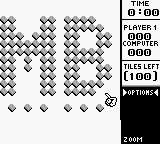
Graphically, Super Scrabble keeps a minimalist but clear visual style typical of Game Boy classics, with easily recognizable tiles and a clean game board. The focus is on functionality, ensuring players can quickly see letter values and bonus spots. The interface is simple, with intuitive controls that make selecting and placing tiles easy, even if you’re new to it.
What makes this game stand out is how replayable it is. The challenge of choosing the best word placements and scoring keeps each session fresh. It doesn’t rely heavily on unlockables or progression but instead rewards players for expanding their vocabulary and thinking strategically. Since it runs directly in your browser, you can enjoy Super Scrabble anytime, whether for quick breaks or longer sessions, making it a reliable puzzle companion from the Game Boy era.
Strategy and Tips
Getting the most out of Super Scrabble means balancing word length, letter values, and placement bonuses. Here are some tips:
- Use high-value letters on premium spaces for maximum points.
- Plan your moves in advance to set up high-scoring opportunities later on.
- Watch the entire board to block your opponent or create multiple words at once.
- Use shorter words to free up space and open up new scoring options.
- Save your best letters for plays that can clear your rack for extra points.
- Look for common prefixes and suffixes to extend existing words and rack up more points.
Quick Questions
How do I start a game in Super Scrabble?
Just load the game in your browser, and it starts right away, letting you begin placing tiles on the board without any setup.
What’s a common mistake for beginners?
Trying to place long words without paying attention to bonus spaces often results in lower scores; focus on maximizing point opportunities from the start.
Can I play Super Scrabble on mobile or touch screens?
Since it runs directly in your browser, it works well on touch devices, making it easy to play on smartphones or tablets with simple tap controls.
Related games: you can also try SD Command Gundam – G-Arms (Japan) and GB Genjin Land – Viva! Chikkun Oukoku (Japan), or browse all other games in the Game Boy category.
How to Play Super Scrabble (USA)?
Place letter tiles on the board to form words and score points, taking turns to connect with existing words and maximize your score within a limited number of moves.
Game Controls
Arrow keys move the cursor; Enter selects and places tiles; other keys confirm actions.








Comments (0)
No comments yet. Be the first to comment!