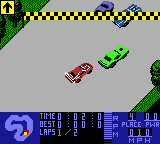
Test Drive 6 (USA)
0 1 0
Getting Into Test Drive 6
Test Drive 6 (USA) is a classic Game Boy Color racing game that puts players behind the wheel of a variety of cars on different tracks. The gameplay centers around racing against the clock or opponents across several modes, keeping things simple yet challenging. You pick your vehicle, choose a track, and aim to finish in the best position possible while balancing speed and cornering. The controls are easy to learn—accelerate, brake, steer—which makes it accessible for newcomers but still engaging for experienced players.
Most sessions involve selecting a race mode—like time attack or standard race—and then working through tracks that grow more difficult. As you improve your times and placements, you unlock new vehicles and tracks. While there isn’t much in the way of storylines or character customization, the focus stays on good driving and mastering each course. It’s easy to pick up, but there’s enough depth to refine your racing lines and improve lap times over multiple tries.
Standout Features
Visually, Test Drive 6 captures the look of late 90s racing games with bright, clear sprites and simple backgrounds. It doesn’t aim for realism, but the visuals are crisp for the Game Boy Color, with cars and tracks easy to tell apart. The variety of tracks and cars gives a sense of progression, as each race introduces new layouts and handling quirks. Learning each course’s twists and turns adds to the fun and makes you want to keep practicing.
Progression depends on finishing races and beating your best times, unlocking new vehicles and tracks along the way. The replay value comes from trying to beat your previous records and mastering different cars’ handling. Its straightforward design means you can jump into a quick race whenever you have a few minutes, but getting better at each track keeps you coming back. No complicated unlock system — just pure racing that rewards skill and persistence.
Strategy and Tips
Getting the best from Test Drive 6 means understanding how your vehicle handles and knowing the tracks well. Here are some quick tips:
- Keep your steering smooth; jerky movements can slow you down or cause you to lose control on tight corners.
- Brake early for sharp turns to keep your speed up and avoid overshooting.
- Familiarize yourself with each track’s layout to anticipate turns and plan your racing line.
- Select a vehicle that fits your driving style—some handle better in tight corners, others on straightaways.
- Try time trials to improve your lap times without the pressure of racing against others.
- Watch your speed; sometimes easing off just a bit in tricky sections results in faster overall times.
Quick Questions
How do I start a race in Test Drive 6?
Pick your preferred mode, select your vehicle, and choose a track. The menu guides you smoothly through these steps, so you’re ready to go quickly.
What’s a common mistake for beginners?
Oversteering or braking too late can cause loss of control or slow you down. Focus on smooth inputs and learning the tracks first.
Can I play Test Drive 6 on mobile or touch screens?
This classic runs well in your browser on any device, including phones, with controls adapted for touch. It’s great for quick, casual races without extra setup.
Test Drive 6 offers a straightforward racing experience on the Game Boy Color, emphasizing skill and consistency. Its simple mechanics, lively visuals, and sense of progression make it a fun pick for racing fans looking for a quick challenge. Playing it in your browser means you can enjoy a bit of vintage driving anytime without any downloads.
Related games: you can also try Shrek – Fairy Tale Freakdown (USA) (En,Fr,De,Es,It) and Micro Machines 1 and 2 – Twin Turbo (USA, Europe), or browse all other games in the Game Boy Color category.
How to Play Test Drive 6 (USA)?
Pick a car and track, then race to finish in the best time or position. Use smooth steering, brake early for turns, and learn each track to improve your skills.
Game Controls
Arrow keys control steering; other keys handle acceleration and braking.
You may be interested in:
-
 Game Boy Color
♥ 43
Zook Hero Z
Game Boy Color
♥ 43
Zook Hero Z -
 Game Boy Color
♥ 1
Zok Zok Heroes (Japan)
Game Boy Color
♥ 1
Zok Zok Heroes (Japan) -
 Game Boy Color
♥ 1
Zoids – Shirogane no Juukishin Liger Zero (Japan)
Game Boy Color
♥ 1
Zoids – Shirogane no Juukishin Liger Zero (Japan) -
 Game Boy Color
♥ 1
Zoids – Jashin Fukkatsu! Genobreaker Hen (Japan)
Game Boy Color
♥ 1
Zoids – Jashin Fukkatsu! Genobreaker Hen (Japan) -
 Game Boy Color
♥ 2
Zoboomafoo – Playtime in Zobooland (USA)
Game Boy Color
♥ 2
Zoboomafoo – Playtime in Zobooland (USA) -
 Game Boy Color
♥ 1
Zidane Football Generation (Europe) (En,Fr,De,Es,It)
Game Boy Color
♥ 1
Zidane Football Generation (Europe) (En,Fr,De,Es,It) -
 Game Boy Color
♥ 1
Zen-Nihon Shounen Soccer Taikai – Mezase Nihon Ichi! (Japan)
Game Boy Color
♥ 1
Zen-Nihon Shounen Soccer Taikai – Mezase Nihon Ichi! (Japan) -
 Game Boy Color
♥ 1
Zebco Fishing! (USA)
Game Boy Color
♥ 1
Zebco Fishing! (USA)
Comments (0)
No comments yet. Be the first to comment!