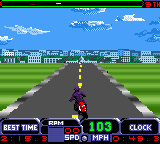
Test Drive Cycles (USA)
0 1 0
Test Drive Cycles (USA) is a classic Game Boy Color game that puts players behind the handlebars of various motorcycles, offering a straightforward racing experience from the handheld console era. If you like racing games that emphasize timing and precision over complex stories, this game might be worth trying. Its simple mechanics and nostalgic GBC graphics make it a good choice for quick, accessible gameplay on a browser-based emulator.
Getting Into Test Drive Cycles
In Test Drive Cycles, players choose from a few motorcycle models and race through different courses, aiming for the best time. The main focus is controlling acceleration, braking, and sometimes leaning into turns to keep your speed and balance. Races are short, making it easy to jump in for a quick session or practice specific tracks repeatedly.
Most races start with a straightforward menu where you select your bike and course. Once racing, it’s about timing your actions—when to accelerate, brake, or lean—and avoiding crashes or losing control. The game doesn’t have complicated mechanics or power-ups; instead, it rewards precision and familiarity with each circuit. You can try to beat your best times or just enjoy the thrill of smooth navigation, which makes it great for casual play or quick competitions against your previous scores.
Standout Features
The visuals are simple but colorful, typical of the Game Boy Color’s style. The sprites and backgrounds show the bikes and tracks clearly without clutter, helping you focus on the racing. Its straightforward design makes it easy to spot key track features and obstacles, which helps with quick decision-making during races.
Progression comes from completing races and improving your times. While there’s no extensive career mode or unlockables, replay value comes from trying to beat your best scores on each circuit. The short races and limited tracks encourage repeated play, perfect for sharpening your timing or just enjoying quick racing sessions. Its simplicity means you can jump right in and race without fuss, which adds to its charm.
Strategy and Tips
To improve your racing, practice controlling your acceleration and braking. Timing your lean into turns helps maintain speed and avoid crashes. Here are some practical tips:
- Work on your cornering to lose less time in turns—lean just enough to stay balanced without oversteering.
- Keep a steady throttle during straight sections to maintain your speed.
- Learn the layout of each track to anticipate sharp turns or obstacles, even if they appear briefly.
- Avoid sudden movements that could cause wobbling or spinning out, especially at high speeds.
- Use light braking rather than abrupt stops to keep your momentum through turns.
- Race repeatedly on the same track to memorize the best lines and improve your times.
Quick Questions
How do I get started with Test Drive Cycles?
Just load the game on this site and pick your bike and course to start racing right away. No extra setup needed.
What’s a common mistake for beginners?
Many new players oversteer or brake too late, which slows you down and can cause crashes. Practice smooth, early turns to keep your momentum.
Can I play Test Drive Cycles on mobile or touch devices?
Yes, since it runs directly in your browser, it works on touchscreen devices, though controls might feel less precise than using a keyboard or controller.
Test Drive Cycles offers quick bursts of motorcycle racing fun with simple controls and straightforward gameplay. It’s a good pick for anyone wanting to test their timing skills and enjoy classic Game Boy Color racing without any fuss.
Related games: you can also try RPG Tsukuru GB (Japan) and Colin McRae Rally (Europe), or browse all other games in the Game Boy Color category.
How to Play Test Drive Cycles (USA)?
Choose a motorcycle, race through tracks by controlling acceleration, braking, and leaning into turns to beat your best times. Focus on timing and precision to navigate quickly and avoid crashes.
Game Controls
Arrow keys control acceleration, braking, and leaning; other keys handle start and restart.
You may be interested in:
-
 Game Boy Color
♥ 43
Zook Hero Z
Game Boy Color
♥ 43
Zook Hero Z -
 Game Boy Color
♥ 1
Zok Zok Heroes (Japan)
Game Boy Color
♥ 1
Zok Zok Heroes (Japan) -
 Game Boy Color
♥ 1
Zoids – Shirogane no Juukishin Liger Zero (Japan)
Game Boy Color
♥ 1
Zoids – Shirogane no Juukishin Liger Zero (Japan) -
 Game Boy Color
♥ 1
Zoids – Jashin Fukkatsu! Genobreaker Hen (Japan)
Game Boy Color
♥ 1
Zoids – Jashin Fukkatsu! Genobreaker Hen (Japan) -
 Game Boy Color
♥ 2
Zoboomafoo – Playtime in Zobooland (USA)
Game Boy Color
♥ 2
Zoboomafoo – Playtime in Zobooland (USA) -
 Game Boy Color
♥ 1
Zidane Football Generation (Europe) (En,Fr,De,Es,It)
Game Boy Color
♥ 1
Zidane Football Generation (Europe) (En,Fr,De,Es,It) -
 Game Boy Color
♥ 1
Zen-Nihon Shounen Soccer Taikai – Mezase Nihon Ichi! (Japan)
Game Boy Color
♥ 1
Zen-Nihon Shounen Soccer Taikai – Mezase Nihon Ichi! (Japan) -
 Game Boy Color
♥ 1
Zebco Fishing! (USA)
Game Boy Color
♥ 1
Zebco Fishing! (USA)
Comments (0)
No comments yet. Be the first to comment!